← 27 Oct design update · 3 pm meeting follow-up
SNEF booth: Keith's 28 Oct design update
Keith's 28 Oct design is live on the booth for Friday. It passed the independent reviews before launch and a full walk of the live booth with no errors.
What it means for the booth: the drafting screen can no longer race past a visitor. It waits on a new "Plan ready" screen until they tap "Open plan". Step 5 now shows the manager's sign-off and what the employee sees on her phone. Staff set their own name by holding the Meridian logo, and visitors can type who they spoke to. Still to do by a person: a real iPad check at Thursday practice.
Updated 28 Oct 2026. Tap any picture to open it full size. Live booth: meridian.elitez.ai/booth.
Grey = beforeGreen = afterAmber = Keith's design
At a glance
| Screen | What changed on the booth | Status | Review |
|---|---|---|---|
| Step 2: Meridian drafts the plan | The four things Meridian reads (role, last review, module results, your feedback) now tick off one by one in about 5 seconds, under the line "Meridian is reading these 4 inputs." The screen no longer moves on by itself. | Live | Pass |
| New screen, 2b: Plan ready | When drafting finishes the screen waits. | Live | Pass |
| Step 3: Check and approve the plan | Looks as Keith drew it. | Live | Pass |
| Step 4: all four checks marked | Once all four checks are marked, the "Next check" button goes away and "Complete sign-off" is ready, as in the new design. | Live | Pass |
| Step 5: the result and the QR | Rebuilt to Keith's layout: a "Confirmed by your manager" spotlight; "On Aisha's phone: the same sign-off, from the employee's side"; the coaching point in the manager's own words so she knows what to do next time; and "Next in her plan". | Live | Pass |
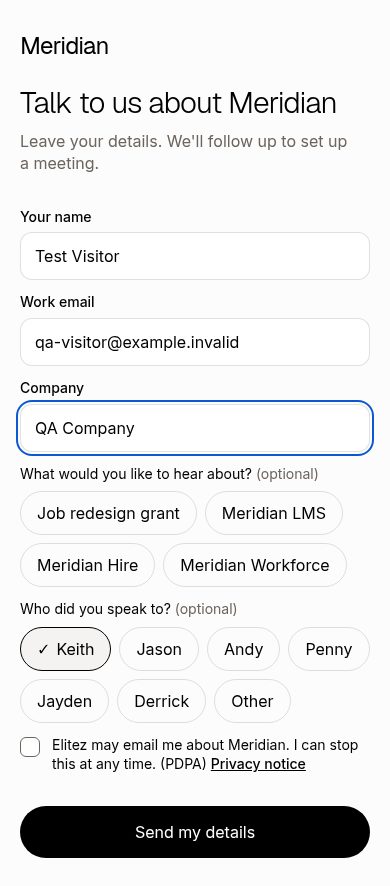
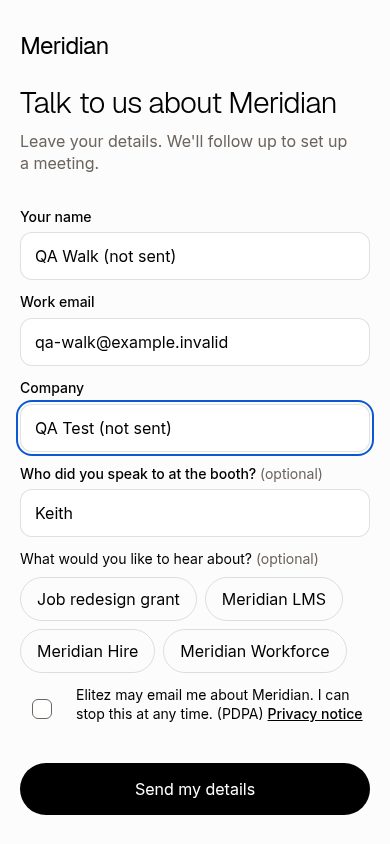
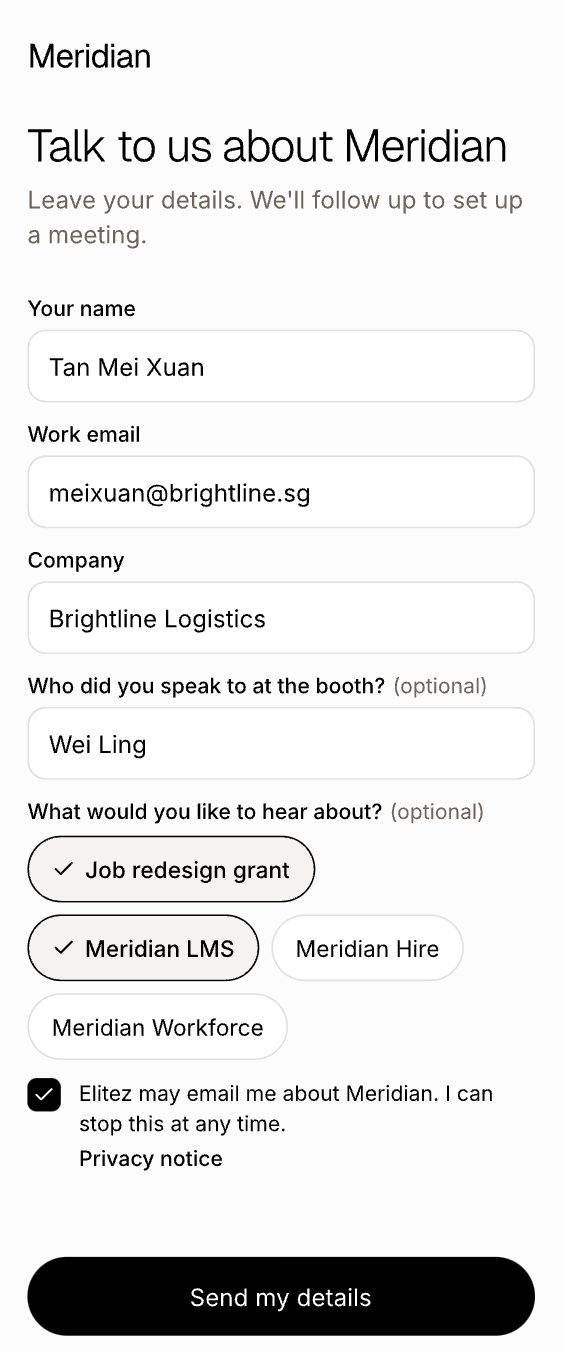
| Visitor's phone form | New optional field after Company: "Who did you speak to at the booth?". | Live | Pass |
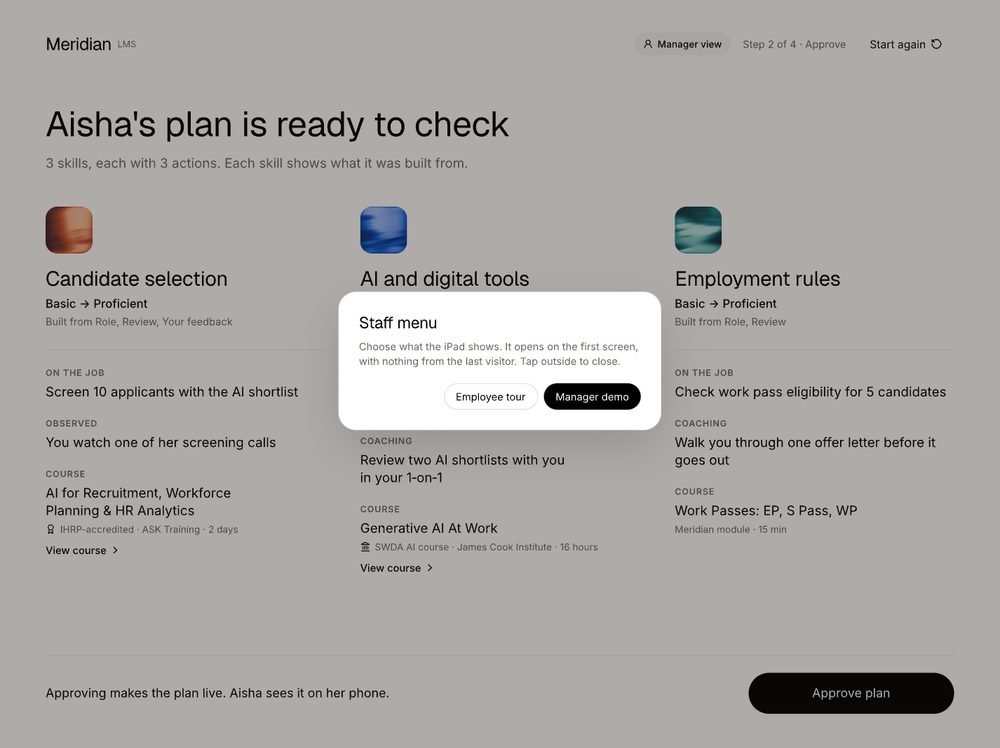
| Staff menu: hold the Meridian logo for 2 seconds | Holding the logo for 2 seconds, on any booth screen, opens a small staff menu with "Employee tour" and "Manager demo". | Live | Pass |
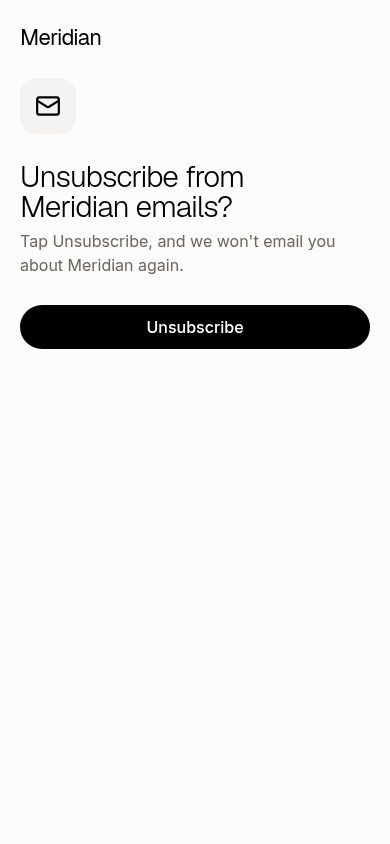
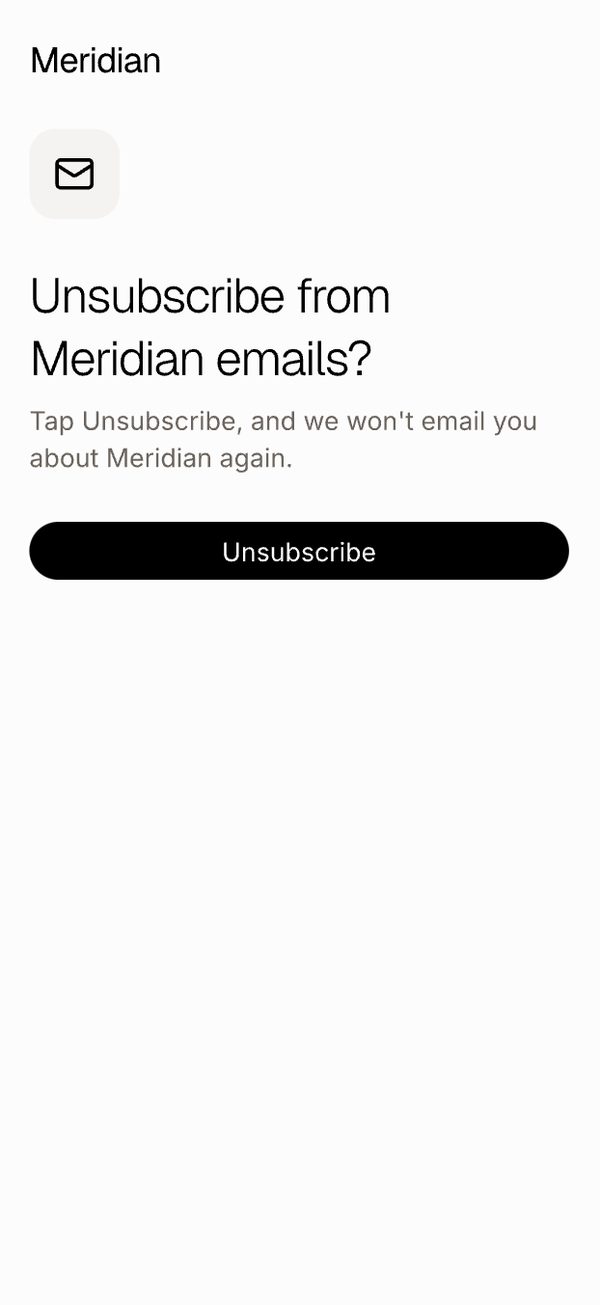
| Unsubscribe page (from the email link) | One button, "Unsubscribe", then a plain confirmation. | Live | Pass |
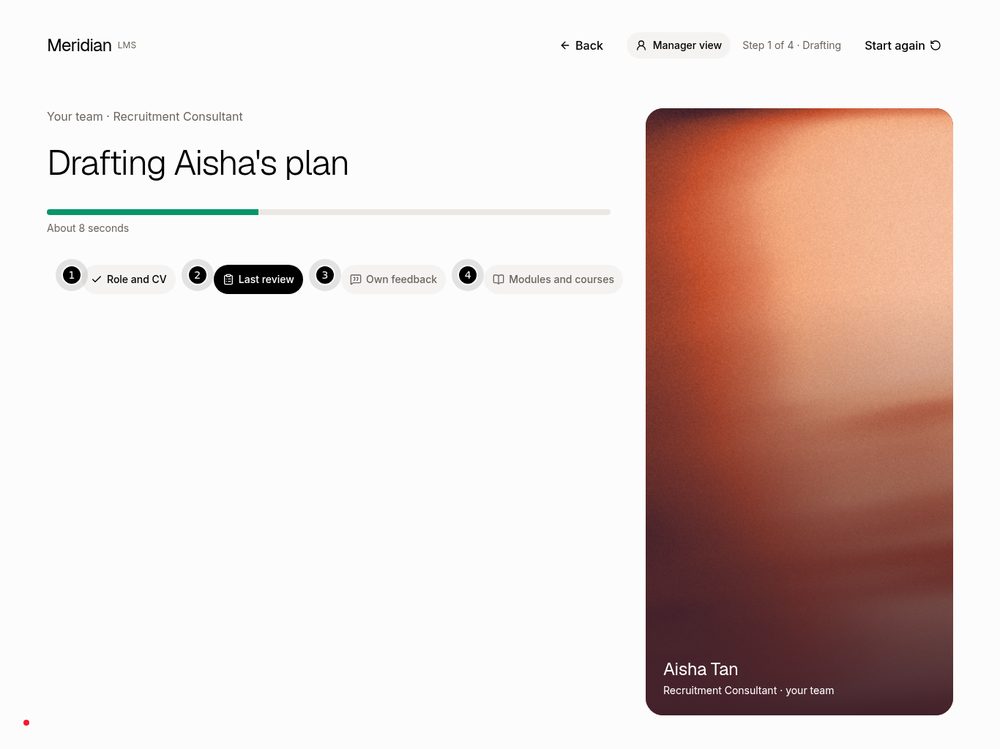
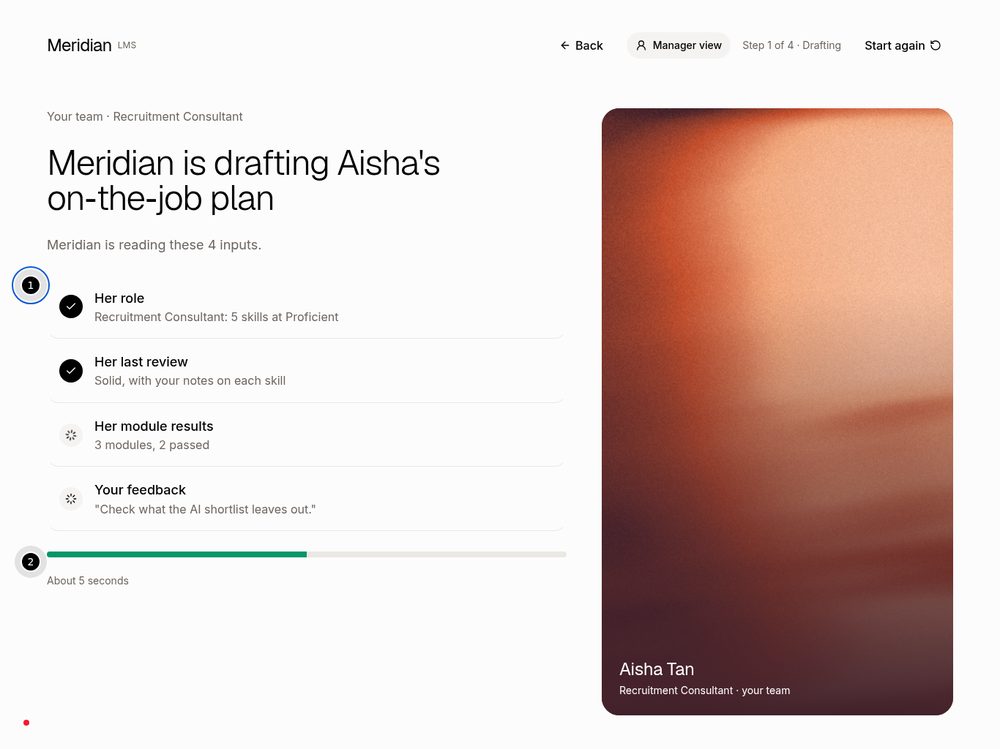
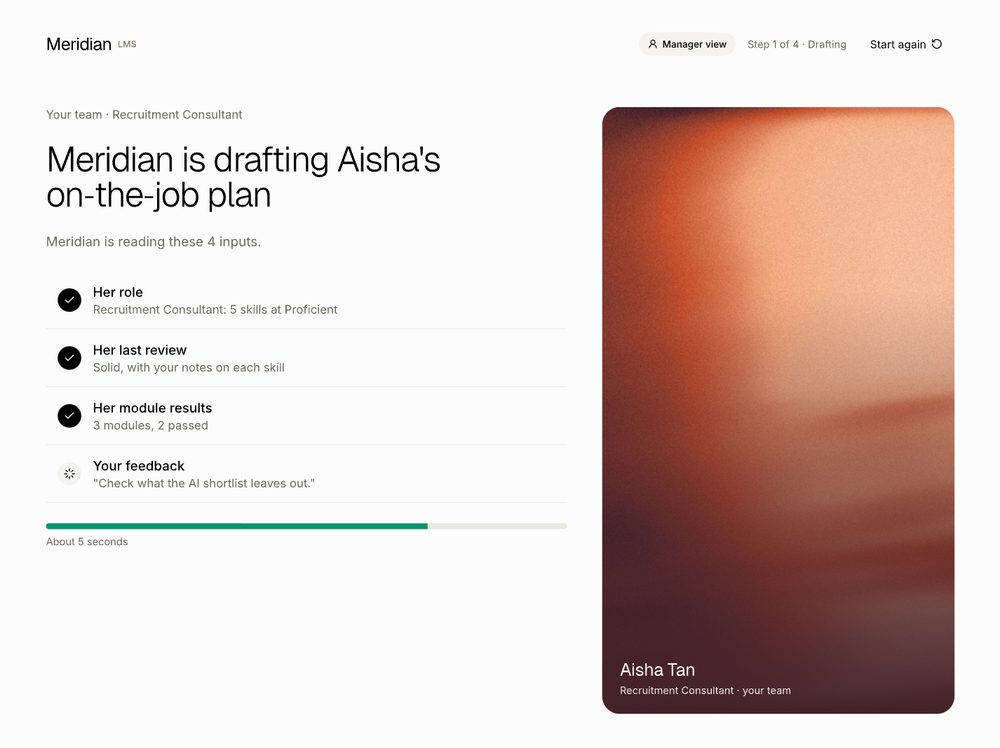
Step 2: Meridian drafts the plan Live
The four things Meridian reads (role, last review, module results, your feedback) now tick off one by one in about 5 seconds, under the line "Meridian is reading these 4 inputs." The screen no longer moves on by itself.
The guided tips explain what is happening while it drafts. They are written for the visitor holding the iPad.
While it drafts (Recruitment, Aisha)
New screen, 2b: Plan ready Live
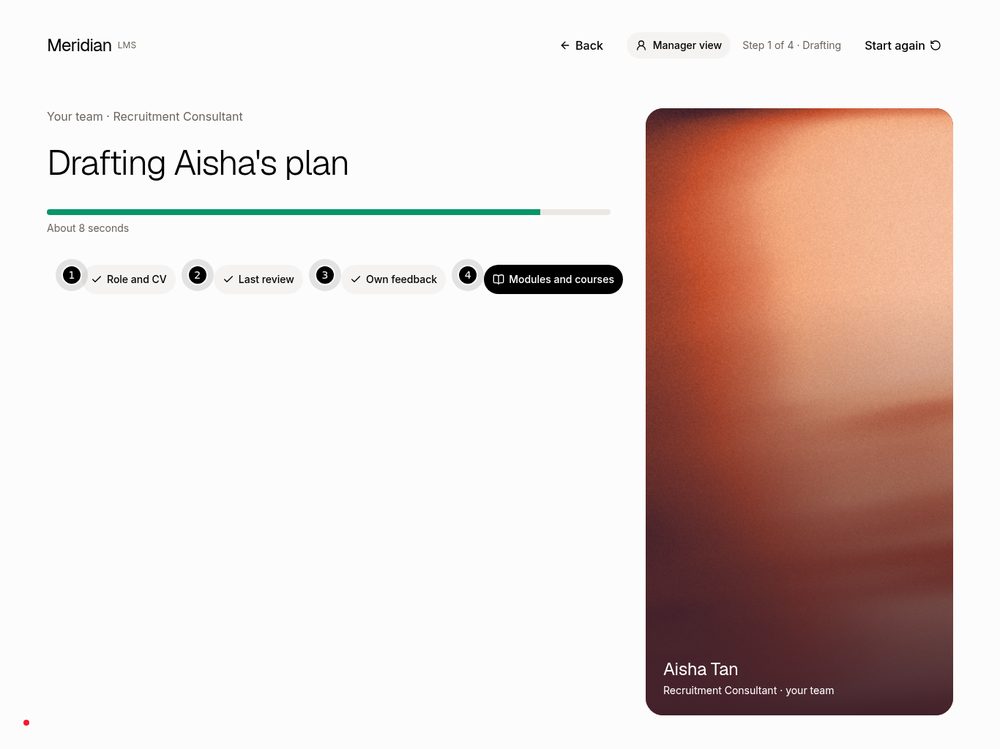
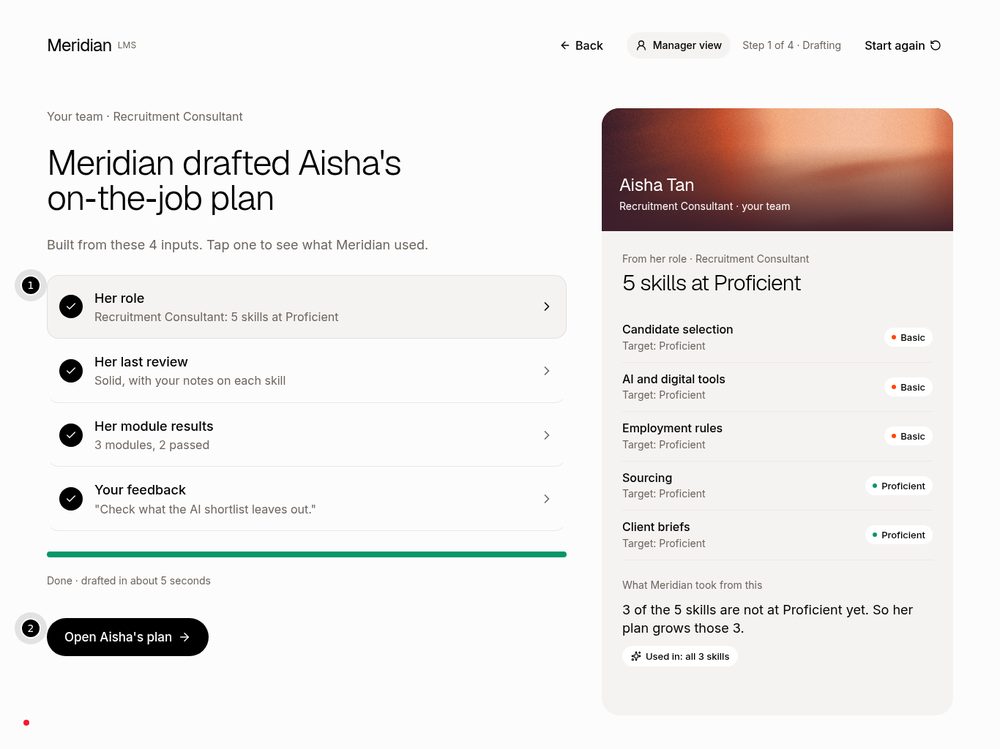
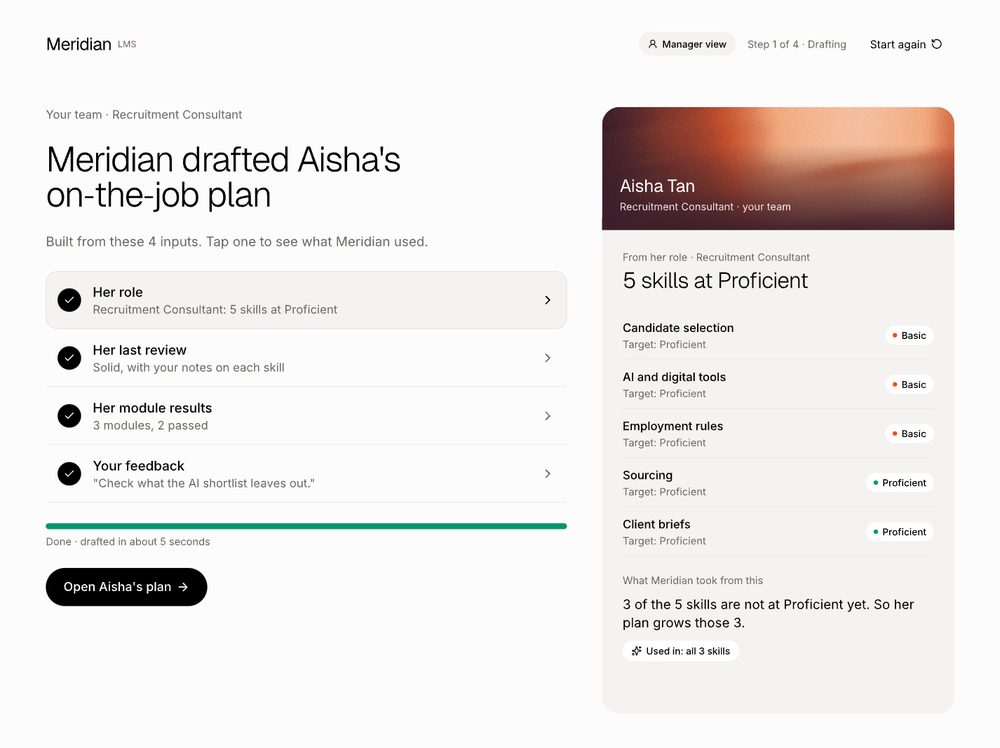
When drafting finishes the screen waits. Nothing moves until the visitor taps "Open Aisha's plan". Tapping any of the four inputs shows, on the right, what Meridian used: her role, her last review, her module results or your feedback. Same on all four roles.
The tips invite a tap on an input, then "Open the plan". Nothing for staff to say.
Plan ready, module results open (before: the old drafting screen at its end, which then moved on by itself)
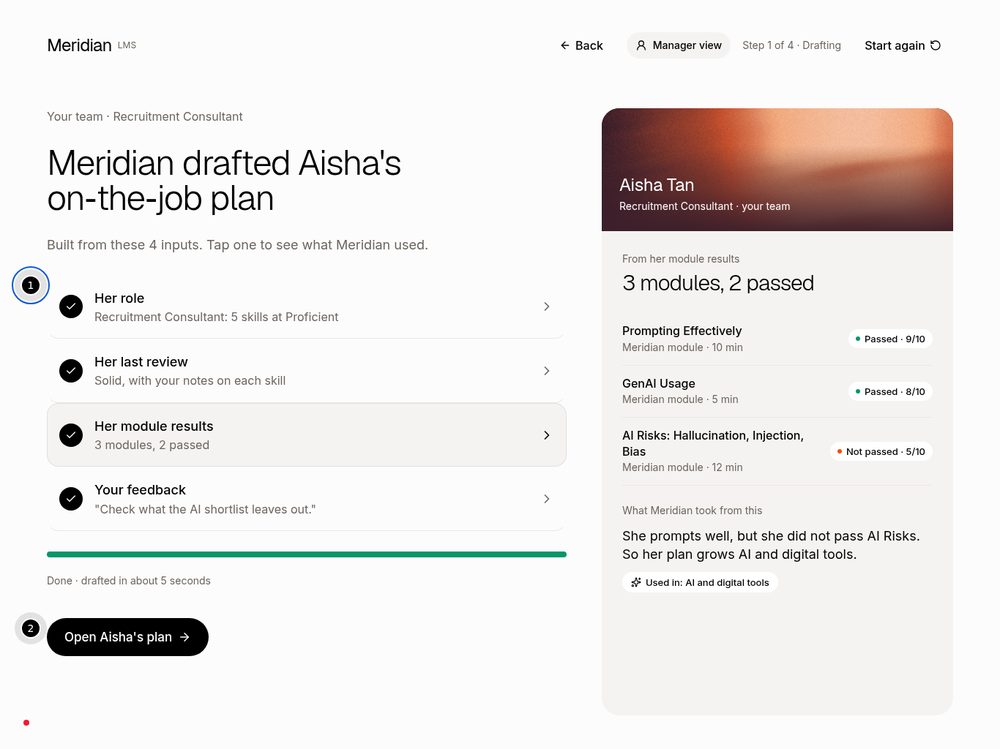
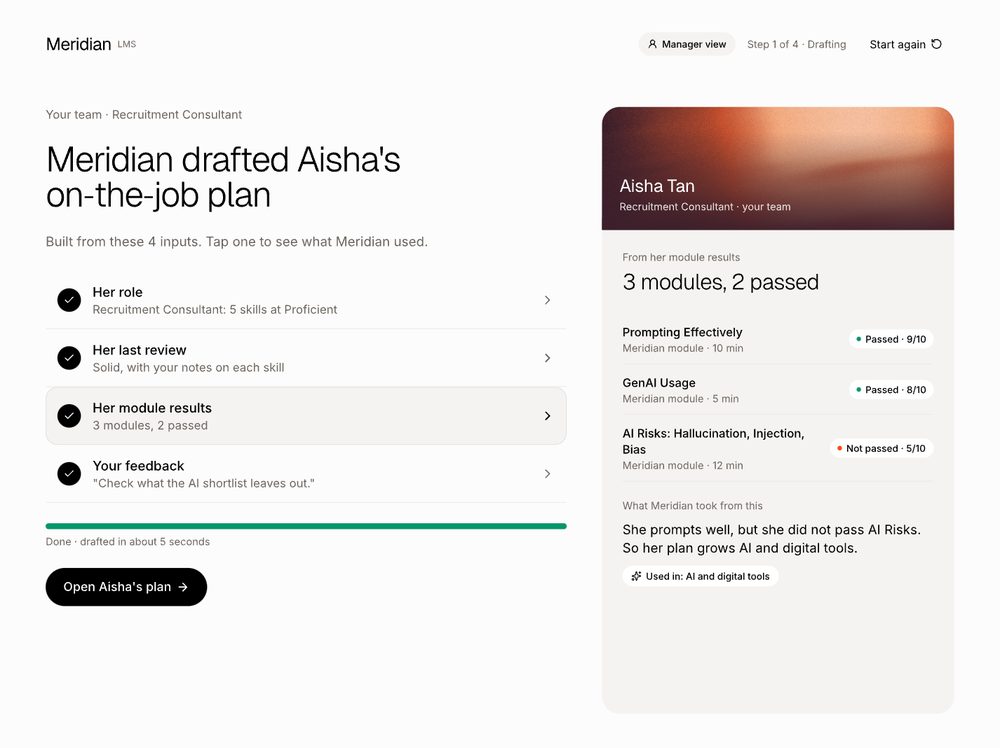
Tap "Her role"
Tap "Her last review"
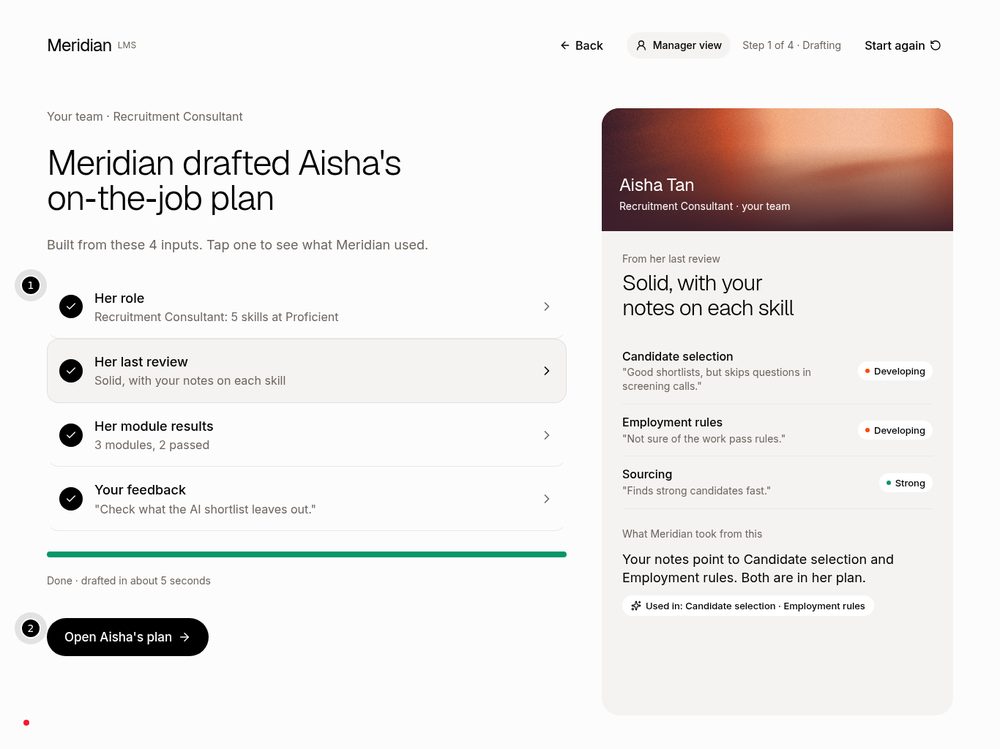
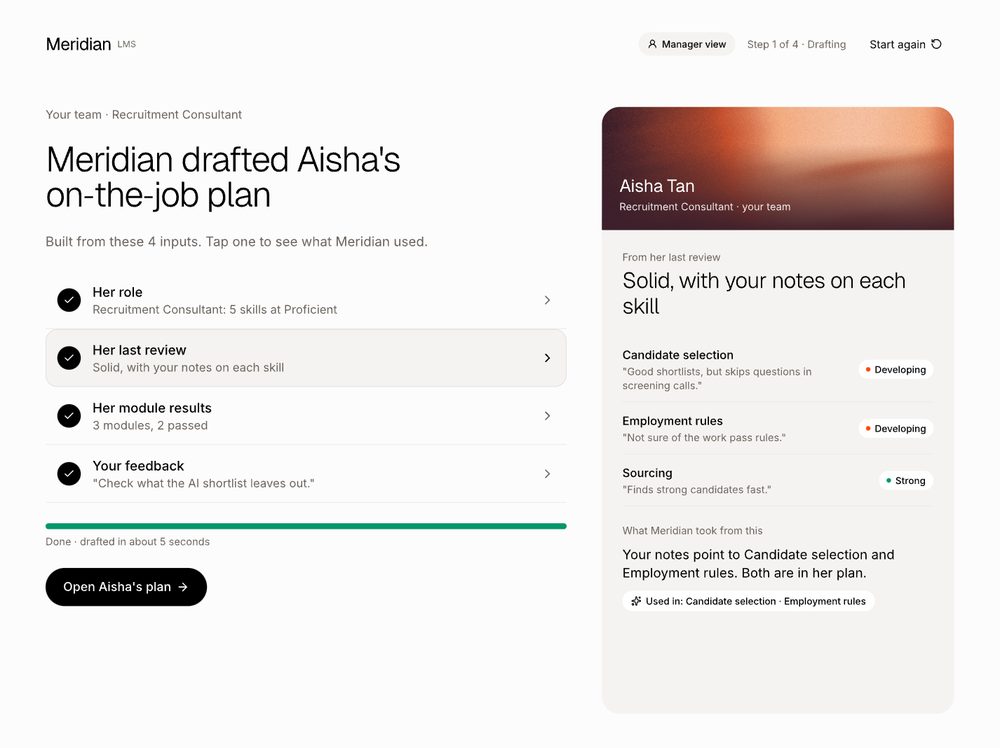
Tap "Your feedback"
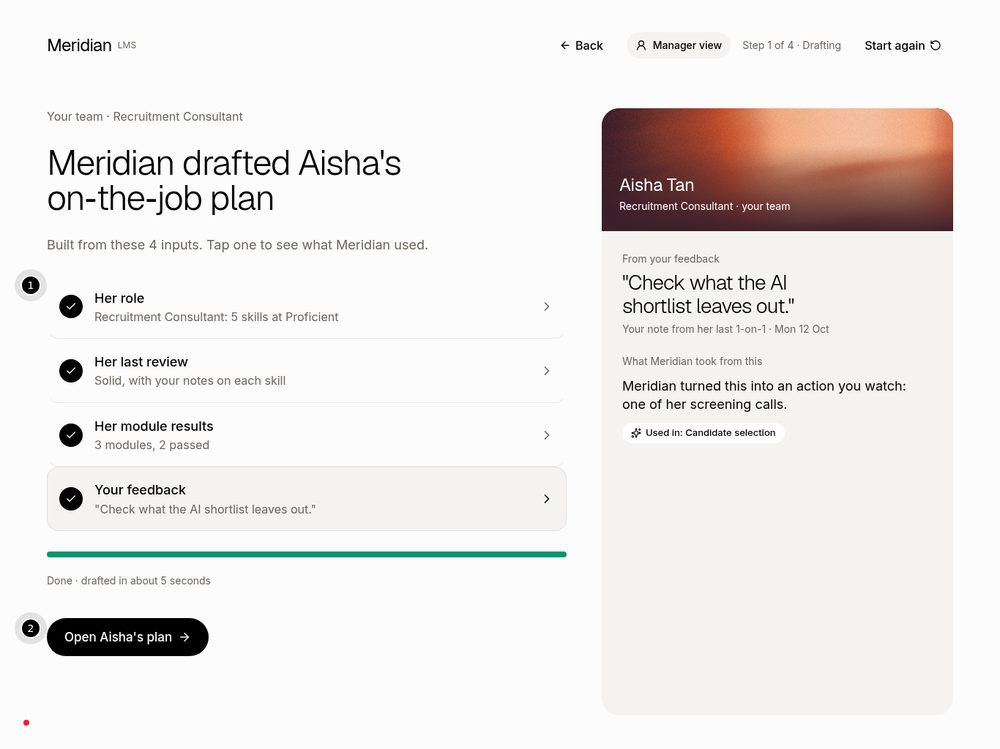
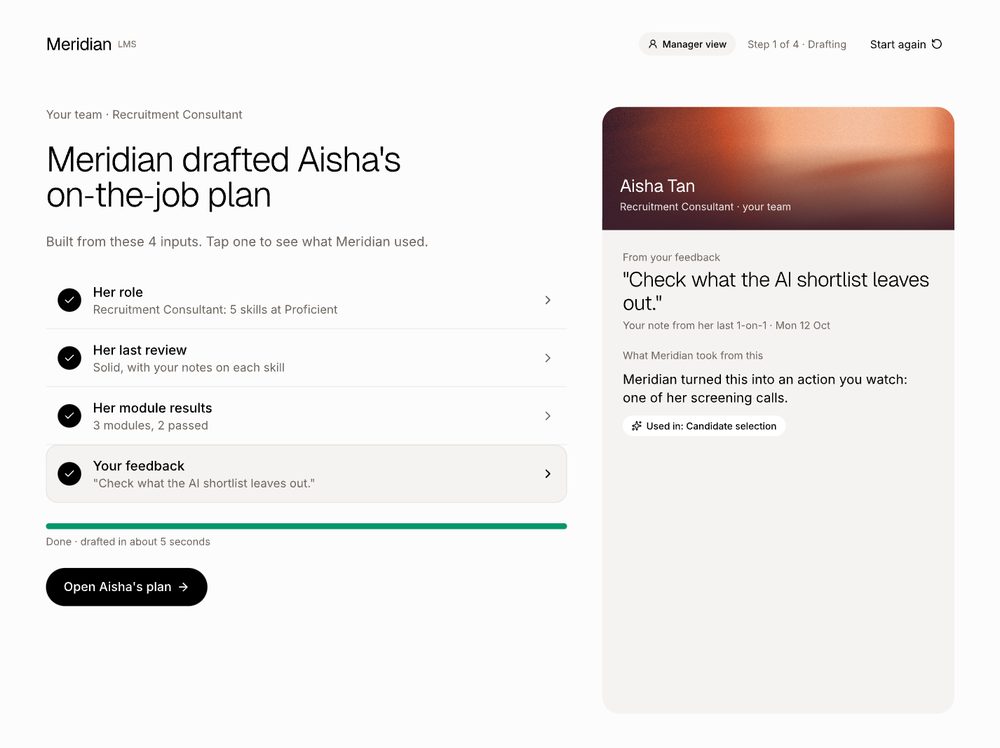
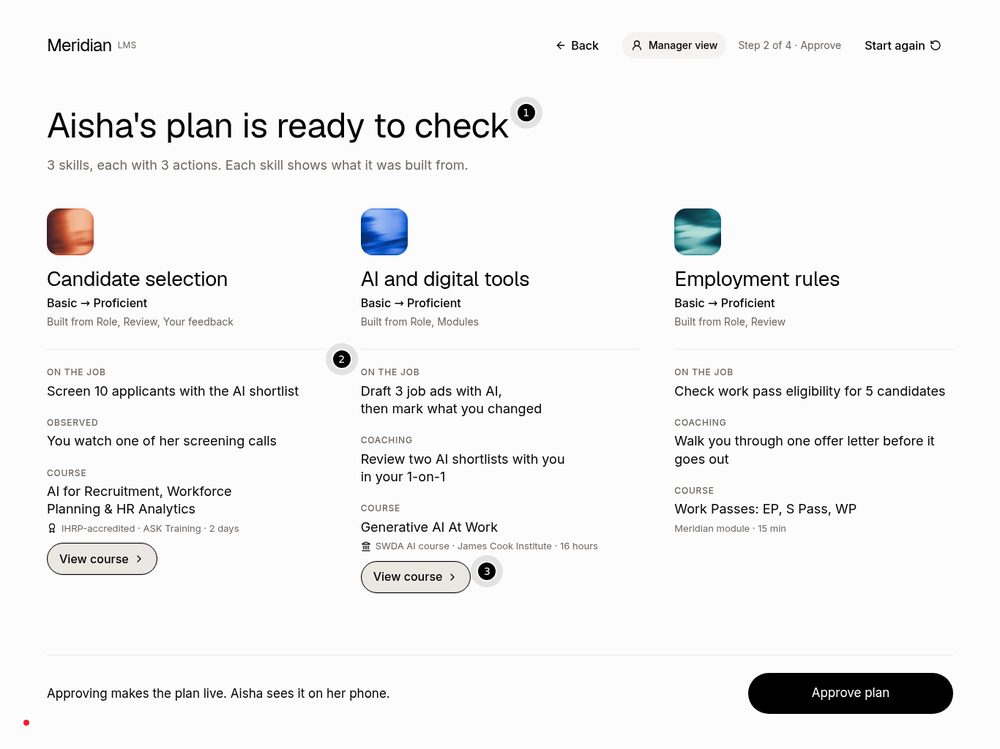
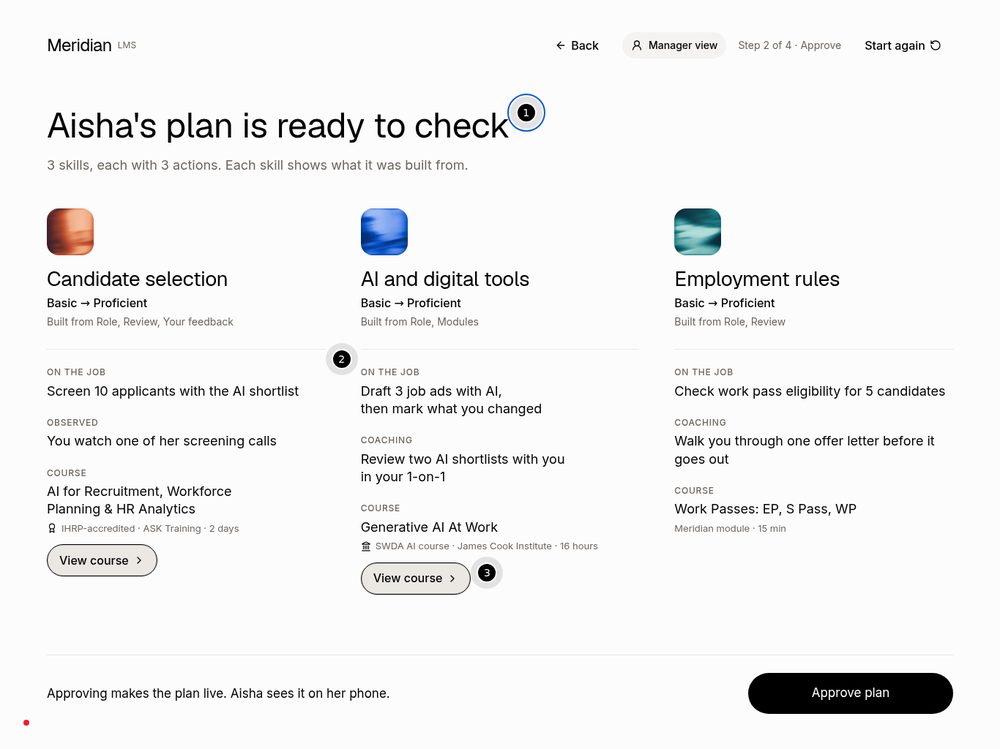
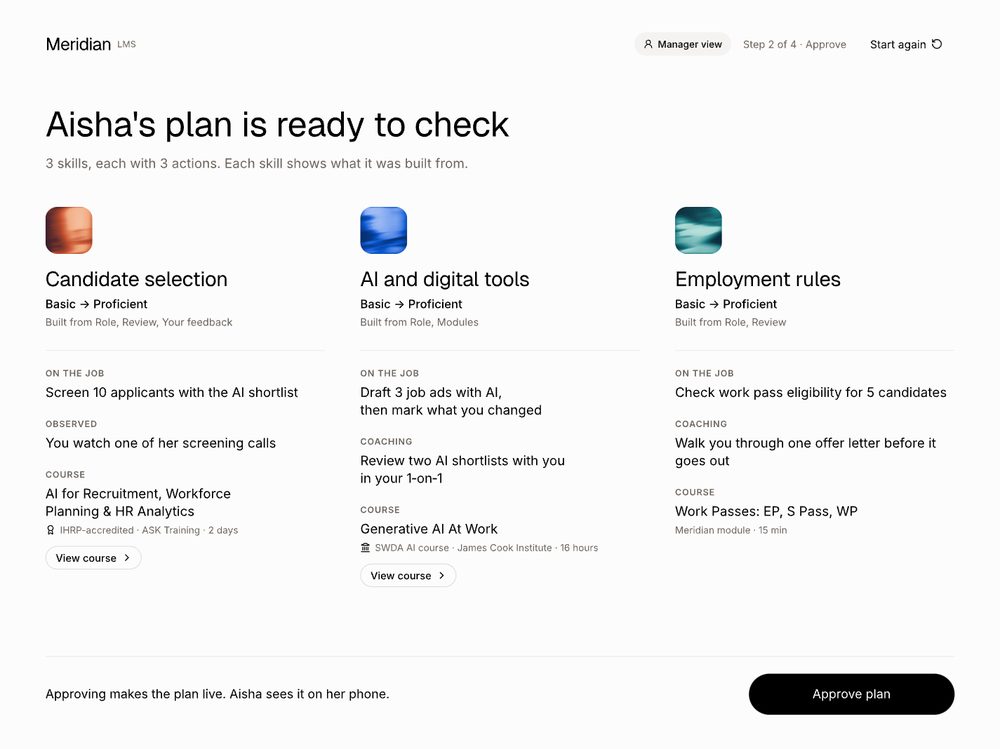
Step 3: Check and approve the plan Live
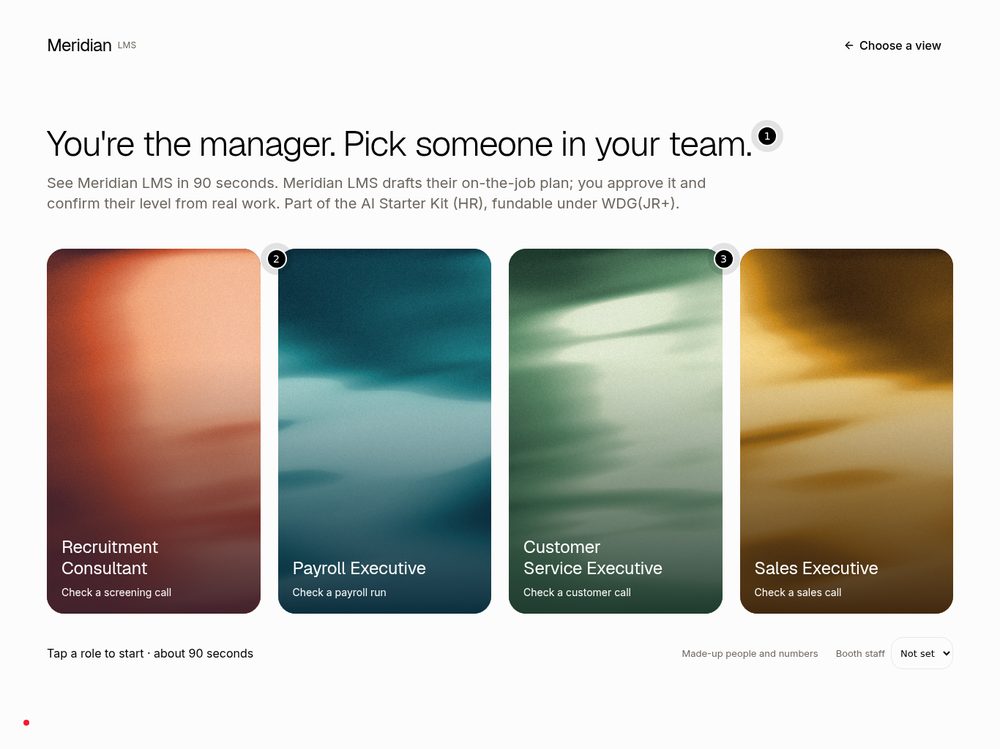
Looks as Keith drew it. "View course" stays as an outline button, so the course pages and the real SWDA and IHRP links are reached the same way as before. Back from this step now returns to "Plan ready" with the ticks still showing.
Plan with three skills (Recruitment)
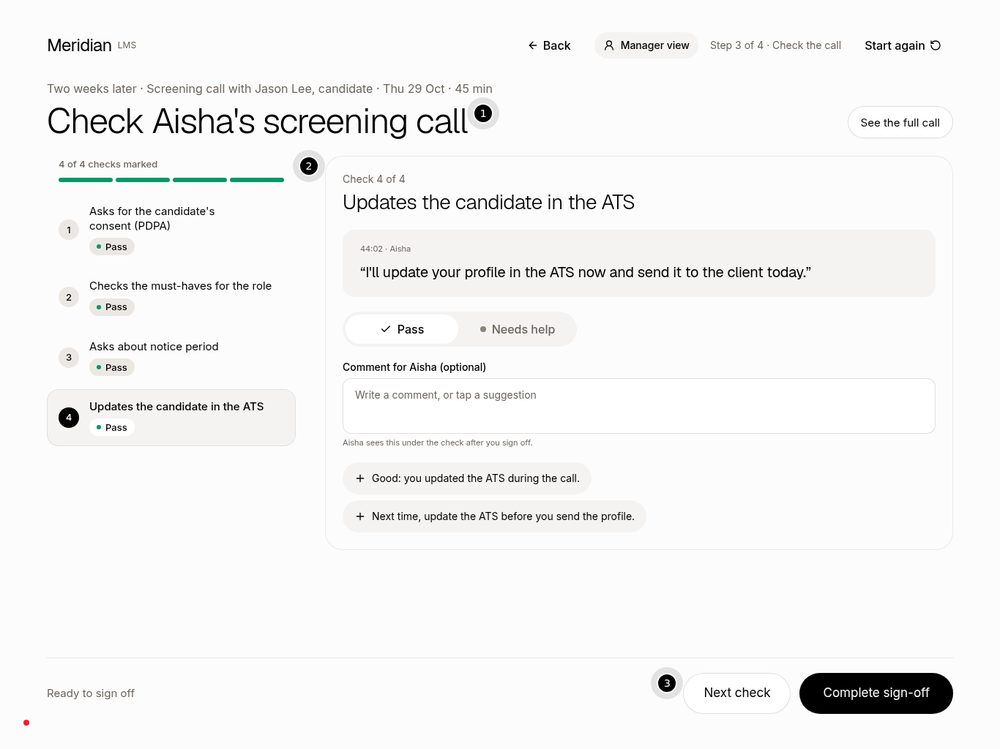
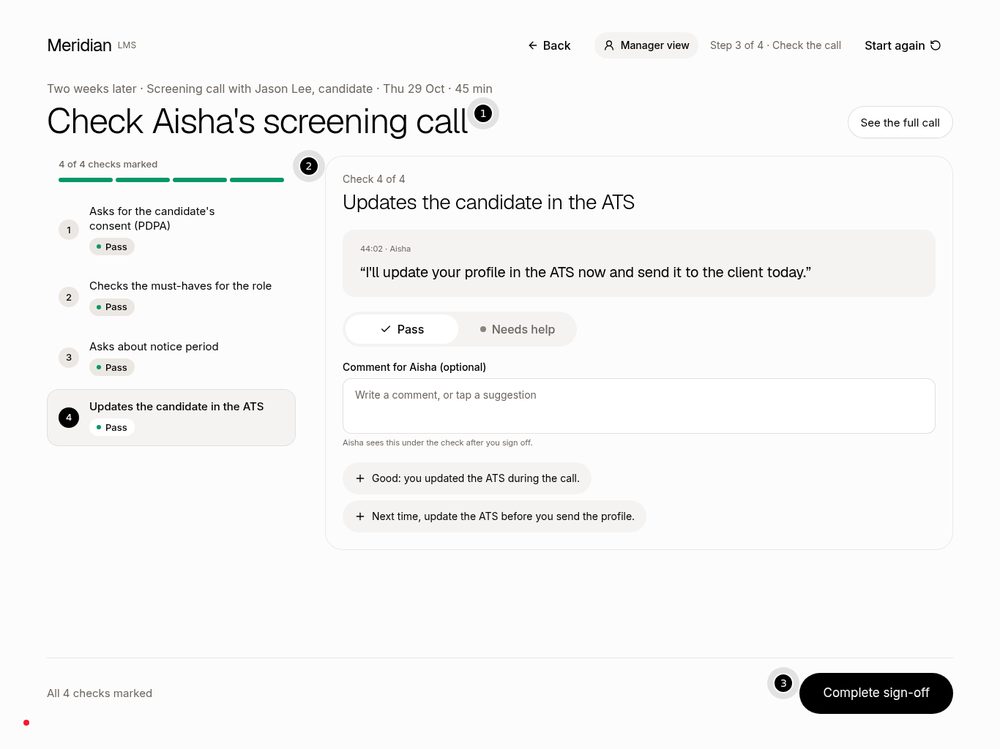
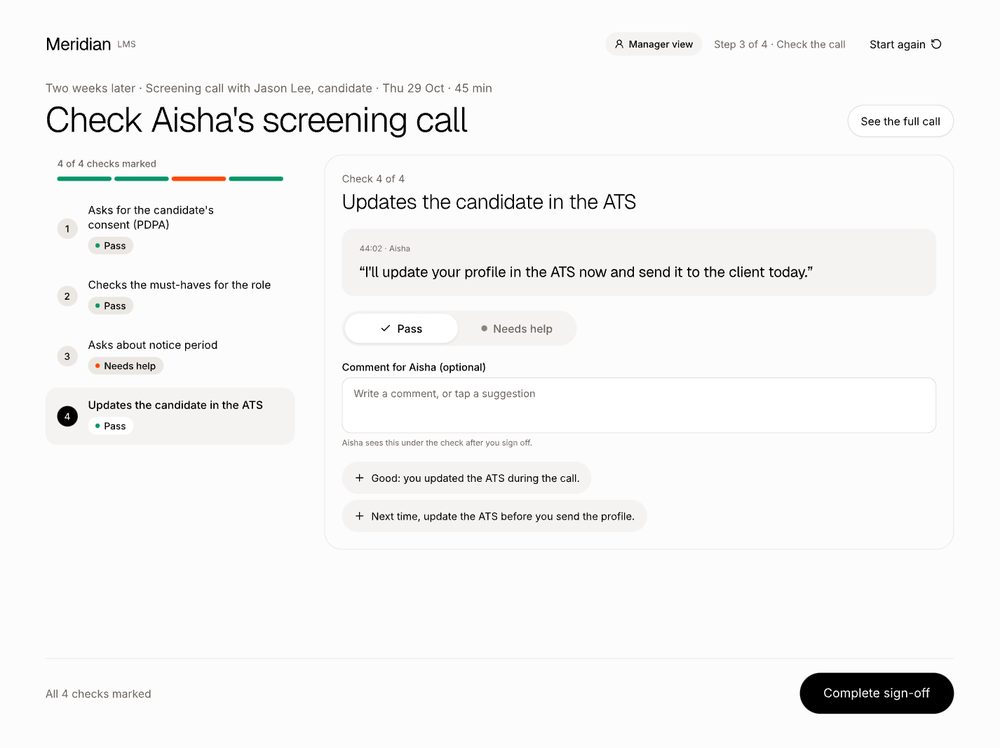
Step 4: all four checks marked Live
Once all four checks are marked, the "Next check" button goes away and "Complete sign-off" is ready, as in the new design.
All 4 checks marked, ready to sign off
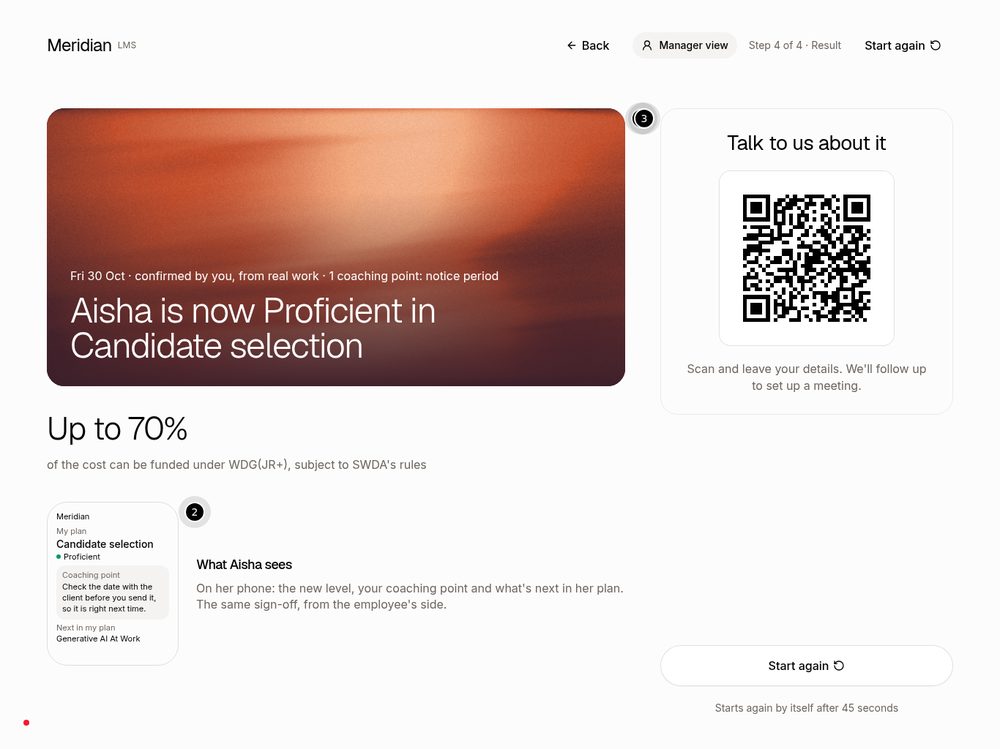
Step 5: the result and the QR Live
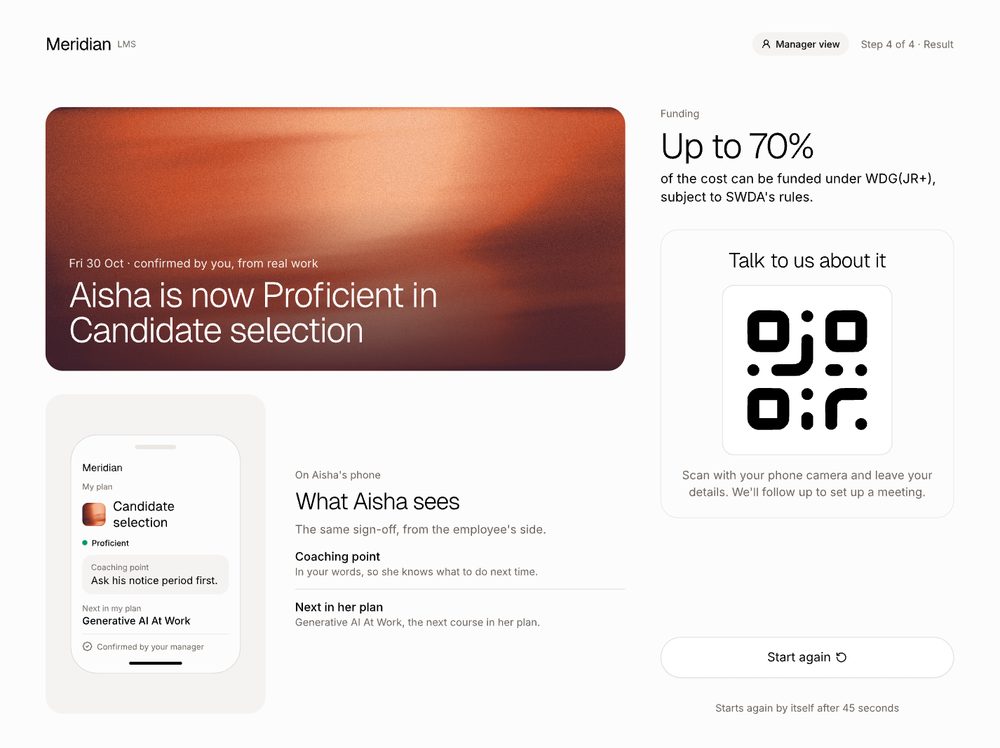
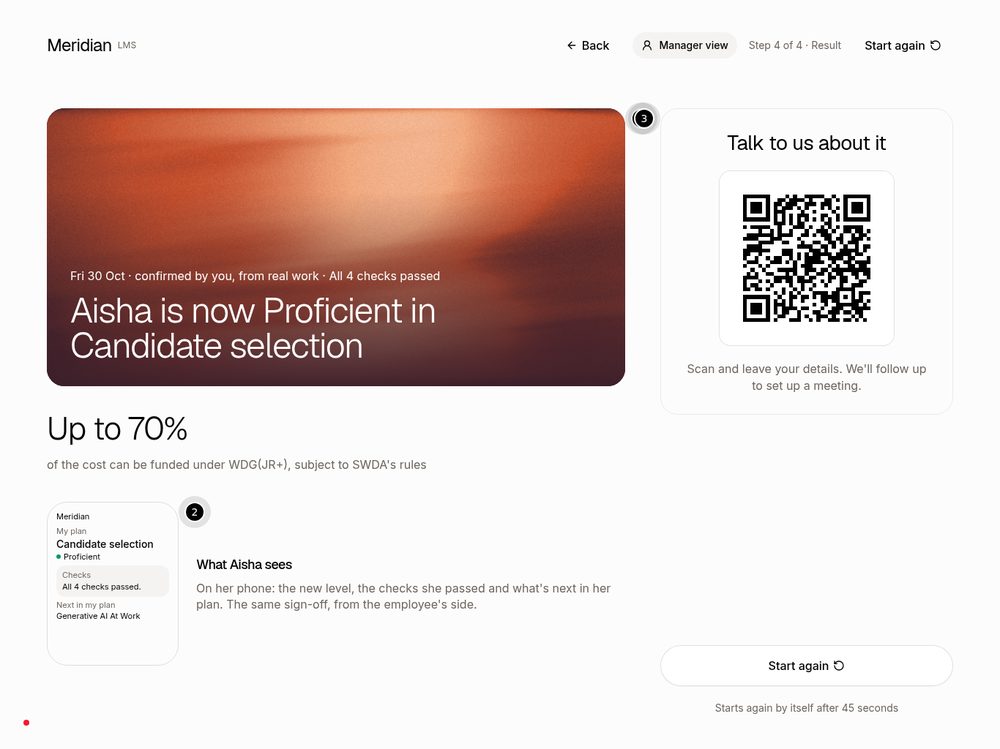
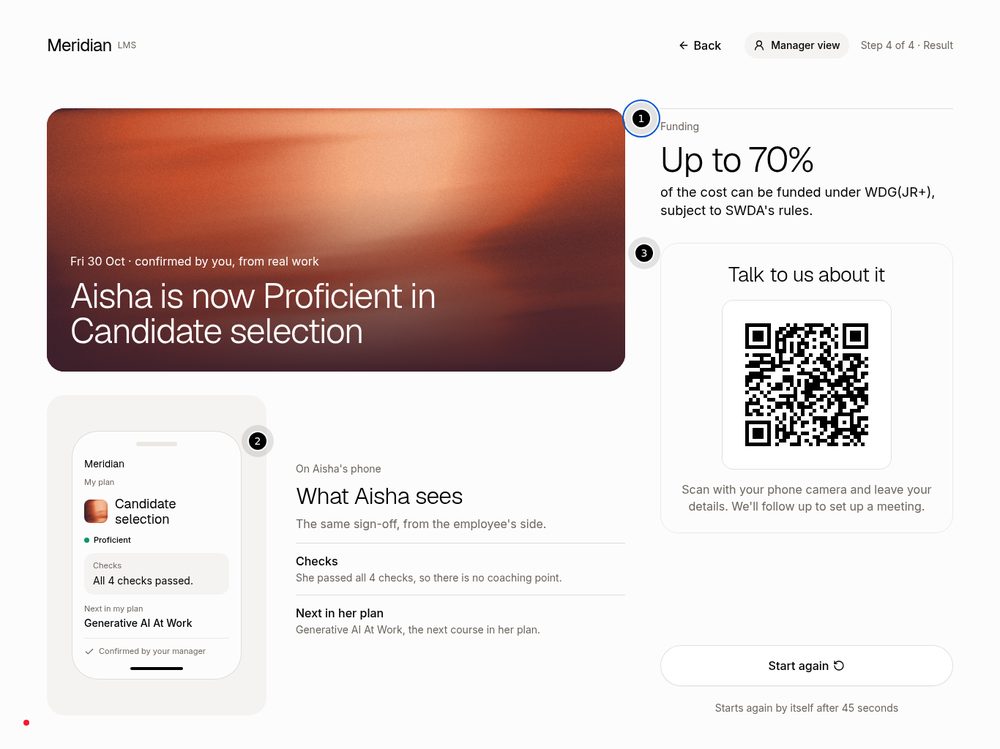
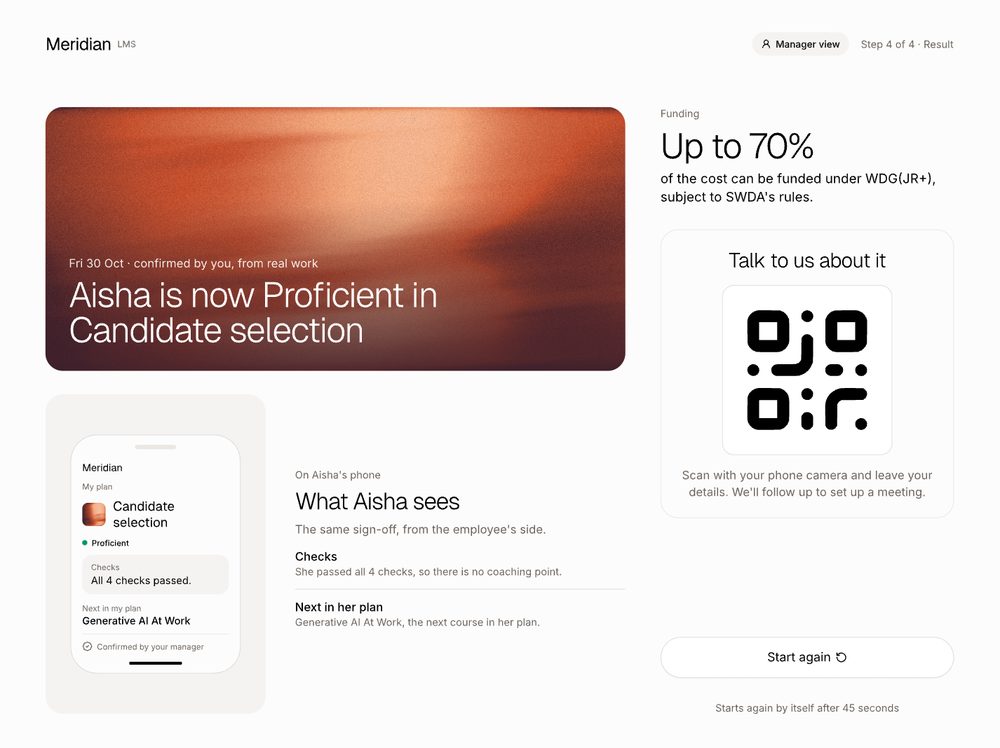
Rebuilt to Keith's layout: a "Confirmed by your manager" spotlight; "On Aisha's phone: the same sign-off, from the employee's side"; the coaching point in the manager's own words so she knows what to do next time; and "Next in her plan". The funding line still says "subject to SWDA's rules" and the QR stays. The "16% to 29%" figure is not shown (it was already gone from the live booth).
The tips on this screen now describe the employee's side and the QR, for the visitor.
Check 3 needed help, so there is a coaching point
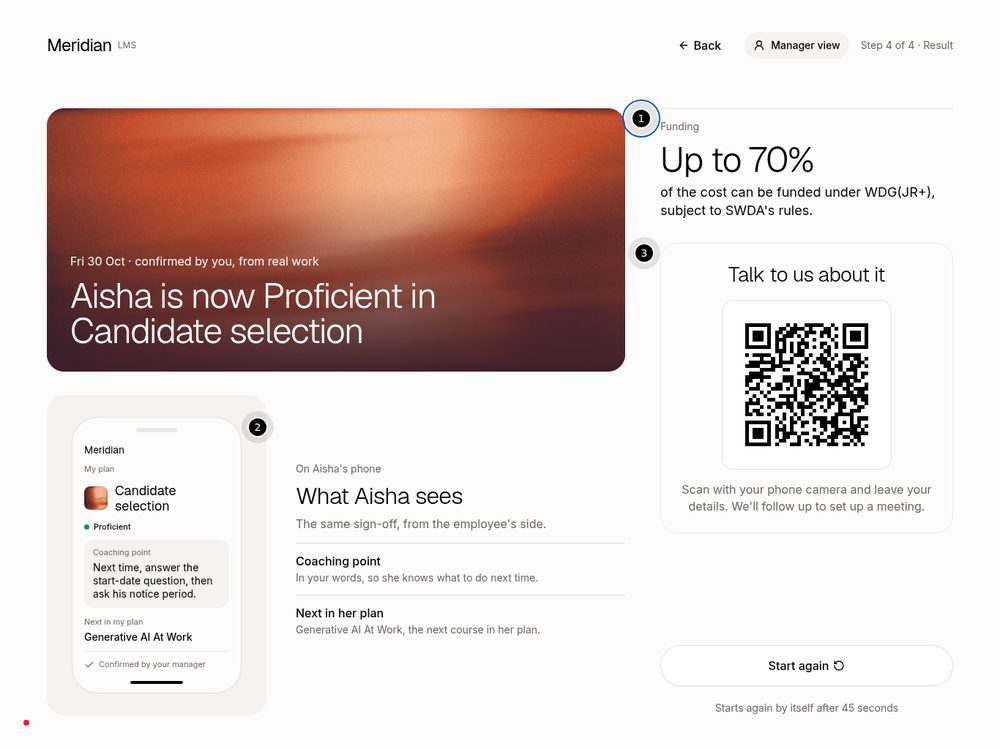
All four checks passed, so no coaching point
Visitor's phone form Live
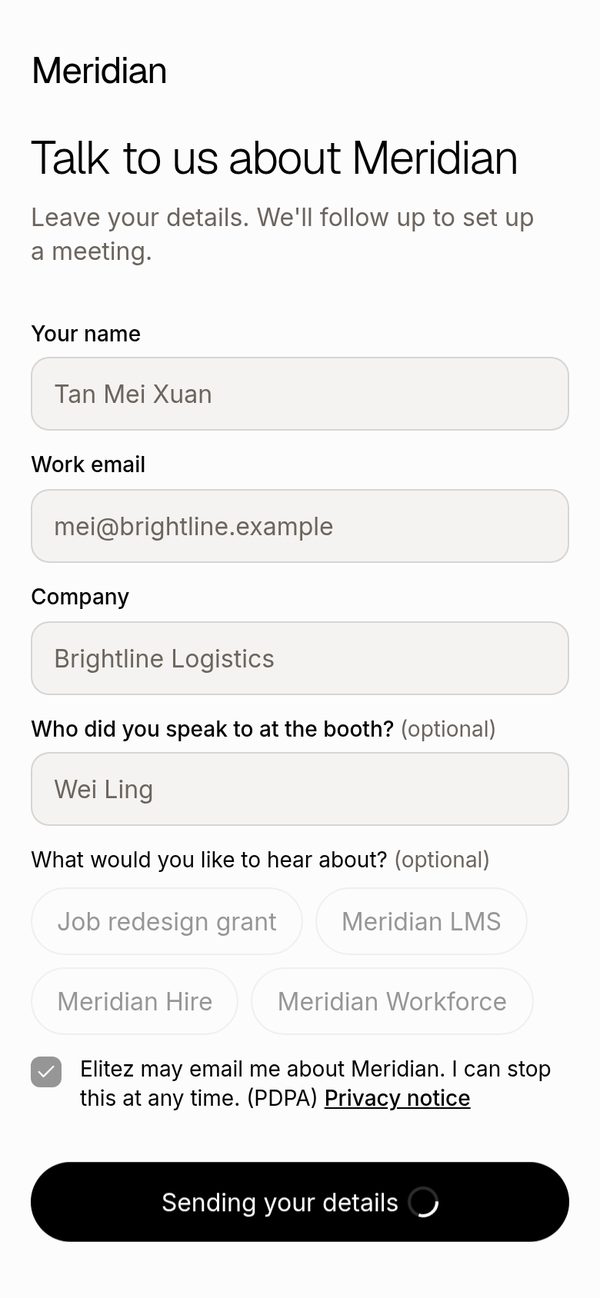
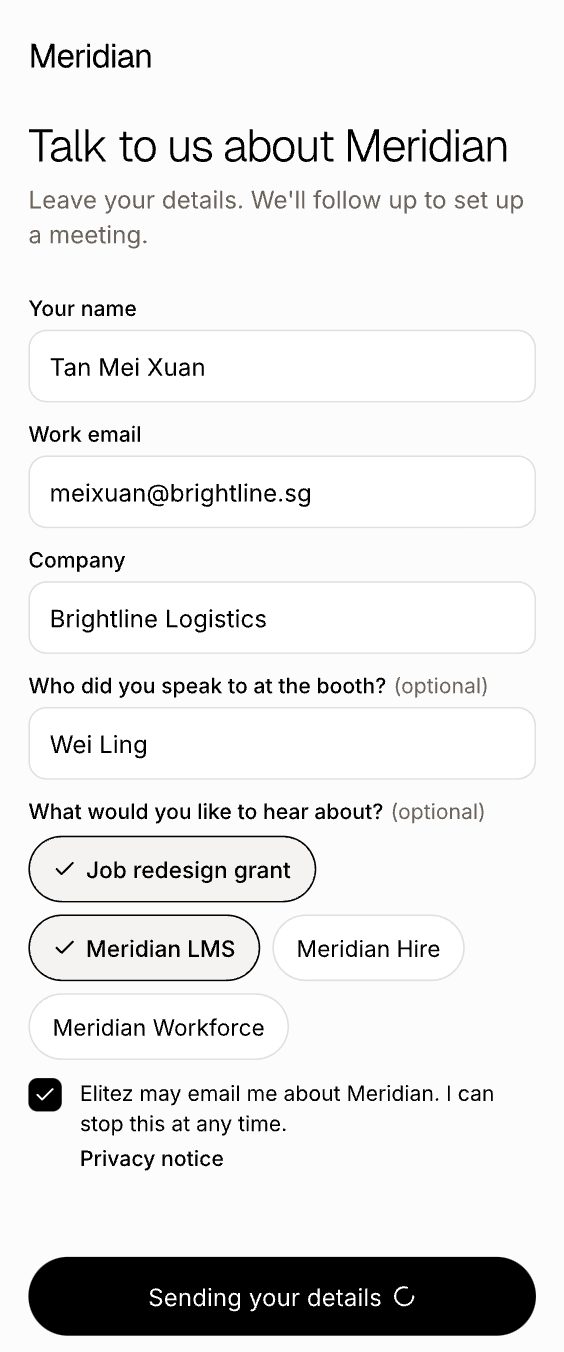
New optional field after Company: "Who did you speak to at the booth?". It is free text and arrives pre-filled with the staff member's name when the visitor scans the step-5 QR. It is saved in both lead lists and the "Spoke to" column exactly as before. The new "Sending your details" button state is in too.
Form, filled in (before: a pick-list of staff names)
While sending
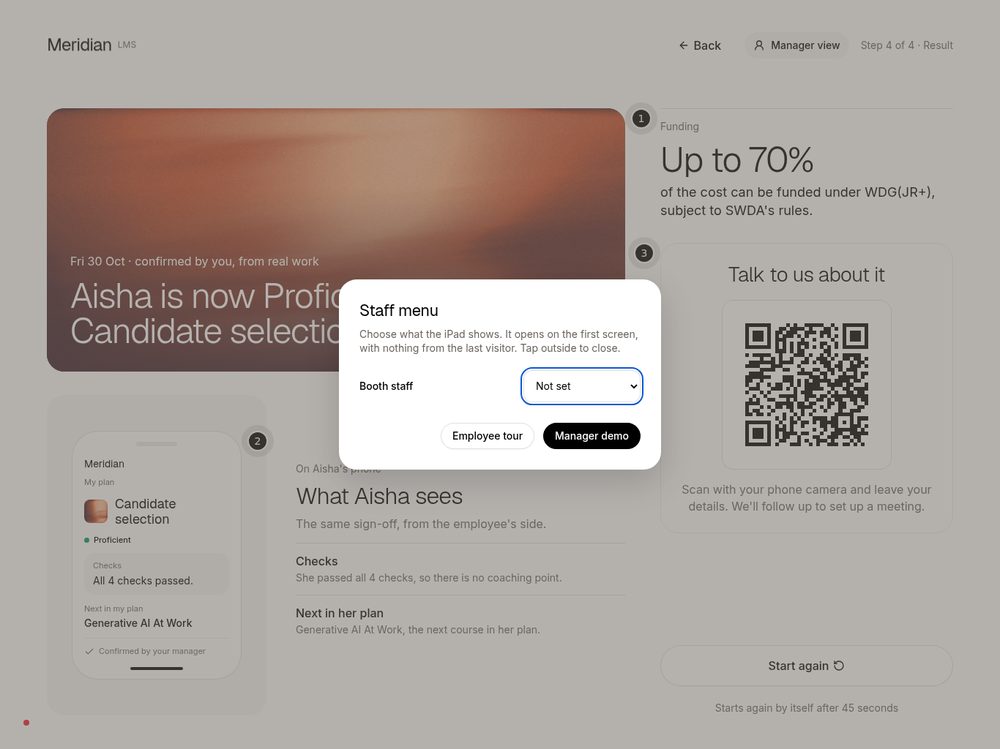
Staff menu: hold the Meridian logo for 2 seconds Live
Holding the logo for 2 seconds, on any booth screen, opens a small staff menu with "Employee tour" and "Manager demo". The device's "Booth staff" name is now set here instead of at the bottom of the start screen. A short tap does nothing, so visitors do not open it by accident.
Staff menu (before: the staff name was a drop-down on the start screen, and holding the logo did nothing)
Unsubscribe page (from the email link) Live
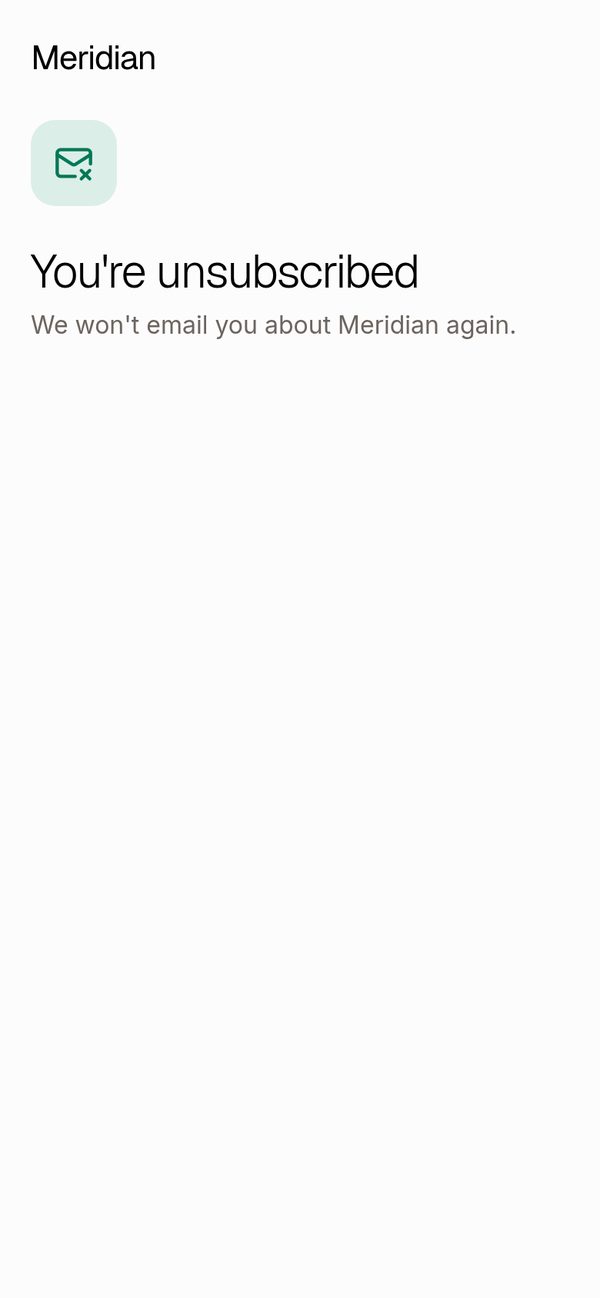
One button, "Unsubscribe", then a plain confirmation. A broken link now shows a short message with no button, instead of a button that cannot work. Nothing changes until the button is pressed, and the way unsubscribing is saved did not change.
From the email link: one button

After the button is pressed

Decisions we made for you
| Topic | Decision | Why |
|---|---|---|
| Pictures of Keith's design | Taken from the shared design page, because the design tool's picture export is blocked by its plan limit today. Every picture was checked against the frame's name and position. | The export could not run; this shows the same frames. |
| "View course" stays | The brief said Keith removed it from step 3. His 28 Oct design still has it, restyled as an outline button, so we kept the button. | Follow the design, not the summary. |
| "16% to 29%" | Nothing to remove: it was already off the live step 5, and the new design drops it too. | |
| Tap size | Buttons keep the large touch size (44 px) where the design draws them smaller (32 px). | Easier to hit on an iPad; agreed in the earlier owner fix. |
| Back button | From step 2 and "Plan ready" it returns to the role list. From step 3 it returns to "Plan ready" with the ticks showing, never into the drafting animation. | Plan ready waits, so going back should not replay the animation. |
| Drafting time | About 5 seconds, set in one place. Four ticks at even gaps; the last tick opens "Plan ready". | Easy to tune after Thursday. |
| Staff name on the iPad | Still a pick of the six staff, not free text. Only the visitor's phone field is free text. | The step-5 QR codes are made per person; free text would need new codes. |
| Visitor field limits | Up to 60 characters. Names with unusual characters count correctly. | Same rule the lead lists already apply; no change to the lead path, so no test lead was sent (0 leads). |
| Staff menu choices | "Employee tour" opens the employee view at the first tip; "Manager demo" starts the manager flow at step 1. Both clear the previous visitor's answers. | A clean start for the next visitor. |
| No hidden menu on public pages | The phone form and the unsubscribe page have no logo-hold menu. | They are public pages, not the booth iPad. |
| Grades follow the design per screen | "Solid" for Aisha's last review on "Plan ready", B+ in the employee view, as drawn. | Recorded for Keith below. |
| Step 5 "Start again" | Removed from the top bar as in the design. The big button and the 45-second automatic restart stay. | |
| Tips never cover the main button or the funding line | Tip cards avoid the "Open plan" button, the 2b side panel, the funding line and the QR. On a phone the tip sheet never covers the main action. | Found in the first review and fixed. |
| Unsubscribe with a broken link | Shows a message and no button. | A button that can never work only confuses people. |
For Keith: places where the design disagrees with itself
None of these block the booth. We followed the design screen by screen; please say which version you want.
| Where | What we saw |
|---|---|
| "Solid" or B+? | On "Plan ready" Aisha's last review reads "Solid". In the employee view the same review reads B+. We followed each screen as drawn. Pick one? |
| Old "View course" link | Two frames (the "Still there?" pop-up over step 3, and the staff menu) still draw the old text link. Step 3 draws the new button. We built the button everywhere. |
| Row 3 outline on the all-marked step 4 | The frame outlines check 3 as the open row, while check 4 is the open one. We showed check 4 open, with no outline on row 3. |
| "his" on Aisha's phone | Step 5 shows "Ask his notice period first." under Aisha's phone, where "his" means the candidate; the row beside it says "she". We used the design's words as drawn. |
| Success colour | The unsubscribe confirmation icon uses a green name that does not exist in our design library. We used the nearest existing green; it looks the same. |
| Dimming while sending | The design draws the form fields un-dimmed while sending. The booth dims them (as it has since 27 Oct), so people do not edit mid-send. |
| Staff name control | The staff menu design has no control for the booth staff name. We added a small "Booth staff" pick-list inside it. |
| "Step 1 of 4" on screens 2 and 2b | Both frames say "Step 1 of 4 · Drafting" while the flow calls them steps 2 and 2b. We kept the labels as drawn. |
Check at Thursday practice
| Check | What to look for |
|---|---|
| Hold the logo on a real iPad | Hold for 2 seconds. Check Safari does not show a copy / magnifier pop-up, and that a short tap does nothing. We could only test this with a mouse and simulated touch. |
| Tip positions | On "Plan ready" at iPad size, tip 1 sits over most of the page title and sentence under it (the sentence repeats the tip, nothing is hidden that matters). On step 5, tip 1 covers the top of the employee-phone picture until "Next tip". On a phone, the tip sheet covers the top of the right-hand panel until the visitor taps an input. Tell us if any of these bother you. |
| QR scan fills in the name | On the iPad: hold the logo, set "Booth staff", go to step 5, scan the QR with a phone. The "Who did you speak to?" box should already show that name. |
| "Plan ready" really waits | Leave it for 20 seconds. It should stay put. Then check that Back from step 3 lands on "Plan ready". |
| Real phones | Fill in the form on one iPhone and one Android and watch the "Sending your details" state. The browser check could not reach it, but it is tested in code. |
| Offline | Open the booth once with internet so it picks up the update, then check the offline dot turns green. |
| Staff name at each shift | Anyone can open the staff menu, so check the "Booth staff" name when you start your shift. It only decides who a lead is credited to. |
Not done
- Real iPad, iPhone and Android checks (all checks were in a desktop browser at those sizes).
- The "Sending your details" state was not seen in the browser check (it needs the live bot-check key); it is covered by automatic tests and a practice run.
- The unsubscribe confirmation was not produced on the live site on purpose (pressing the button would unsubscribe a real address); the picture is a practice-page copy.
- No test lead was sent: the path from the form to the lead lists did not change.
- Pictures of Keith's design came from the shared design page, not the design tool's own export (blocked today).
- Three small review notes were accepted as they are, to be judged at practice: the tip over the title on "Plan ready", the tip over the phone picture on step 5, and the phone tip sheet over the side panel.
Review verdicts
| Piece | Result |
|---|---|
| Unsubscribe page, step 4 and 5 rebuild, step 2 and 2b | Code review round 1 (independent, Opus 5.5): PASS on all three. No blockers. Four small notes; three were fixed (tip covering the side panel, tip covering the funding line, screen-reader announcement). |
| Phone form and staff menu | Security review round 1: changes needed. When combined with the other changes, 16 automatic tests failed (test-only problem, not the product). Also asked to count name length in characters, not code units. Both fixed. |
| Second review of phone form, staff menu and the tip fixes | Round 2: PASS on both. No blockers. Walked all four roles through every tip, the staff menu, and the phone form at iPad and phone size; no security-policy violations. |
| Lead data safety | Checked 52 sample names through the form, the booth server, the lead lists and the database rules: anything unsafe (scripts, links, symbols) is rejected; unusual real names are accepted; spreadsheet export neutralises formula characters. |
| Live booth walk | After going live: all four roles walked through every step, plus the phone form and offline start. 0 errors, 0 leads created. |
| Final independent review of the live booth | PASS |
For the engineering team
Pull requests: #700 Unsubscribe page · #701 Step 4 and 5 · #702 Step 2 and 2b · #703 Phone form and staff menu · #704 Review fixes (tips, announcements)
- live time: live since 28 Oct 2026, about 15:30 UTC
- merges: MeridianOS PRs #700 14112ecdc, #701 5983c3bf, #702 08c0e5df, #703 2f8e9bb6, #704 298df404
- deploy branch: elitez-projects #19 e8600d7a
- railway: deployment d9af37aa-cd8d-4153-a7e5-dbd1d2df77a2