SNEF booth: 3 pm meeting follow-up
Everything from the 3 pm meeting is live on the booth for Friday: slower "drafting" screen, Back button, talk-track Tips, real course links, a "Who did you speak to?" lead field, device fixes, and every product name now says Meridian LMS. The final independent review passed.
What it means: staff can run the 90-second demo without stalling, answer "why is this plan different?" on screen, send visitors to a real course page, and sales now sees who spoke to each lead (new "Spoke to" column in the lead list and CSV). Still to do by a human: a real iPad and phone check, and the OK items listed below.
Updated 27 Oct 2026, after Release 2, the tips fix and the final independent review (passed). Tap any picture to open it full size. Live booth: meridian.elitez.ai/booth.
Status
| Ticket | What changed | Live? | Verdict |
|---|---|---|---|
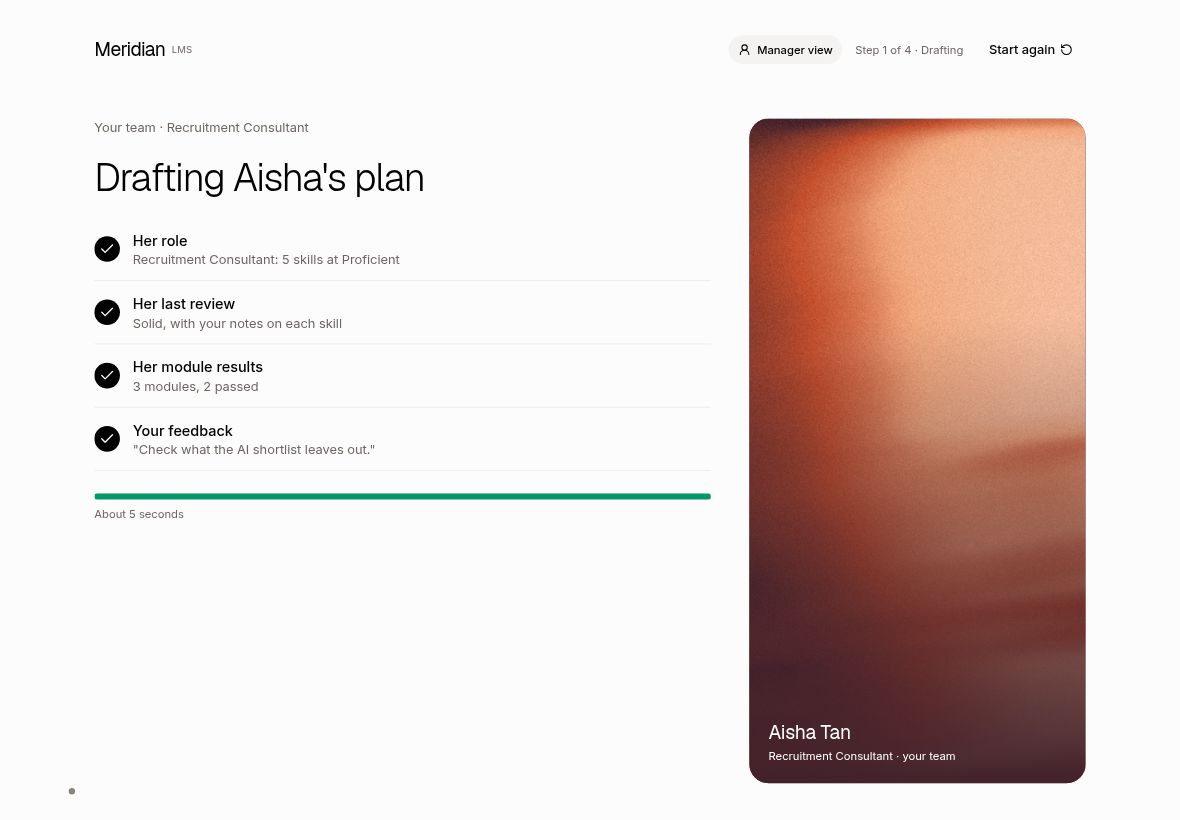
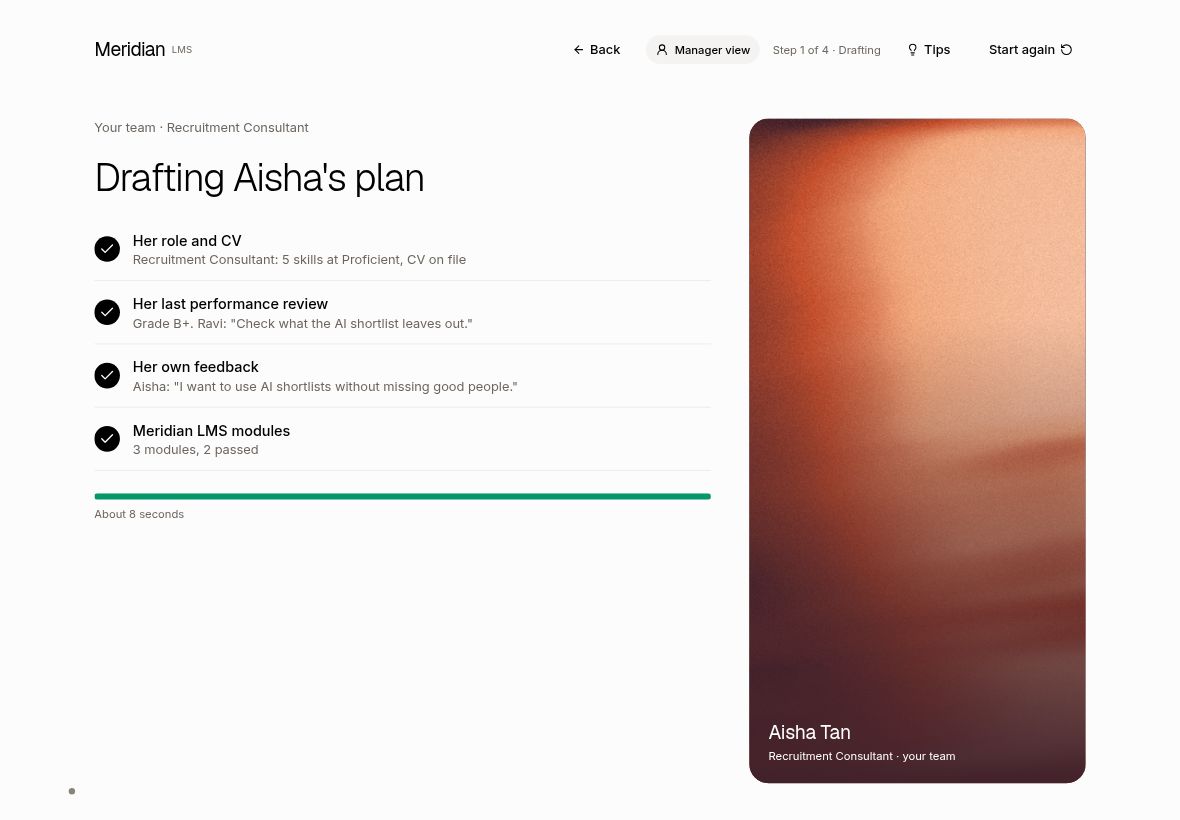
| T1 Step 2 "Meridian drafts the plan": slower, shows what it is built from | Drafting now runs 8 seconds (was 5). Four sources light up one by one: role and CV, last review, own feedback, Meridian LMS modules. Wording is different for each of the 4 roles. | Live | Pass. Measured live: 8.0 s on all four roles, then step 3 opens by itself. |
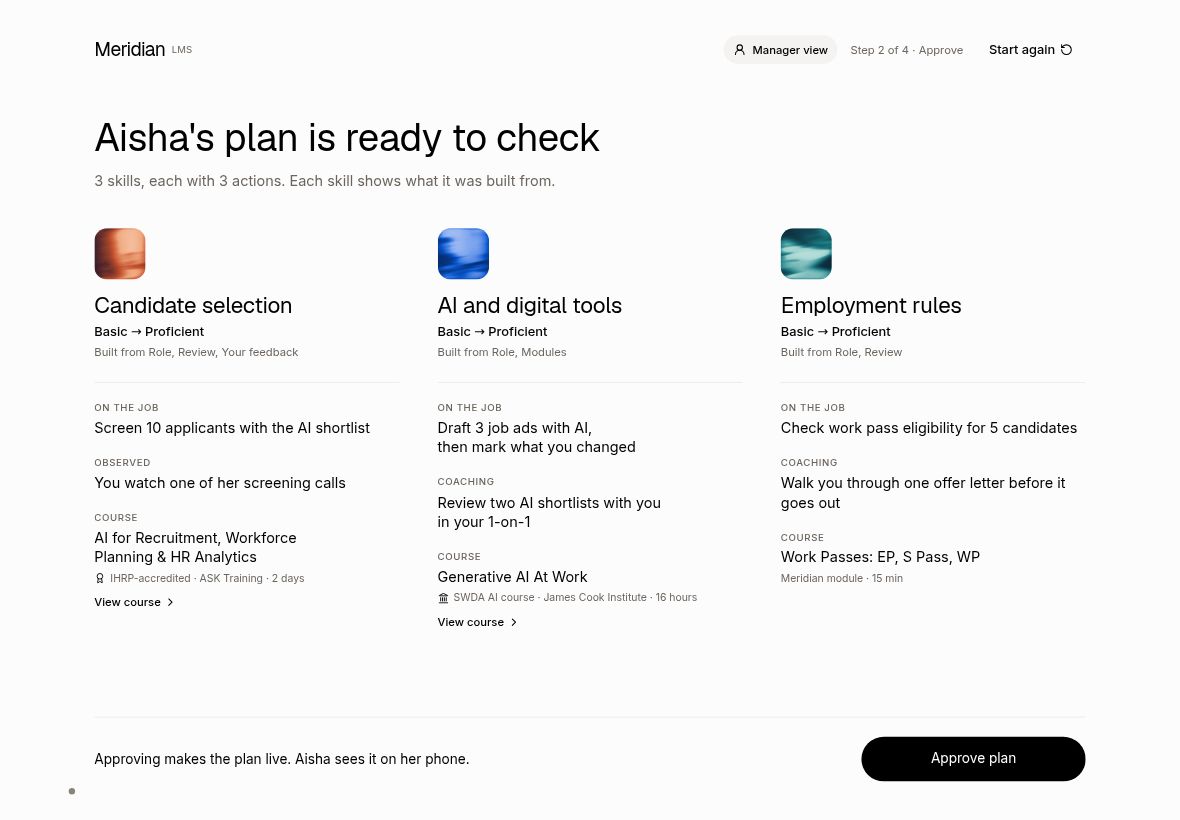
| T2 Back button in the manager flow | "Back" in the header on steps 3, 4, the course pages, the full call and step 5. Not on step 1. Marked checks, comment and approval stay when you go back. | Live | Pass. Tested on all four roles; Start again and the idle timer behave as before. |
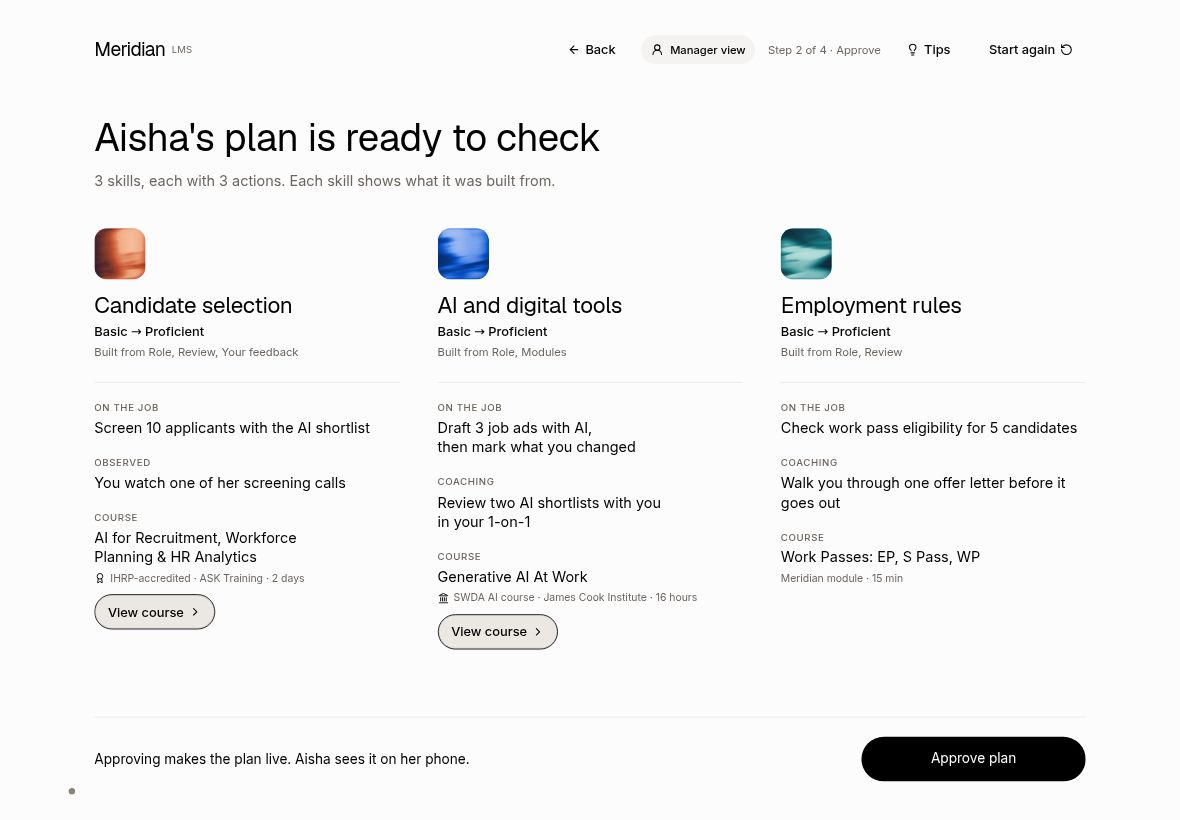
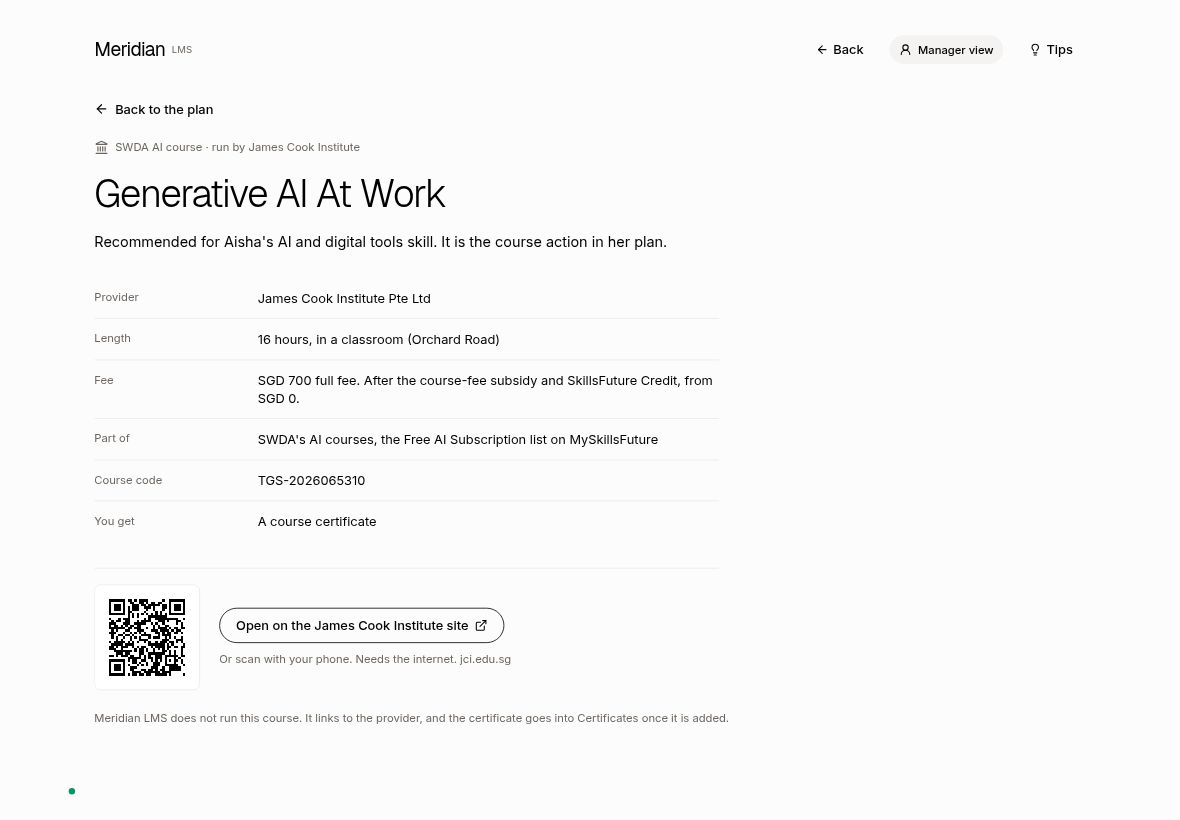
| T3 Course links go to the real SWDA and IHRP pages | Each course page has "Open on the (provider) site" plus a QR code for a phone. "View course" is now a clear button. The link and QR show even offline. | Live | Pass, with one caveat: the ASK Training page blocks automatic checks, so it was confirmed from IHRP's own listing only. |
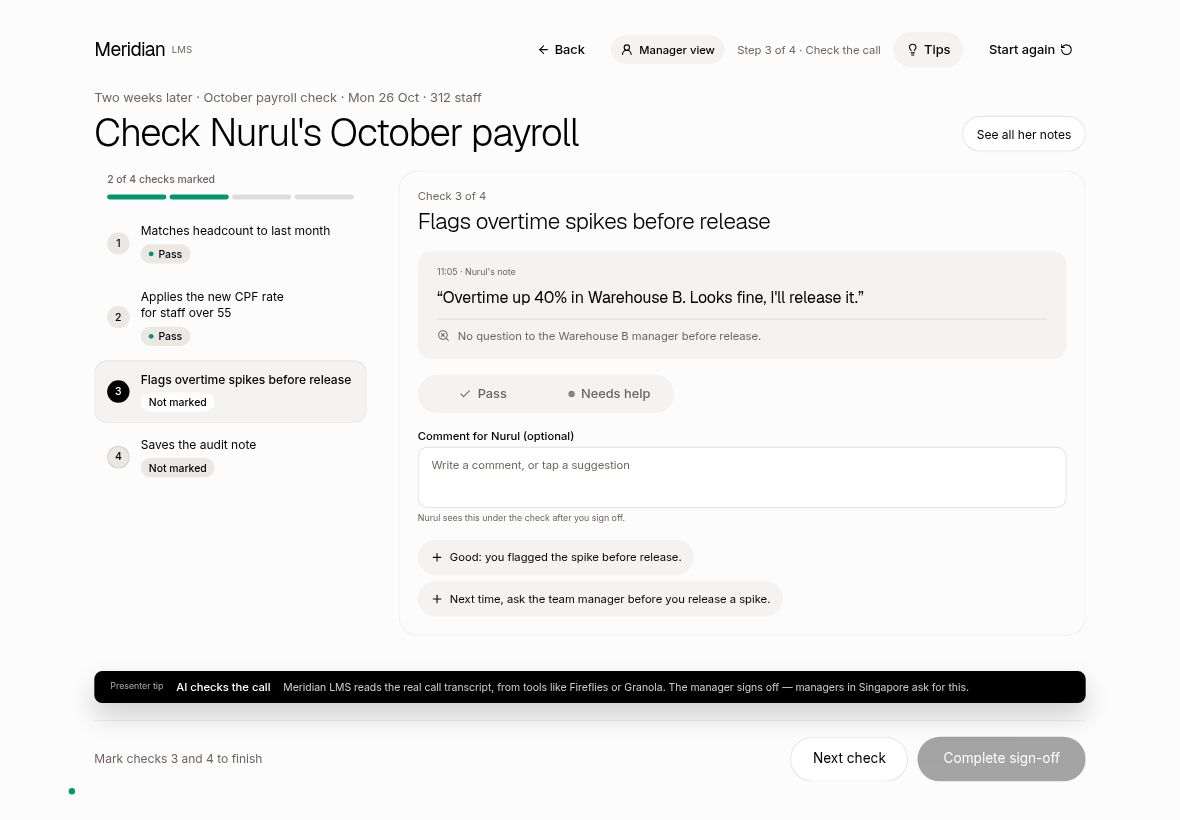
| T4 Presenter tips on the manager view | A "Tips" switch in the header, off by default, reset by Start again. When on, one short talking-point card per screen. Two missing talking points (existing files on step 3, managers in Singapore on step 4) were added after the first final review. | Live | Pass. Checked live by the final reviewer on all four roles; wording follows the Meridian LMS naming rules. |
| T5 Lead form: "Who did you speak to?" | Optional staff field on the phone form (pre-filled from a one-time "Booth staff" setting on the booth start screen), a staff-specific QR on step 5, and a new "Spoke to" column in Derrick's lead list and CSV. | Live | Pass. Security-reviewed before going live; checked live end to end with 2 test leads (staff saved in both lead stores, email unchanged). |
| T6 Copy check: Meridian is a suite, the booth shows Meridian LMS | Every booth, form and email string checked. 9 wording changes, listed below. Nothing says or implies LMS contains Hire or Workforce any more. | Live | Pass. The email fallback line is live too. |
| T7 Works on any staff device | Laptop and iPad sizes already fitted; checked at 9 sizes. On a phone, step 5 no longer runs off the screen, and a small "Best on a tablet or laptop" note shows once (dismissible). | Live | Pass in browser tests at every size. Not yet tried on real iPads or phones. |
| T8 One-page staff cheat sheet | One printable A4 page: 90-second talk track, positioning, answers to the questions raised in the meeting. Now matches the finished booth. | Live | Published (link below). A few lines are marked "(confirm with Keith)". |
T1. Step 2 "Meridian drafts the plan": slower, shows what it is built from Live
The drafting screen used to flash by. Now each source of the plan appears in turn, with the detail that makes this plan specific to the person.
Start of drafting (Recruitment)
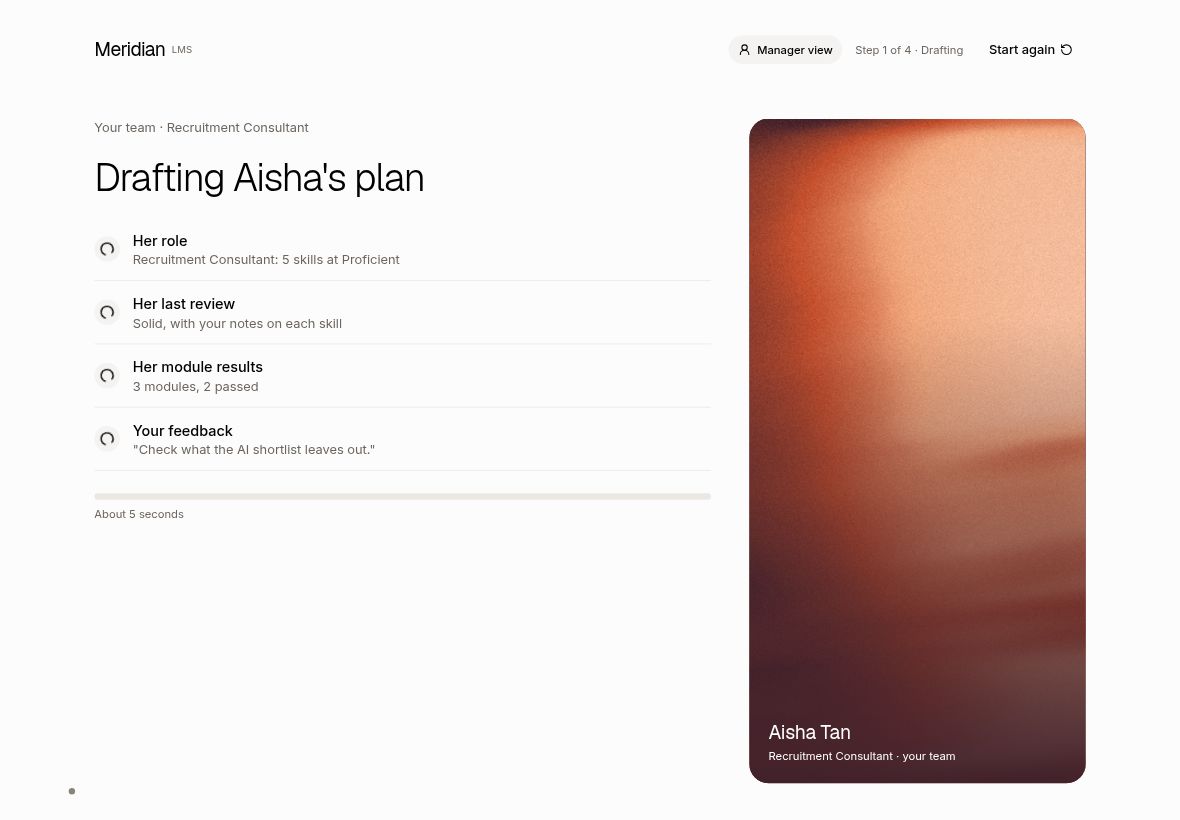
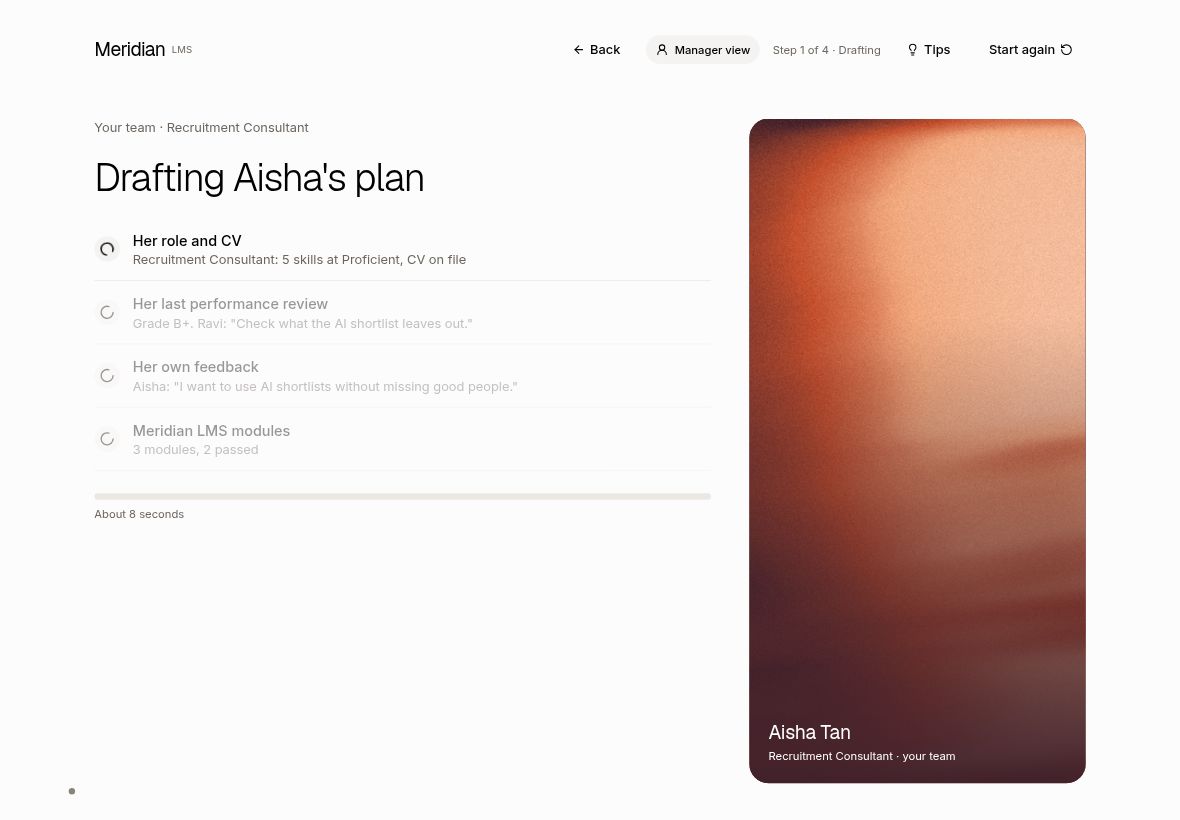
Halfway: the first two sources are ticked, grade and manager comment show
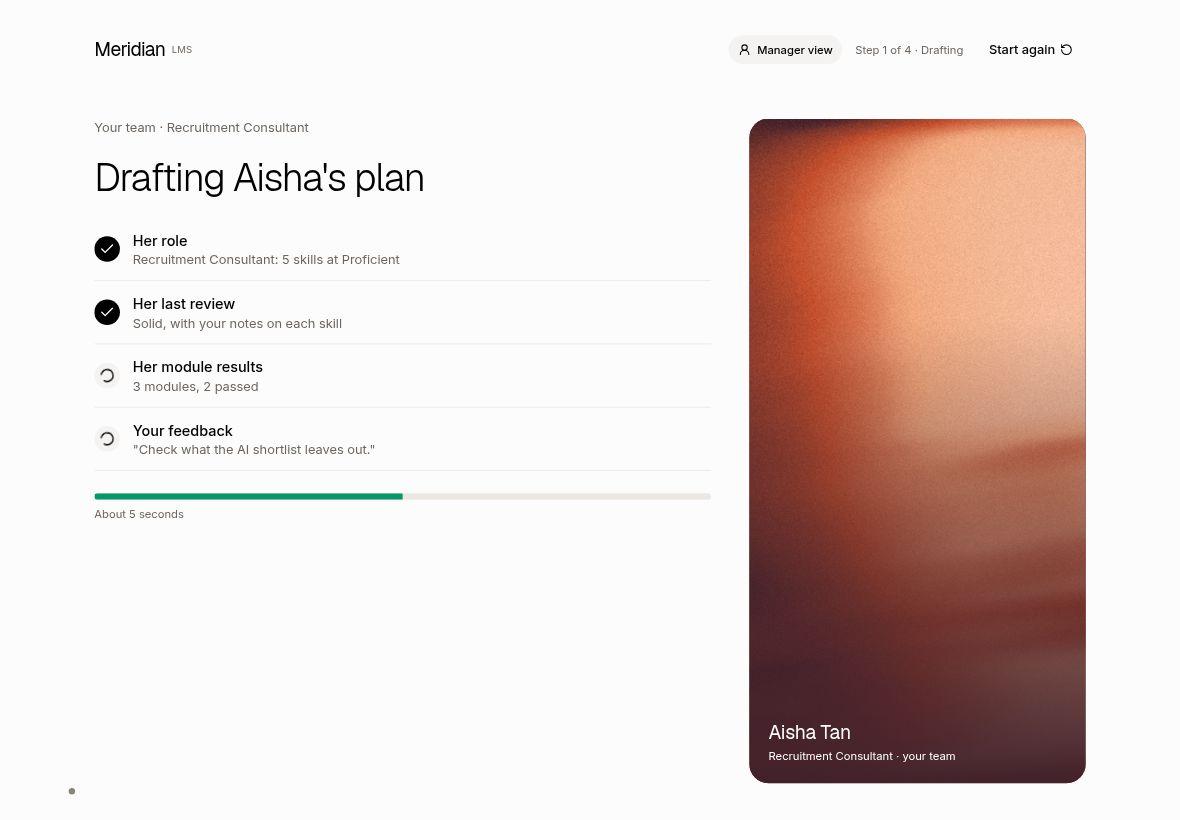
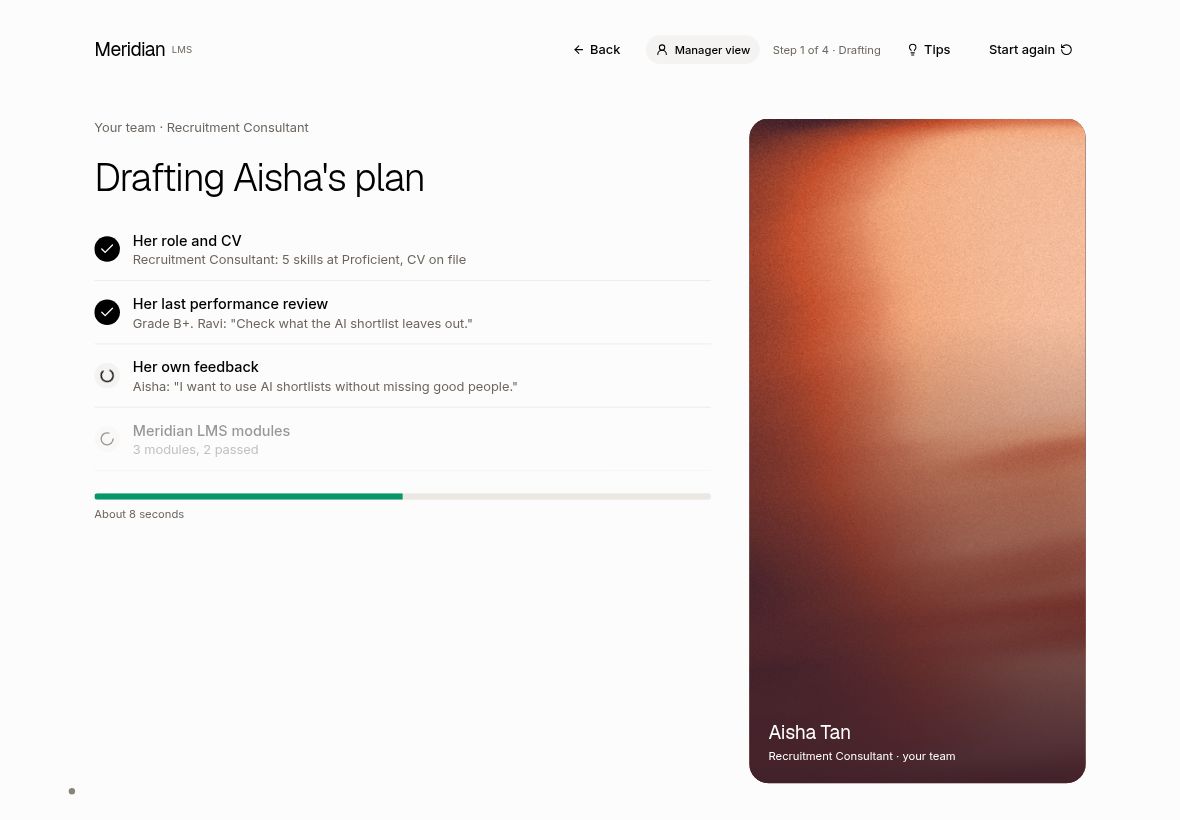
Just before the plan opens: all four sources done
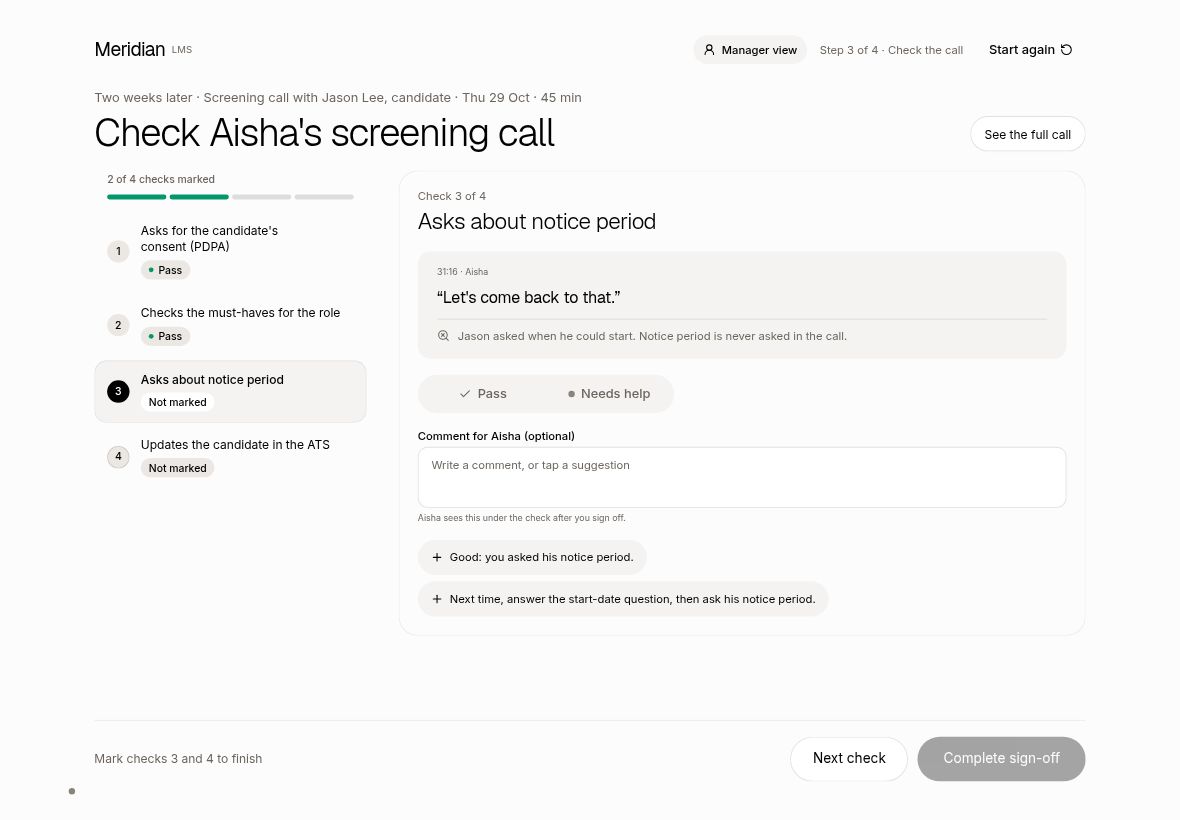
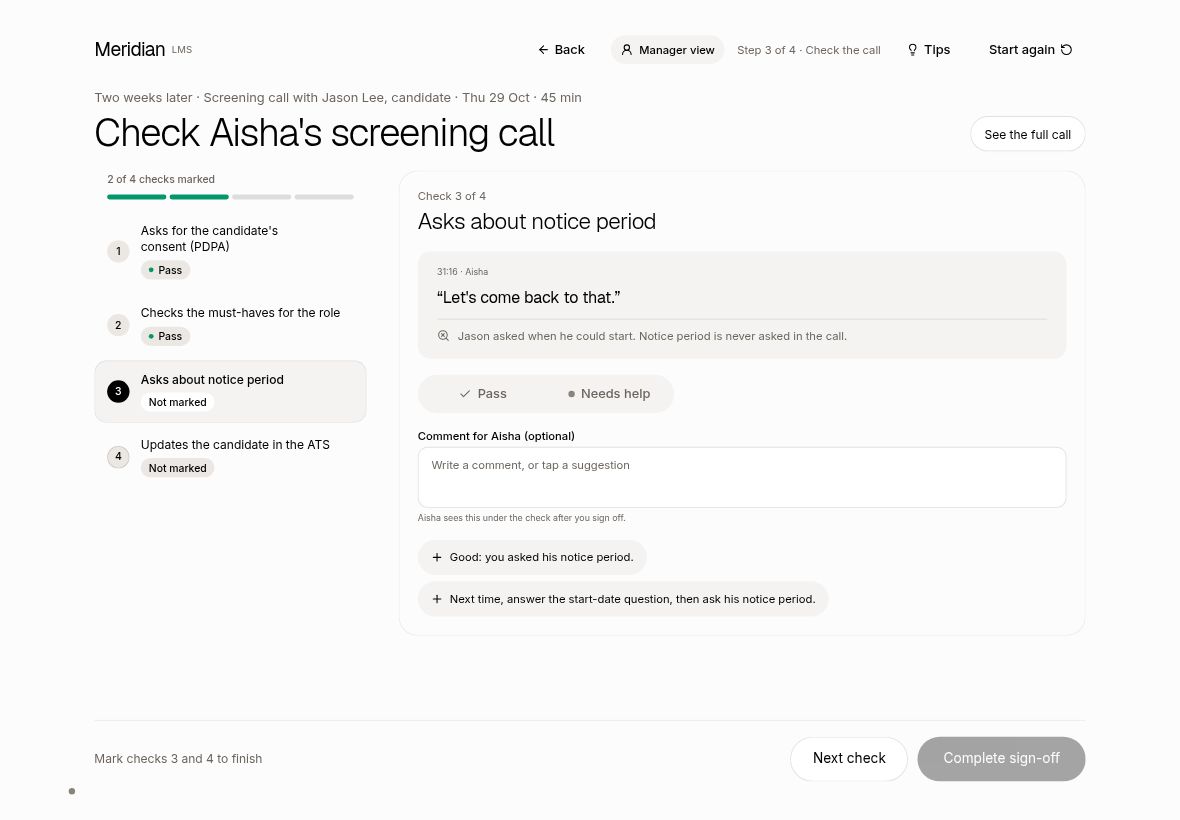
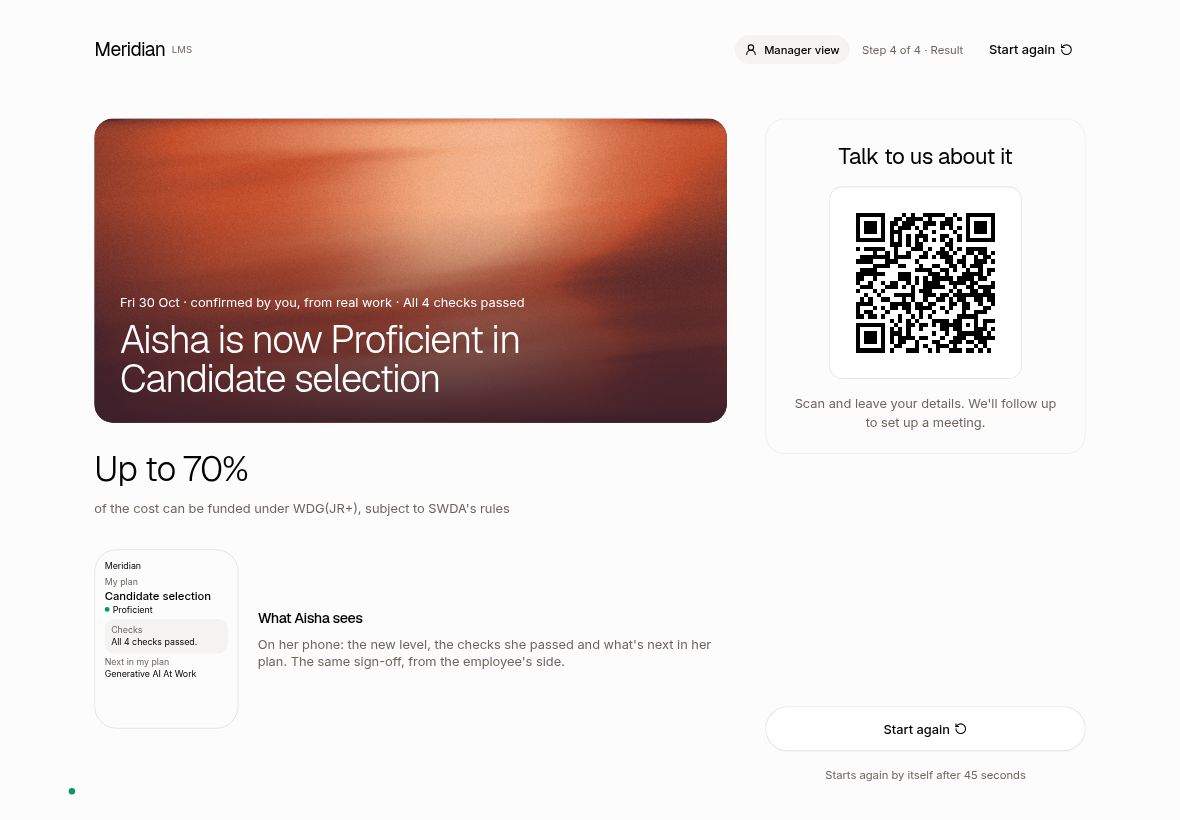
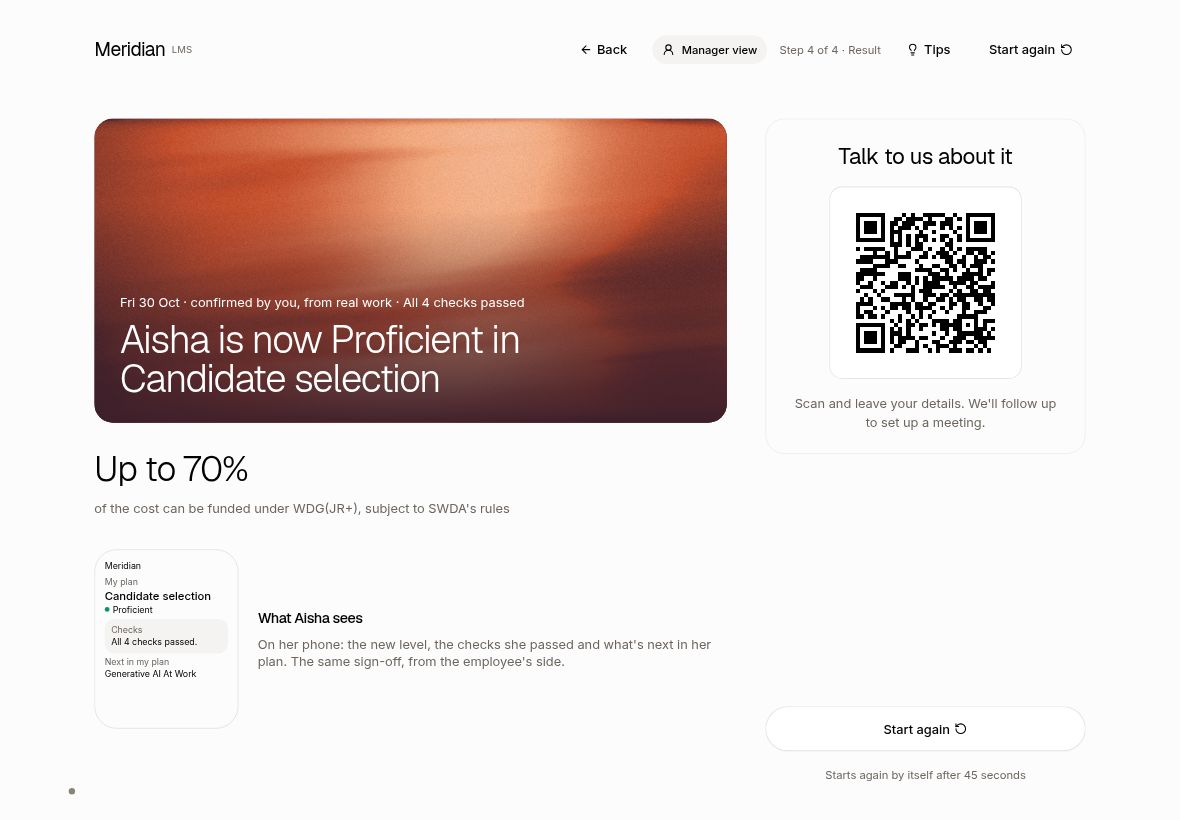
T2. Back button in the manager flow Live
Presenters can step back without restarting the demo.
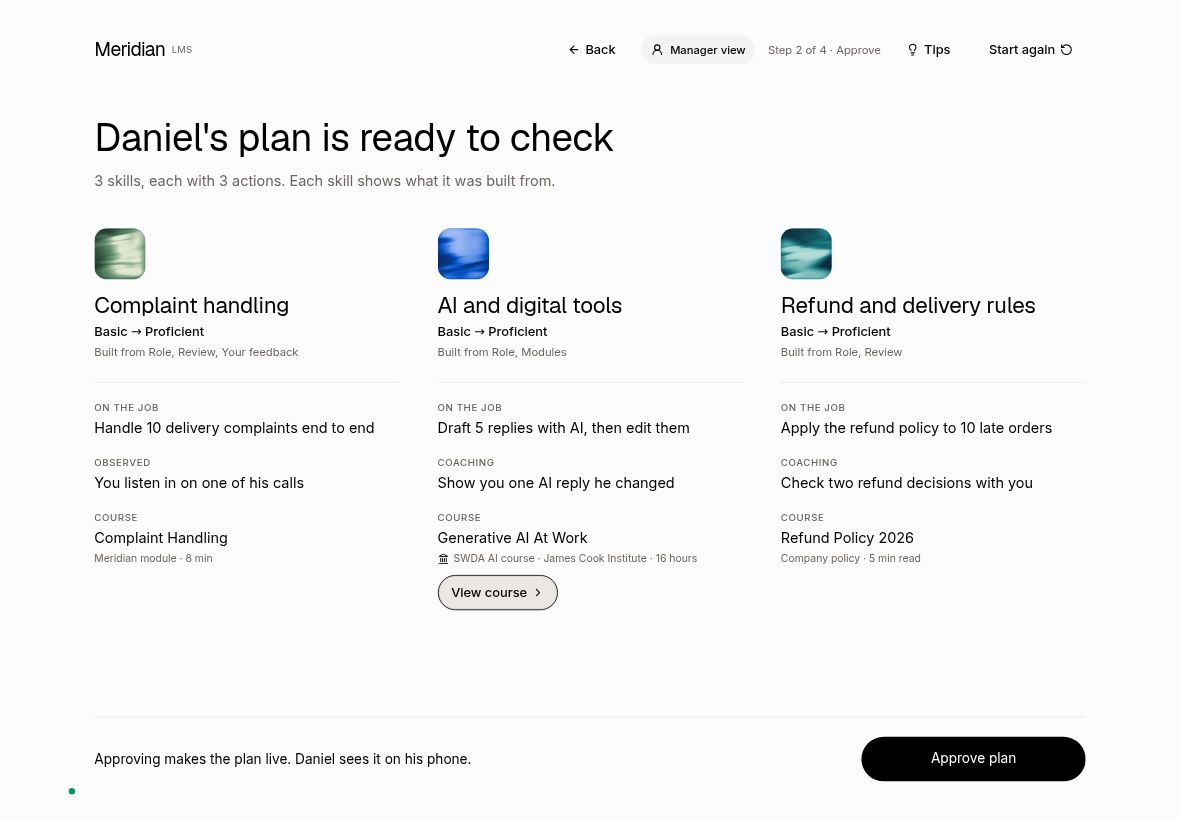
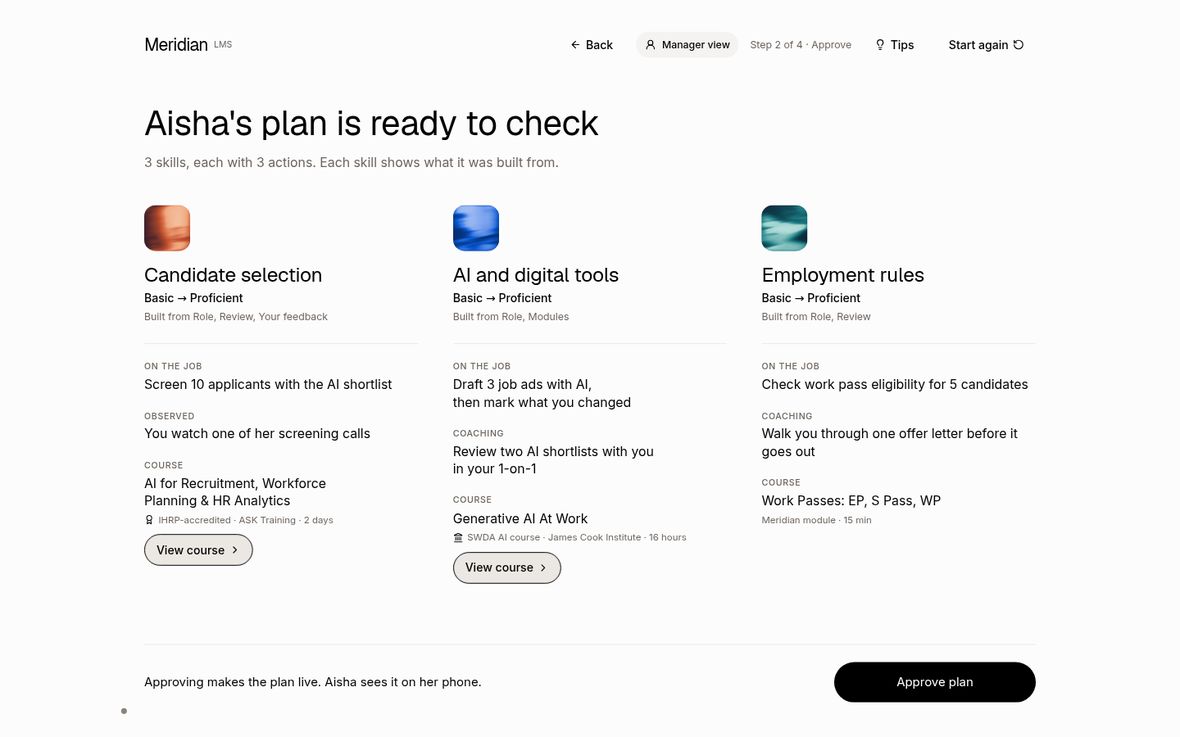
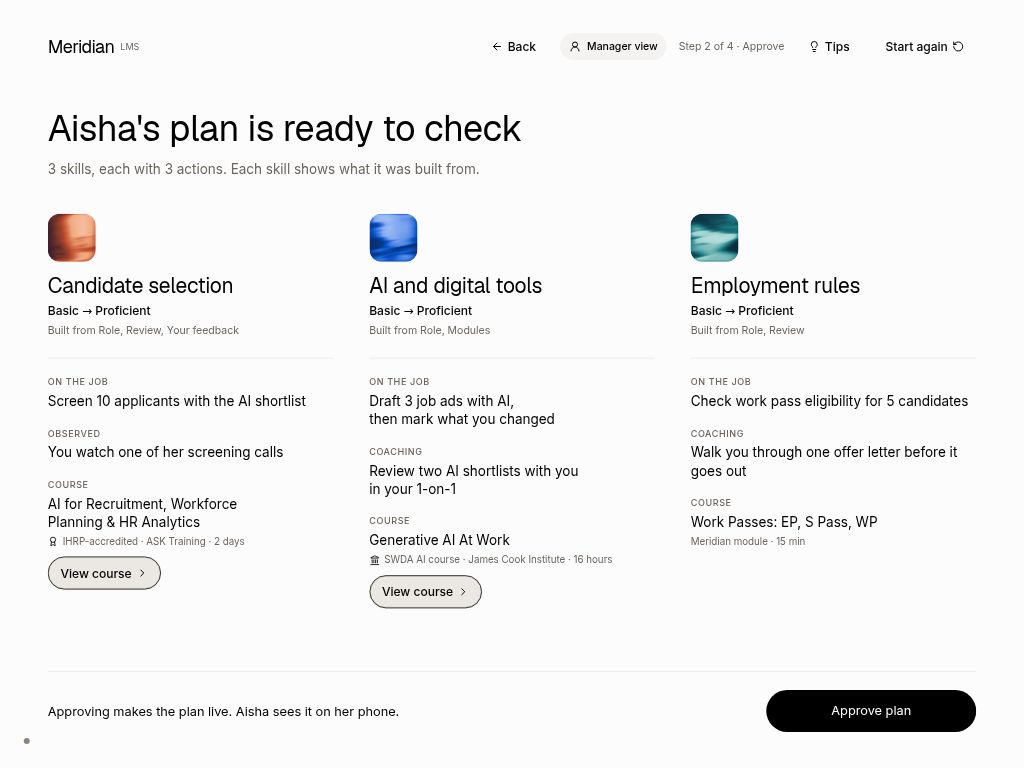
Step 3, the plan: Back now sits in the header
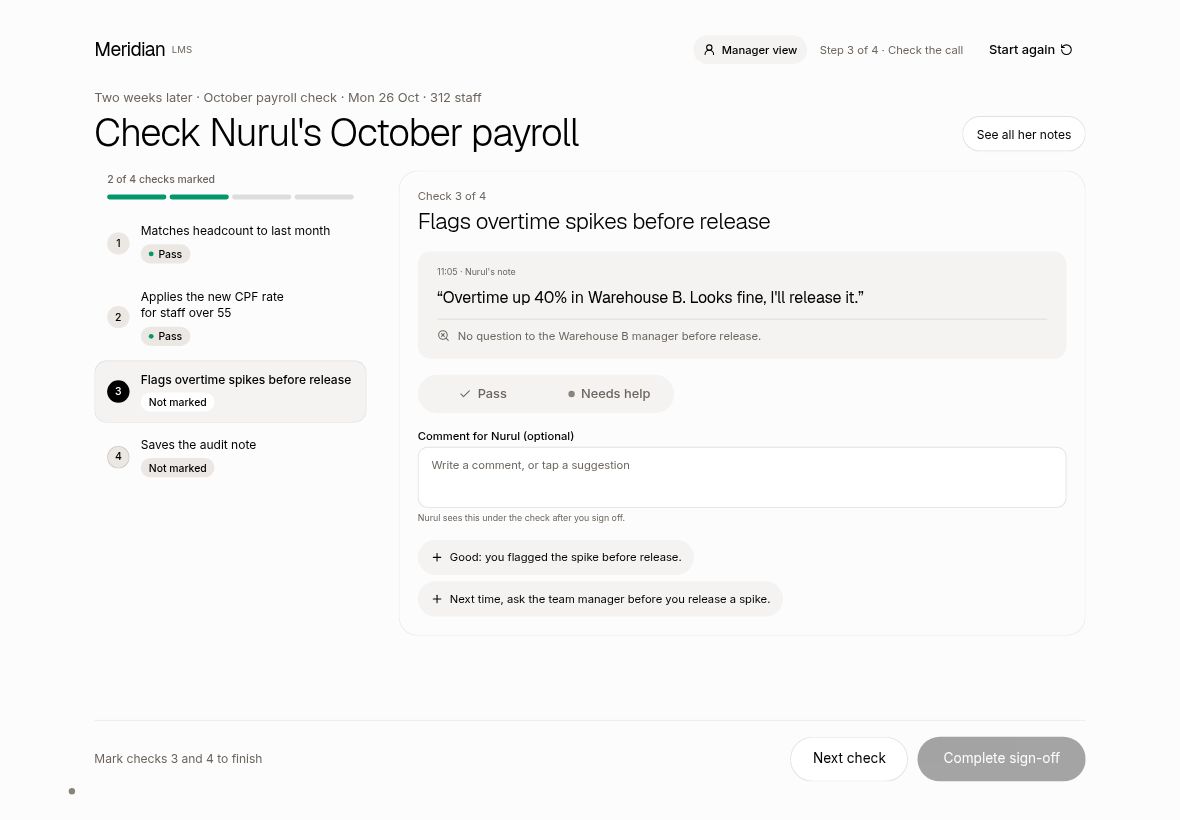
Step 4, check the call: Back returns to the plan with marks kept
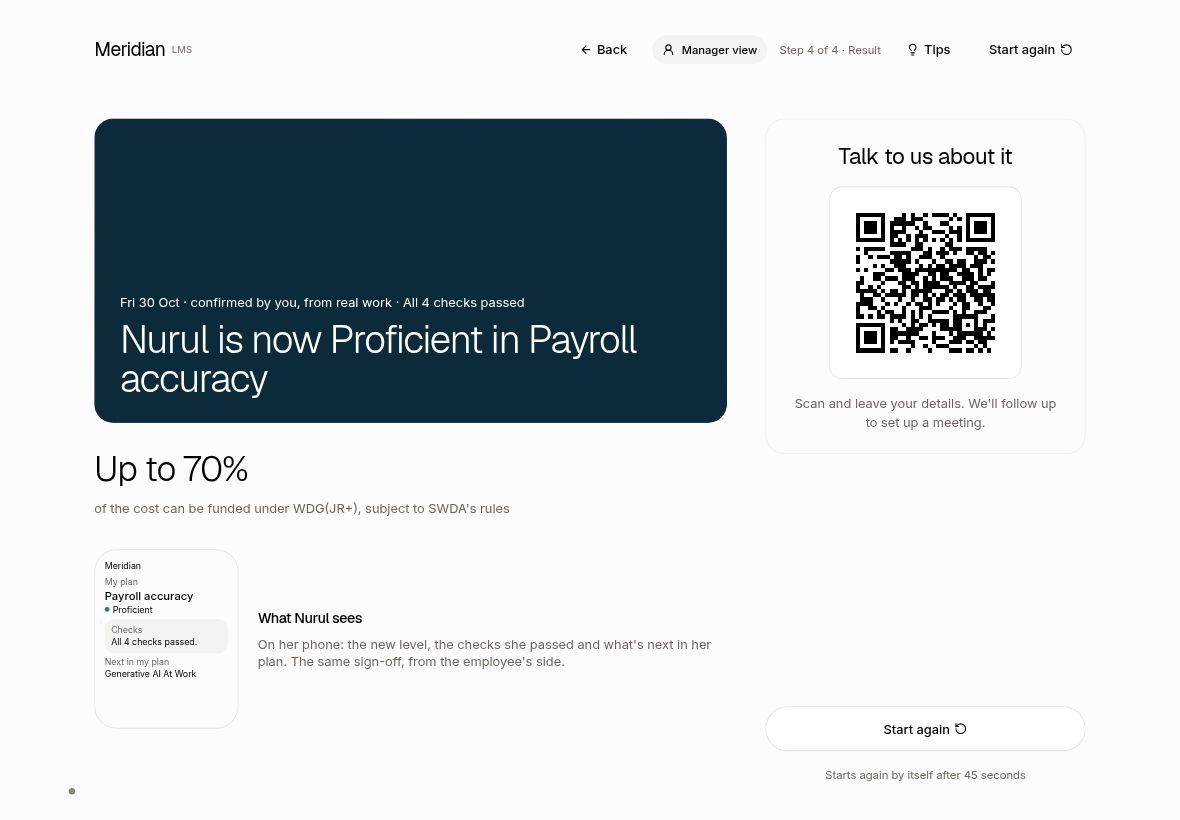
Step 5, the result and QR: Back returns to the checks
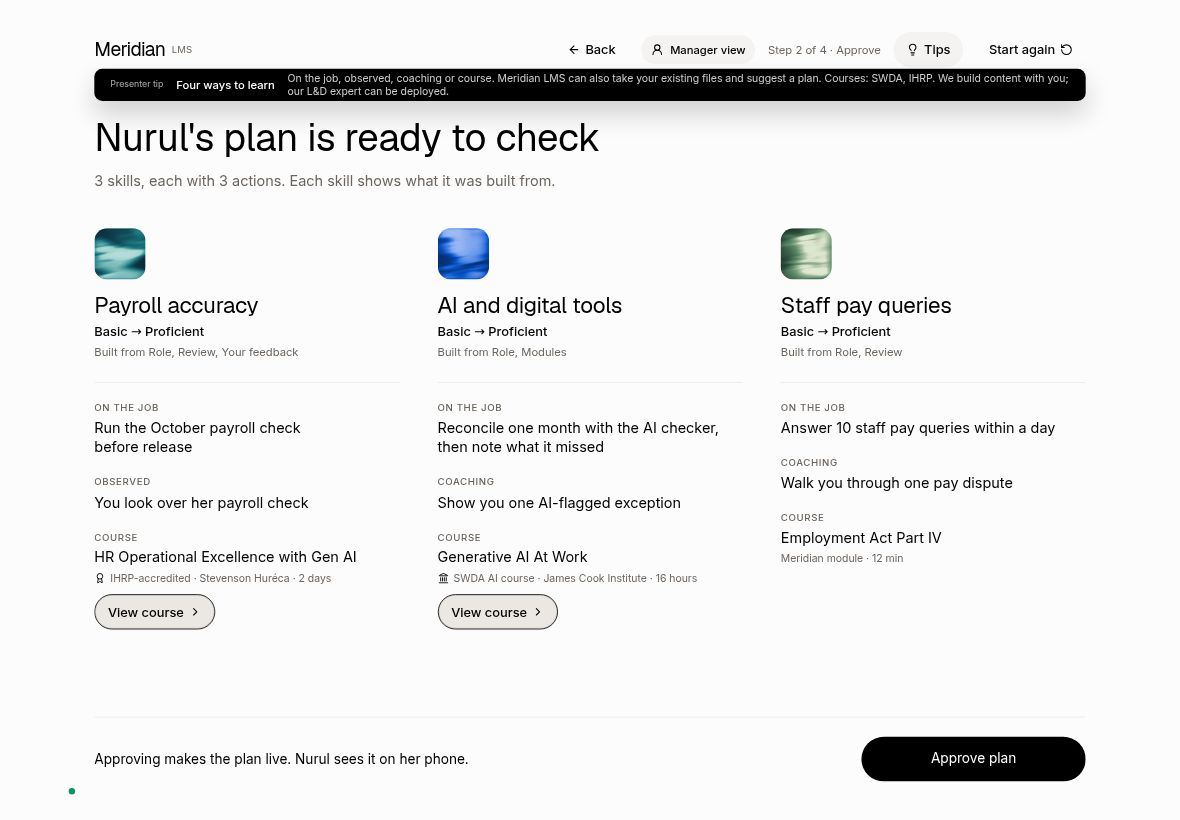
T3. Course links go to the real SWDA and IHRP pages Live
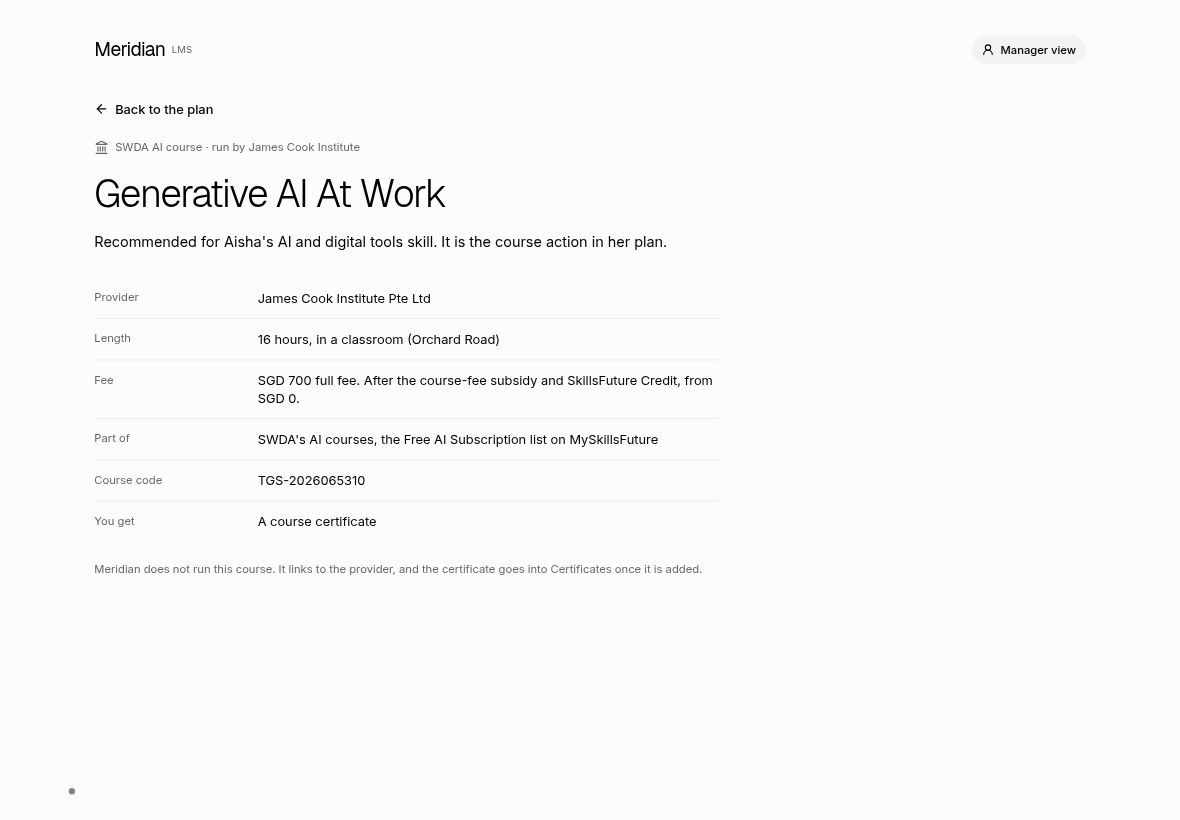
The booth is shared with SWDA, so recommending their real courses is a selling point. The link opens the provider's own course page.
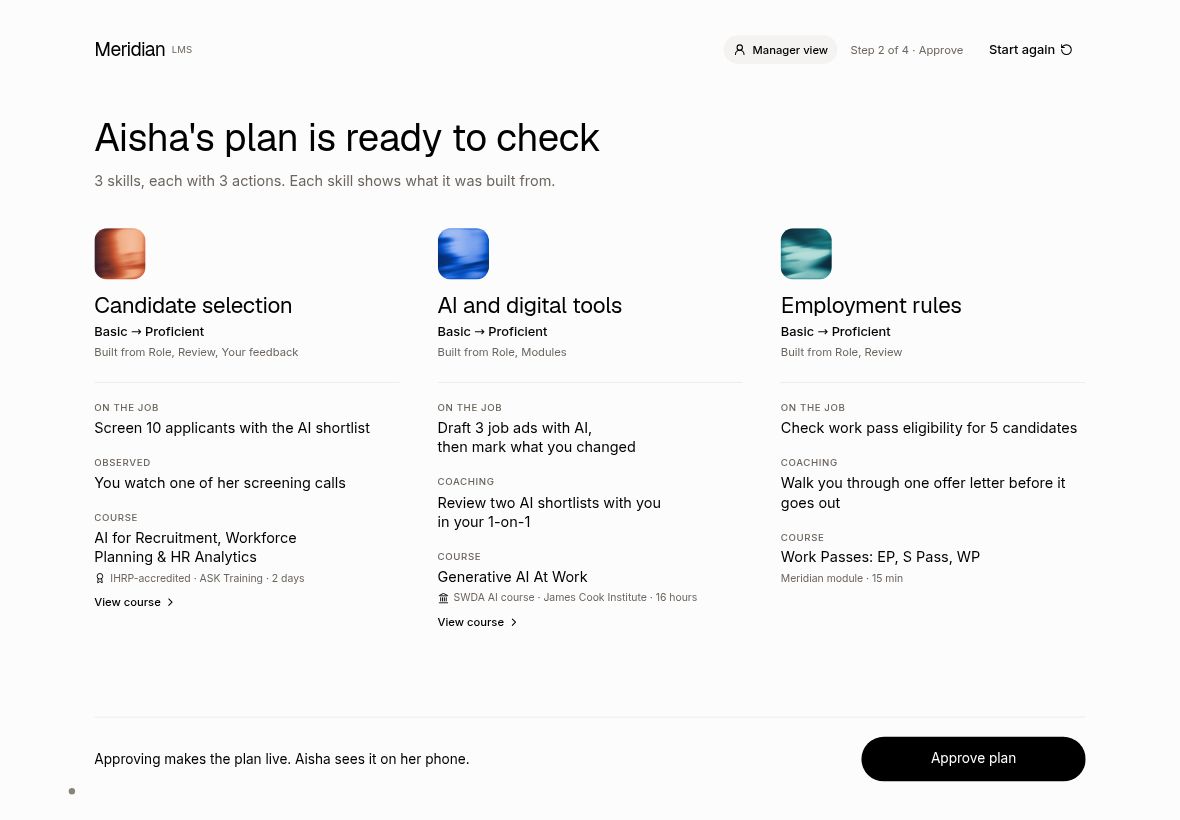
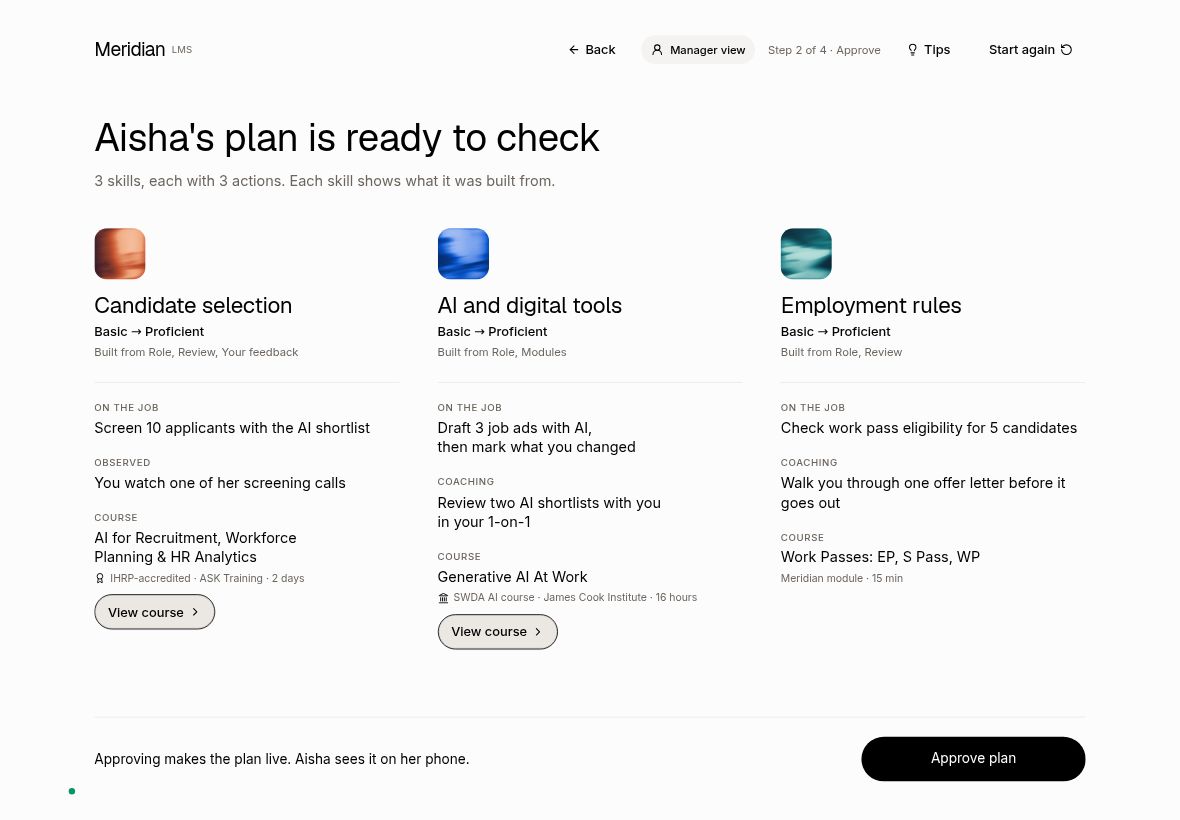
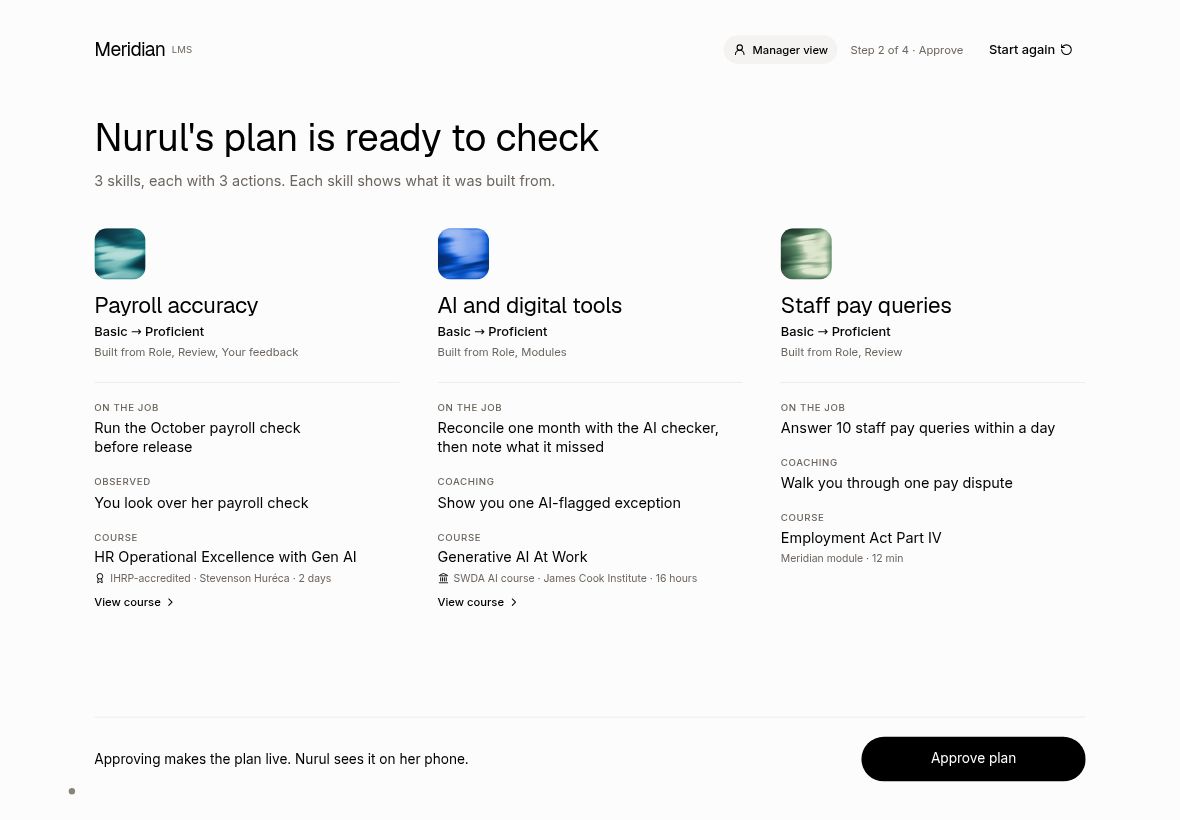
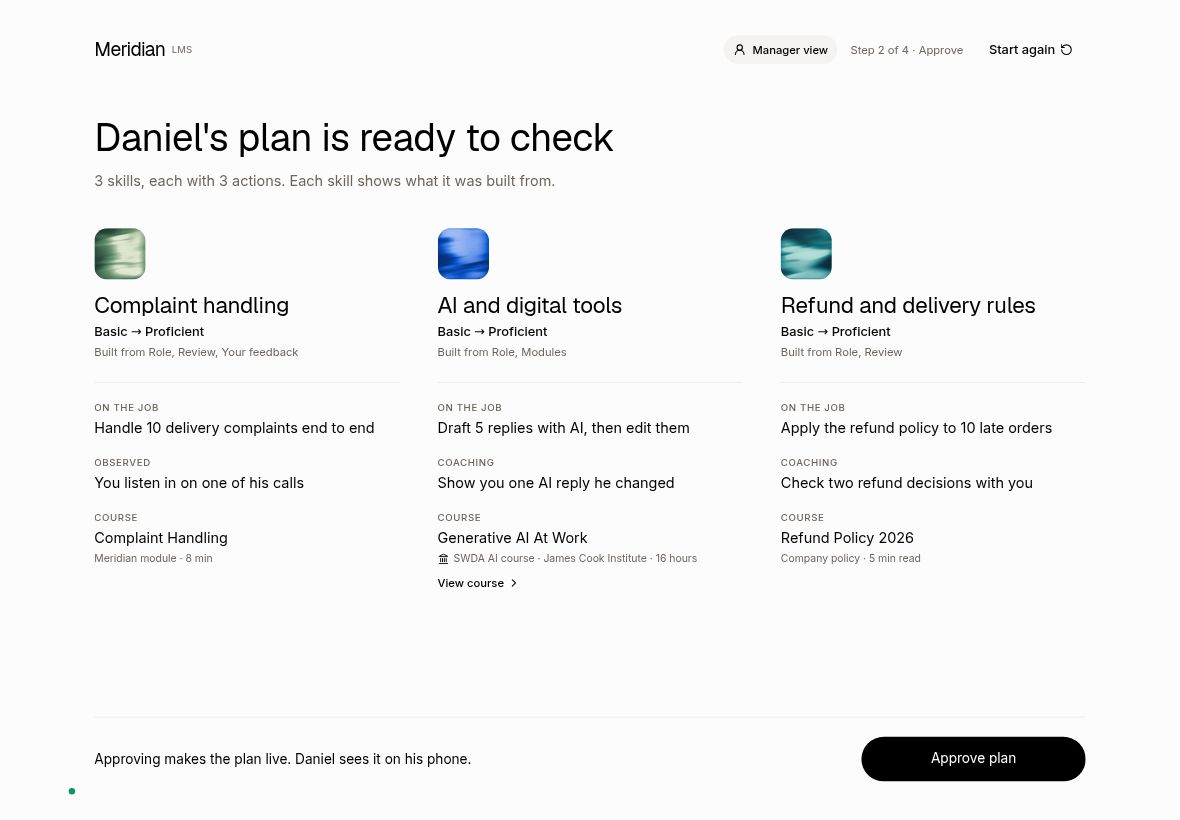
Plan screen: "View course" is now a proper button
Course page: new link and QR code to the real course page
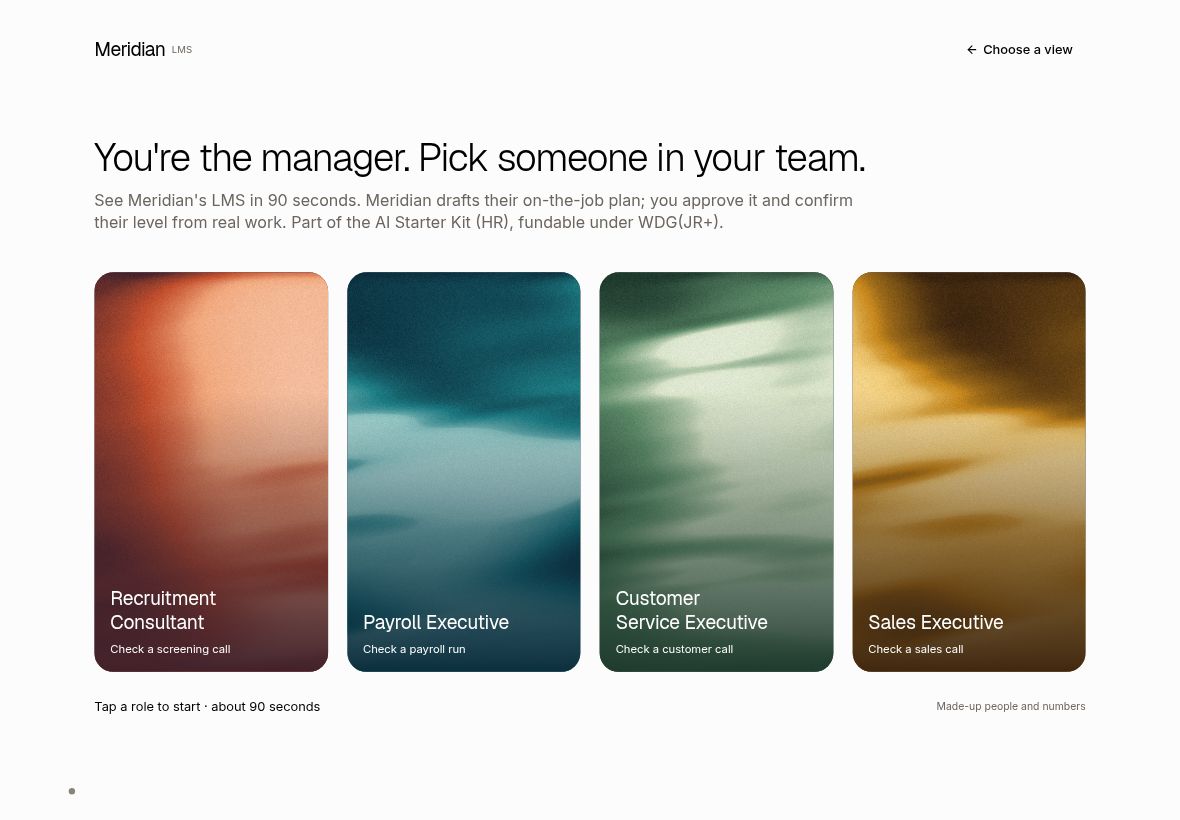
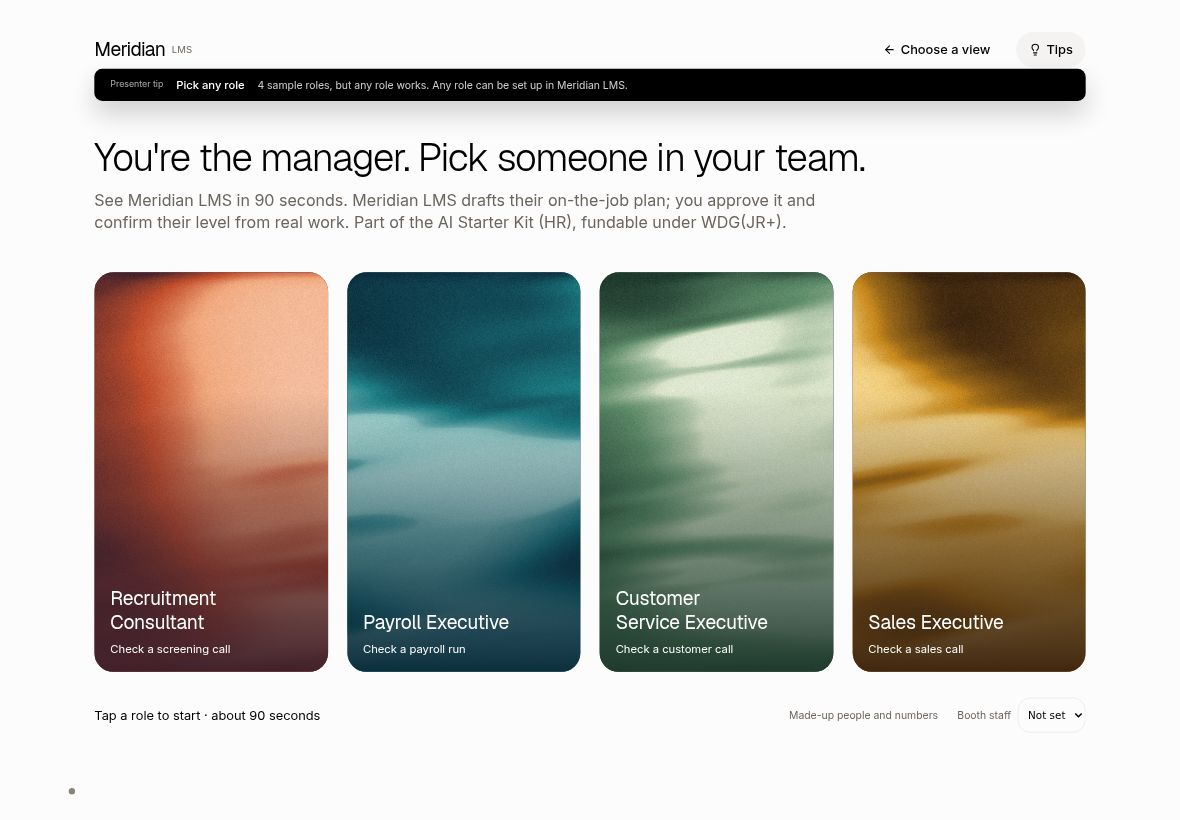
T4. Presenter tips on the manager view Live
Off by default so the booth looks clean. A presenter who needs a prompt taps Tips and gets one short card per screen.
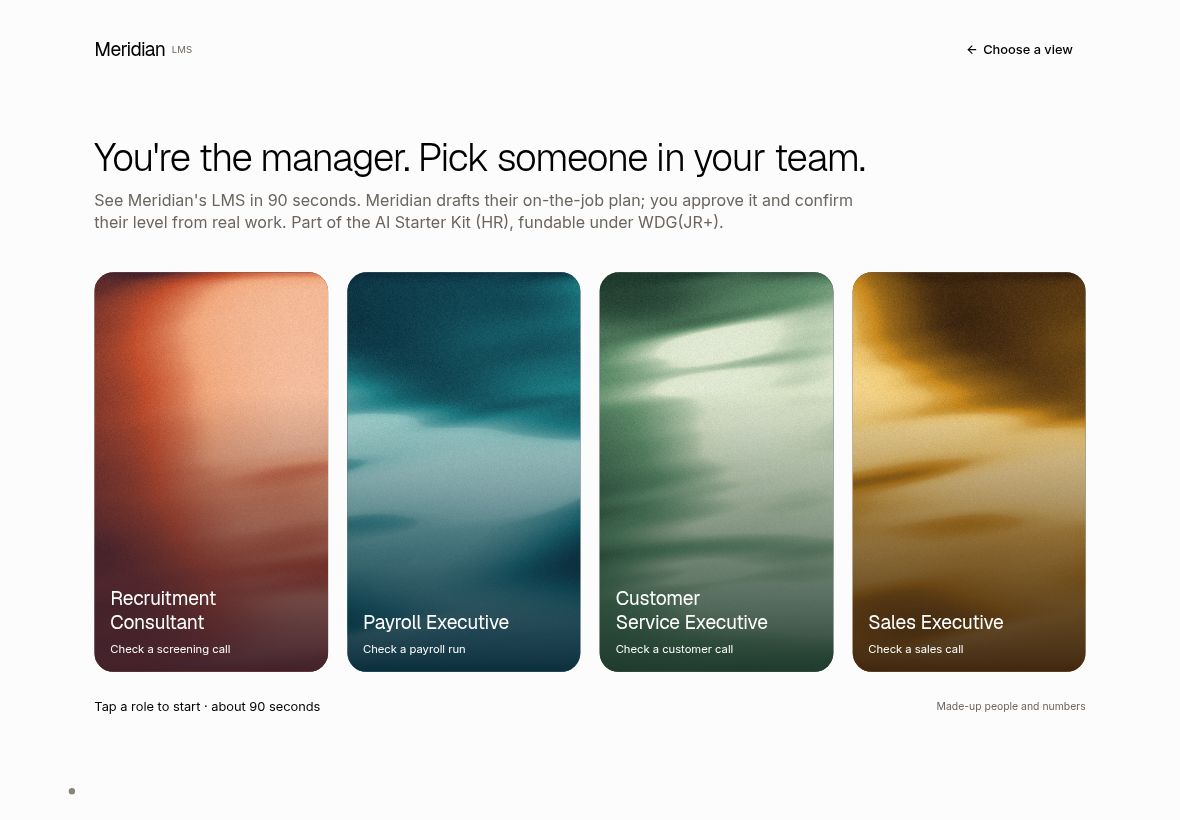
Step 1: choose a role. Tips on: "4 sample roles; any role works"
Step 3: the four ways to learn, existing files, courses from SWDA and IHRP
Step 4: AI checks the call, then the manager signs off
T5. Lead form: "Who did you speak to?" Live
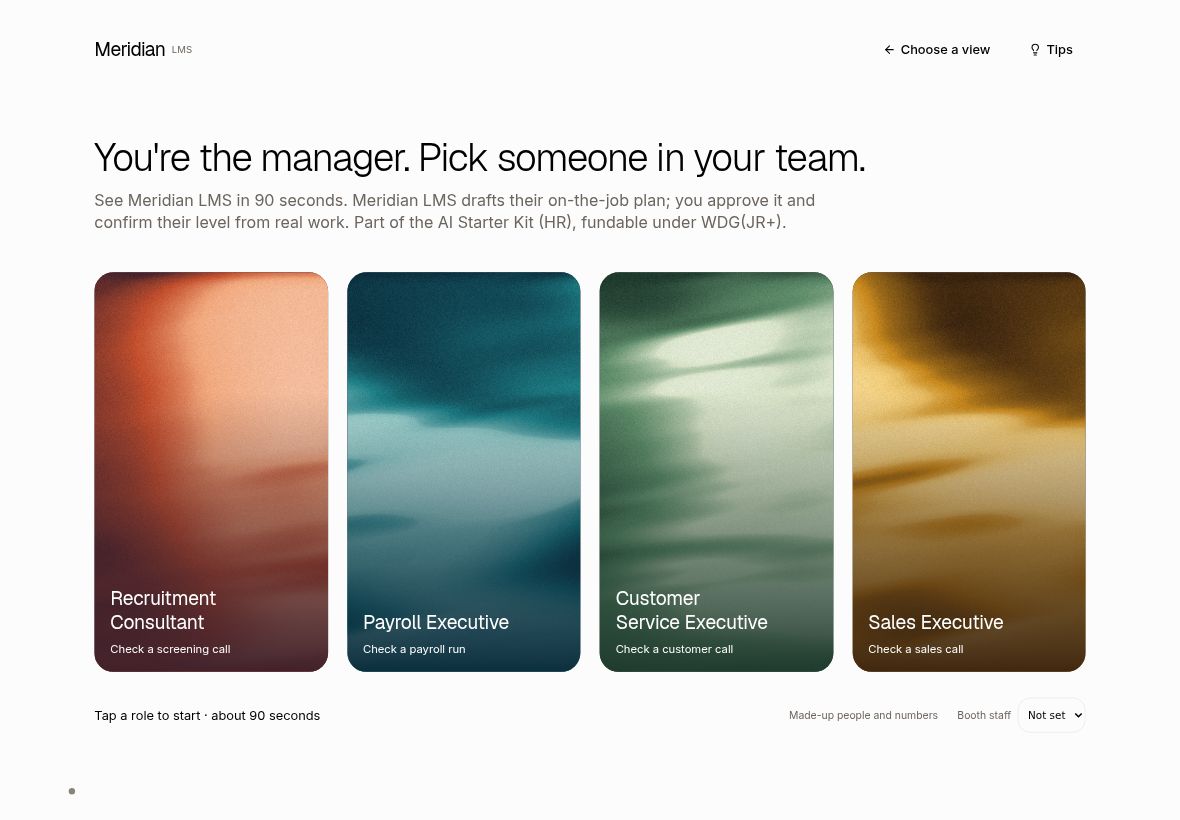
Sales needs to know which staff member owns each lead. Staff pick their name once on the start screen; the phone form then arrives pre-filled, and the visitor can change it.
Start screen: new one-time "Booth staff" setting (bottom right)
Phone form: new optional "Who did you speak to?" (here pre-filled with Penny from the QR)
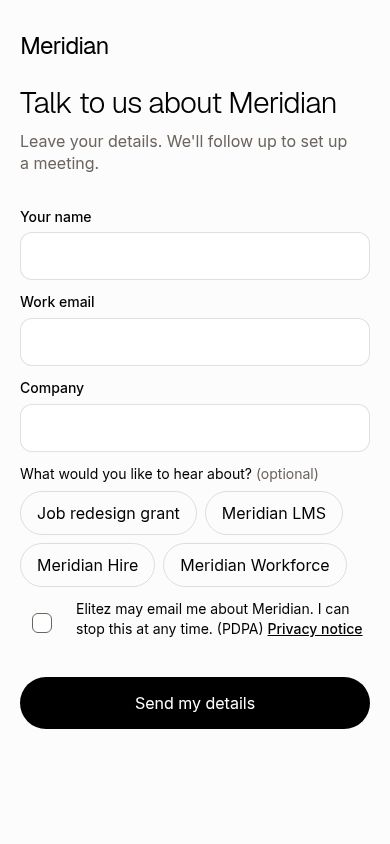
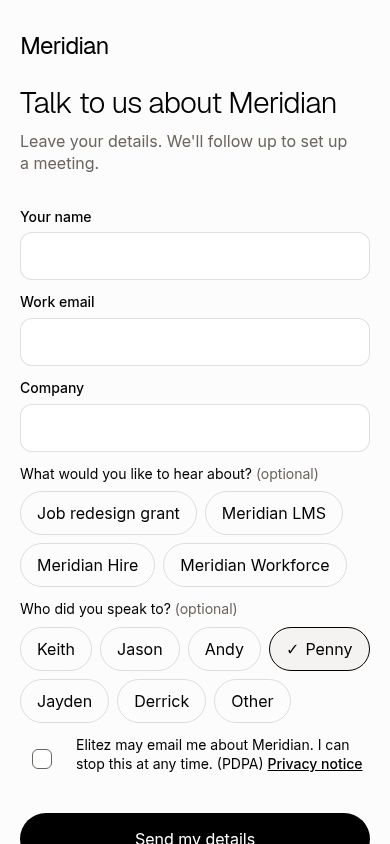
Staff set to Penny: the step 5 QR now carries the name
T6. Copy check: Meridian is a suite, the booth shows Meridian LMS Live
The full list of changed wording is in the table below. Screens that carry the new brand line:
Chooser heading: "See Meridian LMS in 90 seconds"
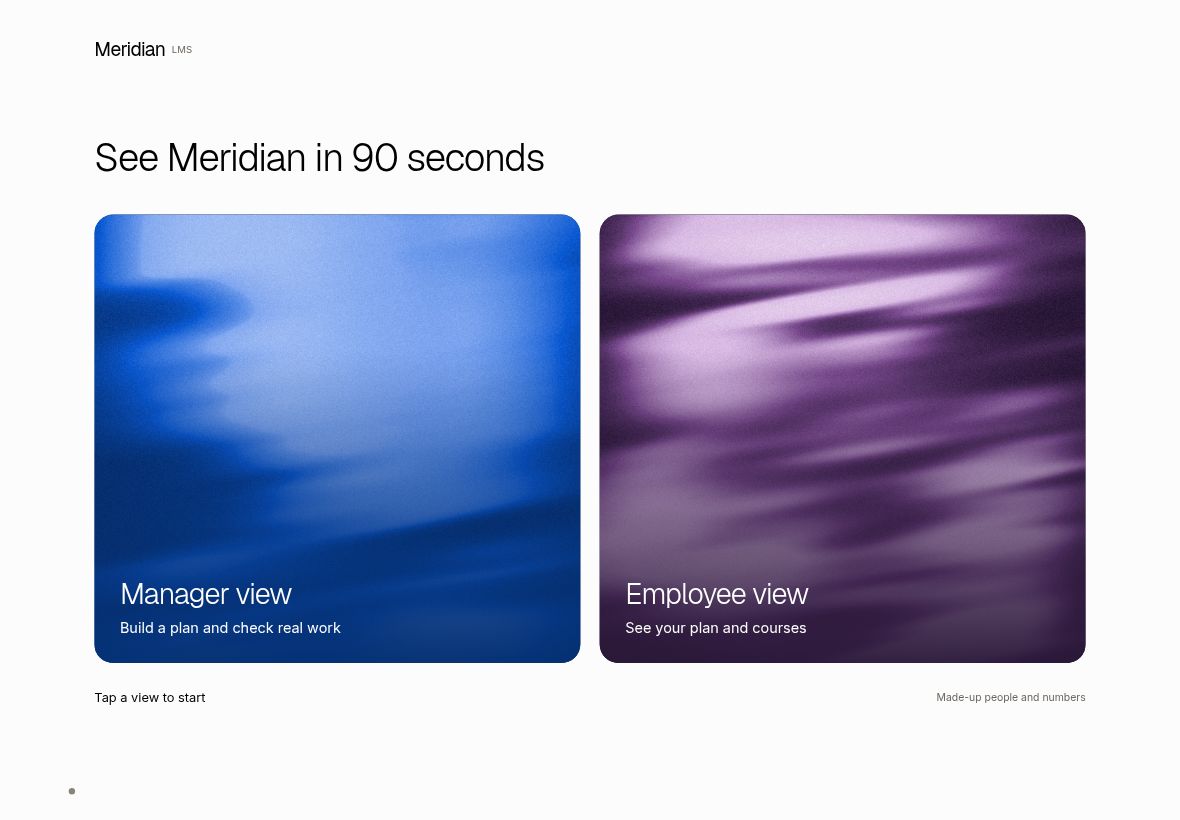
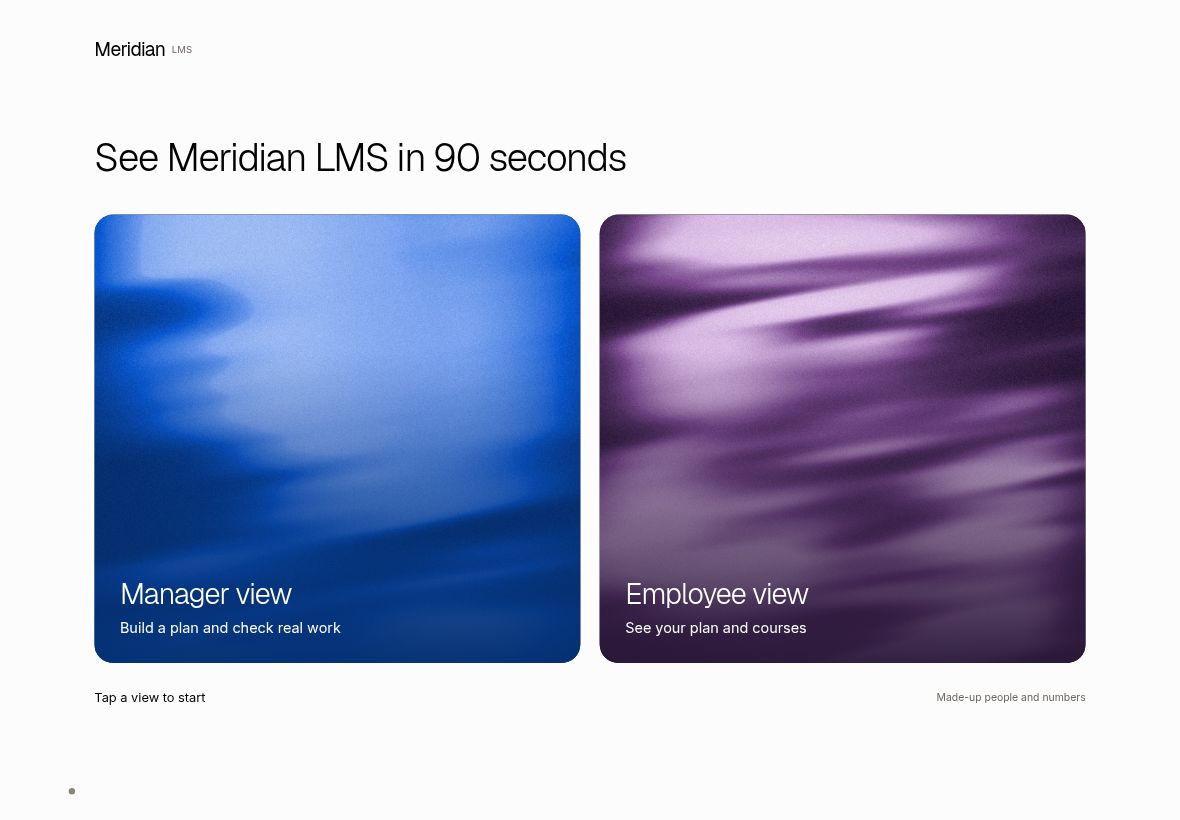
Start screen intro: "See Meridian LMS in 90 seconds…"
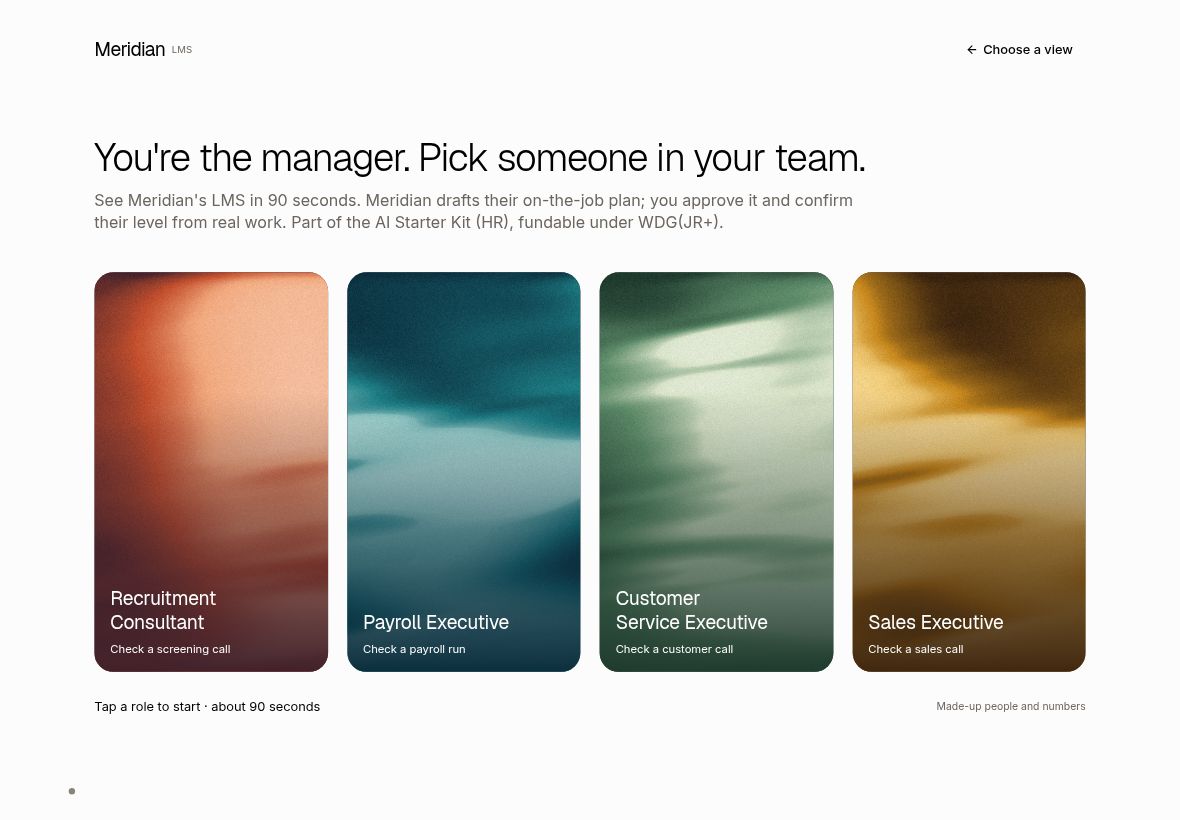
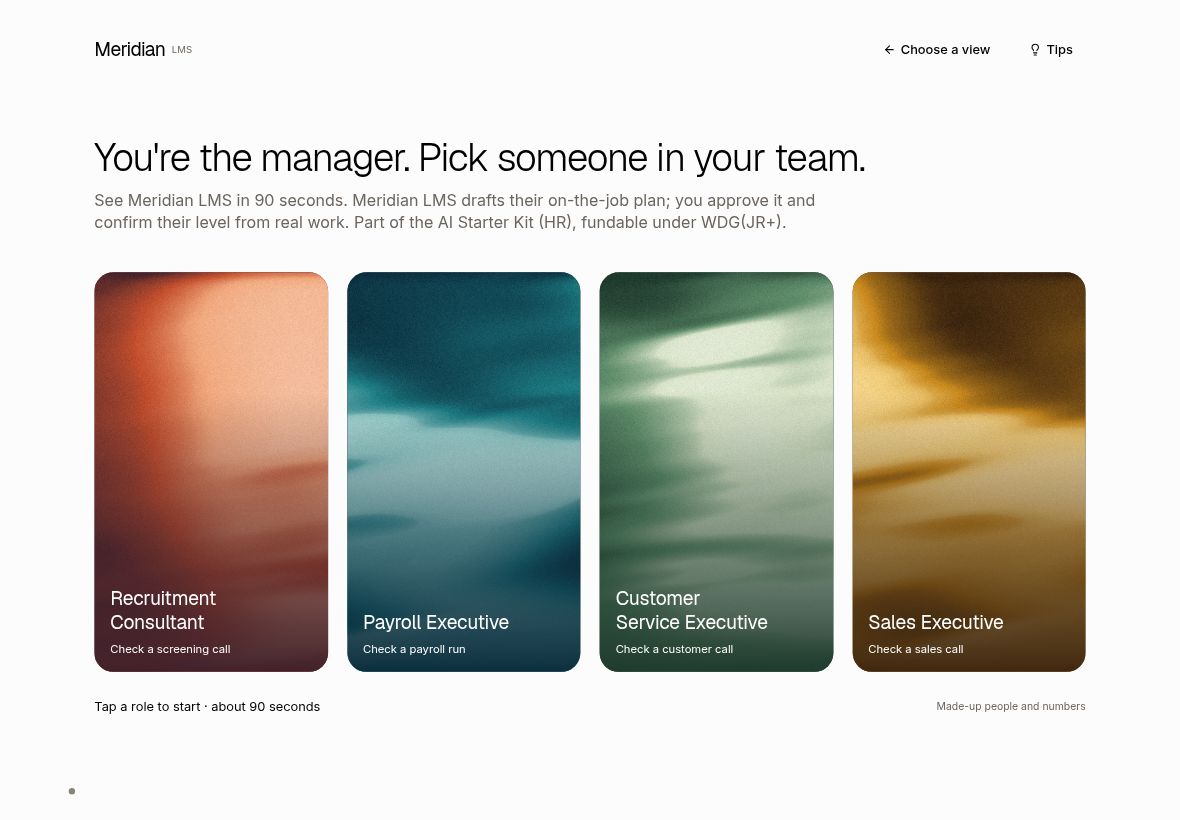
Course page footer: "Meridian LMS does not run this course…"
All changed wording
| Where the visitor sees it | Before | After | Status |
|---|---|---|---|
| Role picker intro | "See Meridian's LMS in 90 seconds. Meridian drafts their on-the-job plan…" | "See Meridian LMS in 90 seconds. Meridian LMS drafts their on-the-job plan…" | Live |
| View chooser heading | "See Meridian in 90 seconds" | "See Meridian LMS in 90 seconds" | Live |
| Drafting list (screen reader) | "How Meridian drafted it" | "How Meridian LMS drafted it" | Live |
| Course page footer (4 roles) | "Meridian does not run this course…" | "Meridian LMS does not run this course…" | Live |
| Employee plan status and "how your plan was made" | "…Meridian drafted it…" | "…Meridian LMS drafted it…" | Live |
| Call check subtitle (4 roles) | "…ones Meridian picked for each check" | "…ones Meridian LMS picked for each check" | Live |
| Employee tour tip 1 | "…Meridian signs her out…" | "…Meridian LMS signs her out…" | Live |
| Thank-you page when no topic was ticked | "…Meridian, our software to hire, train and run your team" | "…Meridian LMS, Meridian Hire and Meridian Workforce" | Live |
| Fallback email line (rarely used) | "Meridian, our software to hire, train and run your team" | "Meridian LMS, Meridian Hire and Meridian Workforce" | Live |
T7. Works on any staff device Live
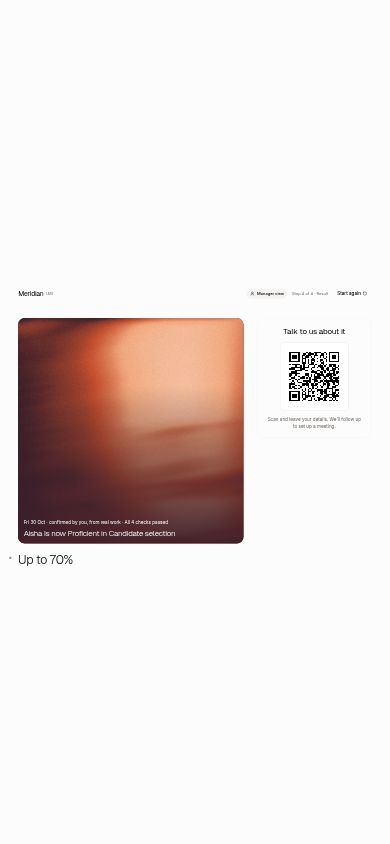
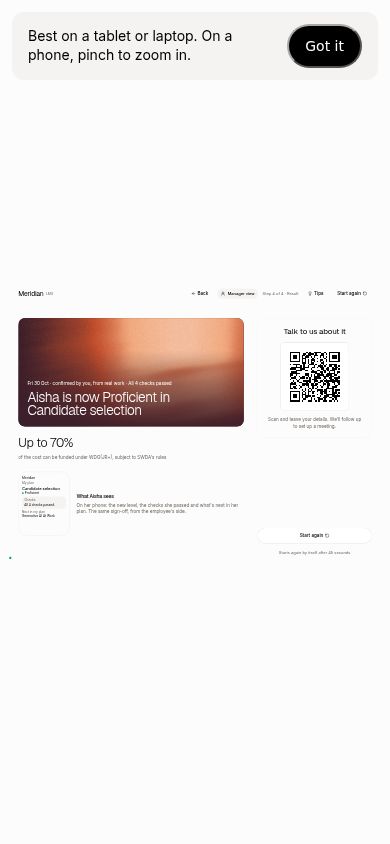
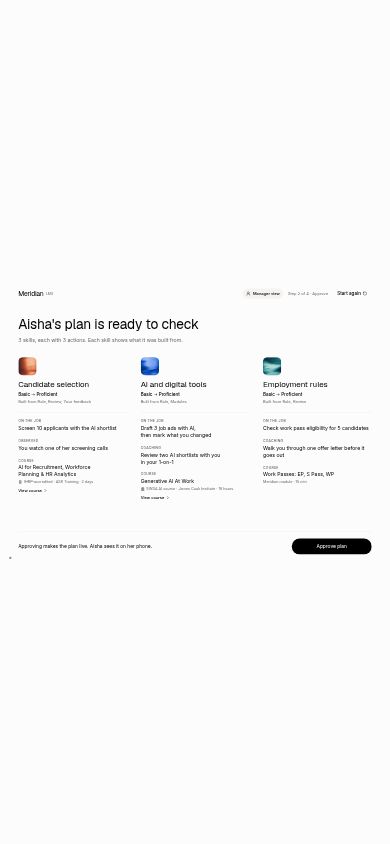
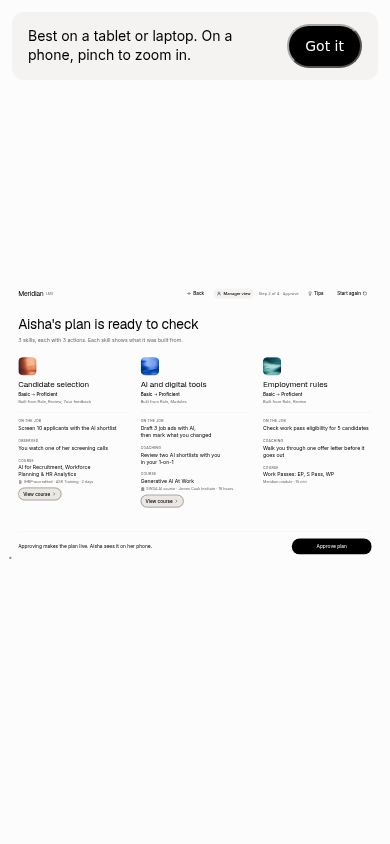
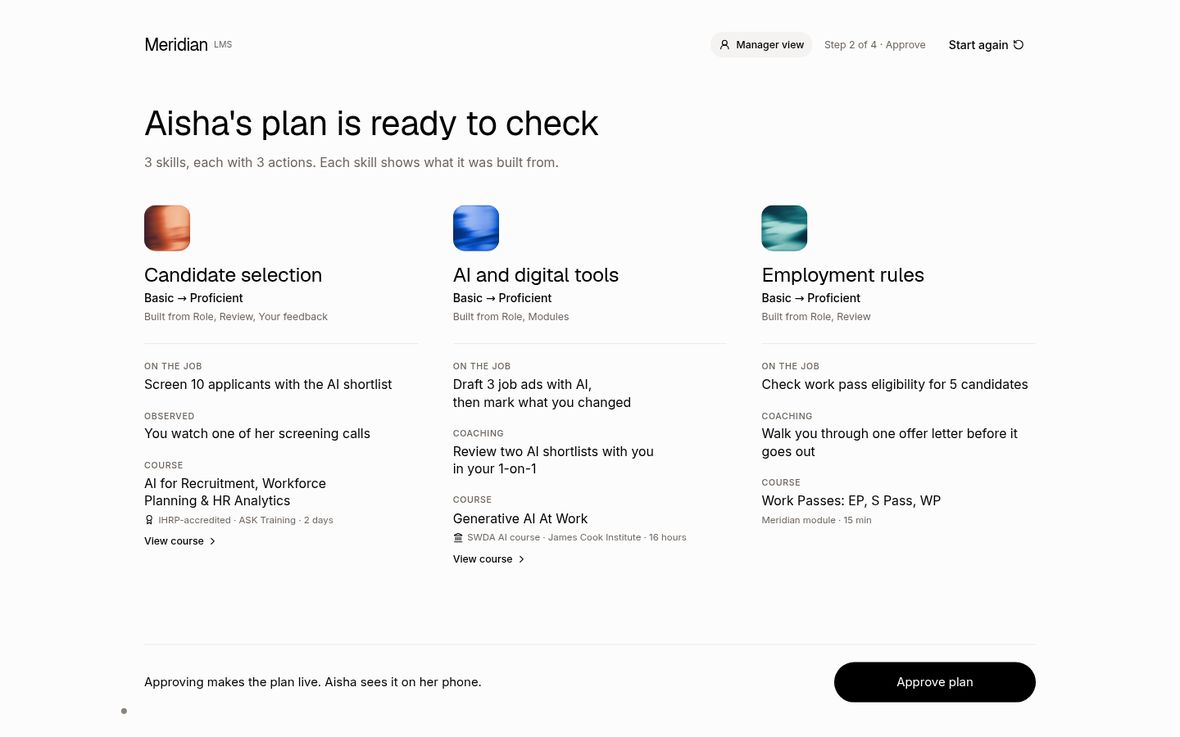
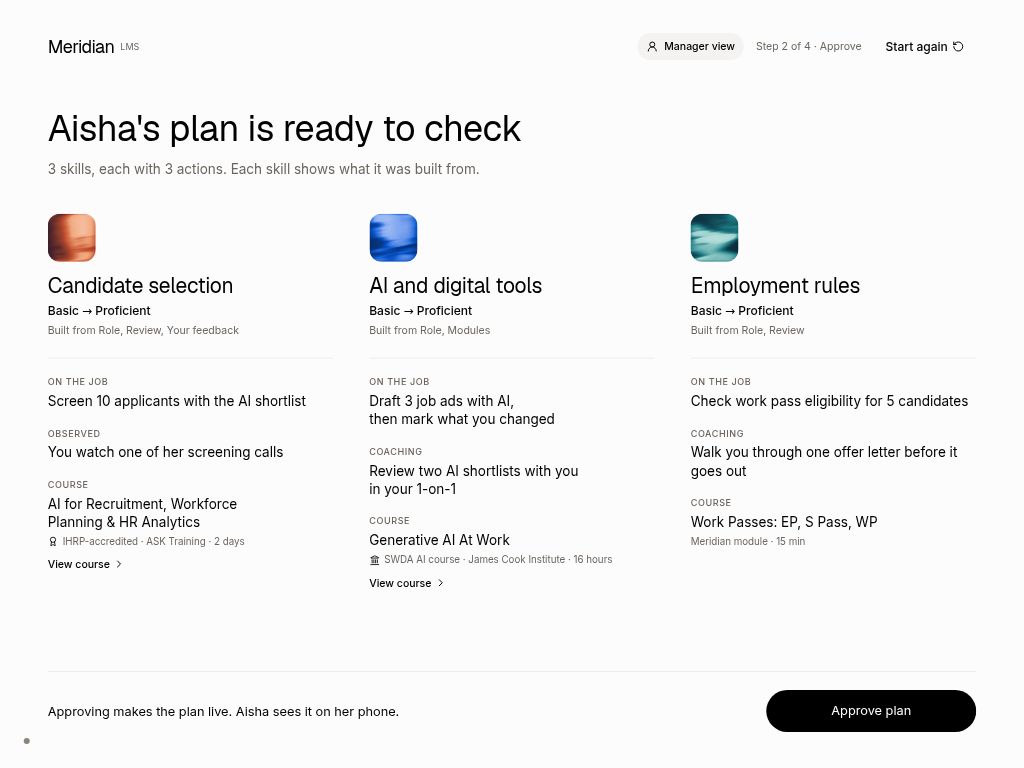
Checked at laptop (1440, 1280), iPad (1366, 1180, 1133, 1024, 820, 768 wide) and phone (390) sizes. Laptops and iPads already fitted; the fix is for phones, where step 5 used to run off the screen. The phone screens are still small (the booth is built for tablets), so a dismissible "Best on a tablet or laptop" note shows once.
Phone (390 wide), step 5: before it ran off the screen; now it fits and the note shows
Phone (390 wide), step 3: manager screen with the new note
Laptop (1440 wide), step 3: unchanged, still fits
iPad (1024 wide), step 3: unchanged, still fits
T8. One-page staff cheat sheet Live
A single A4 page for everyone on the booth, including people who do not sell the LMS.
The cheat sheet (open it for the full page, or print it)
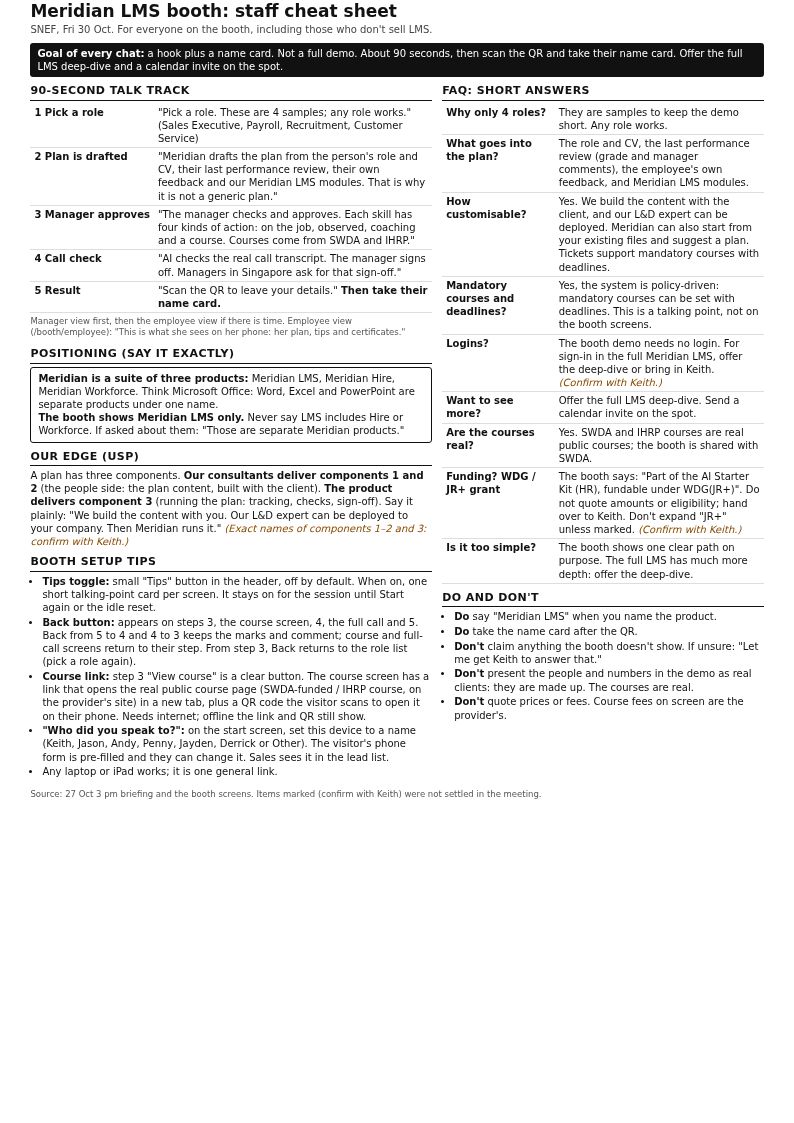
Open the cheat sheet (printable, one page) →
Decisions we made for you
| Ticket | Decision | Why |
|---|---|---|
| T1 | Grades (B+/B/B+/B), the employees' own feedback lines and "CV on file" are made-up demo content; manager comments reuse existing demo quotes. | The ticket needed a grade and feedback on screen and no real data exists in the demo. |
| T1 | Drafting takes 8 seconds, set in one place. | Twice the old speed, as asked; easy to tune. |
| T2 | Back from steps 2 and 3 to step 1 starts that role fresh. | Step 2 moves on by itself, so going "back into" it would bounce. |
| T2/T4 | Back and Tips live in the header, not inside each screen. | Let the lanes work in parallel without breaking each other. |
| T2/T3 | Course pages keep both the header "Back" and the older "Back to the plan". | Both work and go to the same place; removing the older one is a design change. |
| T3 | The link says "Open on the James Cook Institute site" (the provider's name), not "SWDA site". | The pages belong to the providers; the line above the title already says "SWDA AI course". |
| T3 | The QR code shows on every device, not only the kiosk. | Simpler and harmless. |
| T3 | Course URLs were found from the public SWDA and IHRP listings. | Keith's URLs had not arrived. Recorded in the technical record. |
| T4 | Tips card sits in a slim strip under the header (below the content on step 4). | The first version covered footnote text; fixed after review. |
| T4 | Restored the step 4 tip "managers in Singapore ask for this" and the step 3 "existing files" tip. | Both are in the ticket; the first final review caught that they were missing. |
| T4 | Step 5 tip wording ("hand over the name card") left as is. | Optional polish; another release two days before the event was not worth it. The cheat sheet has the right wording. |
| T5 | Staff list: Keith, Jason, Andy, Penny, Jayden, Derrick, plus "Other" (free text). | Names from the meeting; provisional. |
| T5 | Lead-owner change went live in two steps: database, lead list and email side first (switched off), then the booth screens and switches. | The booth server rejects unknown fields, so screens and server had to ship together after the security review. |
| T7 | Phones get a dismissible "Best on a tablet or laptop" note instead of a redesign. | The booth is a tablet product; phone is a fallback. |
| T6 | Left as they are: the three product chips, consent and unsubscribe wording, page titles, certificate issuer "Meridian", "Meridian module" labels, the live thank-you email. | Company-level or product-named correctly; consent wording is locked to the saved consent records. |
| All | Two releases (plus one small tips fix) instead of one. | Release 1 could go out without waiting for the lead-field security review. |
| All | A pre-change backup of the lead database (contains visitor details) is kept on the server only, not uploaded anywhere. | Safety net until Friday; personal data should not go to shared storage without your OK. |
Needs your OK
- T6: phone picture shows just "Meridian". The result screen's phone mock-up says "Meridian" (an earlier design choice). Change to "Meridian LMS"?
- T6: spoken QR label. Screen readers say the QR goes to "meridian.elitez.ai/snef" but the code opens "elitez.ai/snef". Which address should it say?
- T6: email wording. "Thanks for visiting Meridian at SNEF" (old fallback email) and the sender name "Meridian at Elitez". Both read as the whole suite. Keep?
- T1: made-up demo content. Grades B+/B/B+/B, the employees' feedback lines and "CV on file" are invented. Keith to confirm they are fine to show.
- T3: course links found without Keith. Three provider pages listed by SWDA/IHRP: James Cook Institute (Generative AI At Work), ASK Training (AI for Recruitment) and Stevenson Huréca (HR Operational Excellence). Keith to confirm they are the right pages, or send his own. The ASK page blocks automatic checks.
- T3/T2: two back controls on course pages. Course pages show both the header "Back" and the older "Back to the plan". Both go to the same place. Remove the older one?
- T8: "(confirm with Keith)" items. Exact names of USP components 1–2 (consultants) vs 3 (product); the WDG / JR+ grant line; what to say about logins; mandatory courses with deadlines (talking point only, not on screens).
- Buttons look smaller on iPads. The whole booth screen scales to fit, so buttons designed at 44 px show at about 33–35 px on iPads (full size on laptops). Same for every button, as before. Fine for trained staff; changing it now would risk every layout just checked. Accept, or change after the event?
- T4: step 5 tip wording. It says "hand over the name card"; it could read "take their name card". Copy-only fix, needs another quick release. Fix or leave?
- T5: lead list colour. In Derrick's lead list, an empty "Spoke to" cell is a slightly different grey from other empty cells. Cosmetic; fix after the event?
- Clean-up after the event. Delete the 2 test leads made for QA (ids in the technical record) and the pre-change database backup on the server.
- Screenshots not archived. The test screenshots stay on the server only, not on Google Drive: no Drive connection is set up on this server. OK, or set it up?
What's left
- Not tested: real iPads and real phones (all checks were in a desktop browser at those sizes), a real phone scanning the new QR codes (all decode in tests), and the lead list page while logged in as Derrick (checked in the database and code only).
- One course page (ASK Training) blocks automatic checks, so it was confirmed from IHRP's listing only.
- One booth unit test is flaky (1 failure in 8 runs; keyboard focus on the employee screen). It is not in this release's changes.
- After the event: delete the 2 test leads and the backup; decide the OK items above.
Review verdict
Final independent review (Opus 5.5, on the live booth): round 1 asked for changes, round 2 PASSED.
| Piece | Review so far |
|---|---|
| Round 1 | REVISE: the tips missed 2 points the ticket required (step 3 "existing files", step 4 "managers in Singapore"), and some cheat-sheet wording was off. Everything else passed live. |
| Fixes | Tips restored (live in deployment cc63bc84); cheat sheet corrected. |
| Round 2 | PASS on the live booth: T1–T7 and the cheat sheet. No high or medium findings. |
| Carried as known items | Buttons ~33–35 px on iPads (design scaling), lead-list empty-cell colour, optional step 5 tip wording. |
| Not checked by the reviewer | Real iPads/phones, real phone QR scans, lead list while logged in, the ASK Training page. |
| Earlier lane reviews | T1, T3, T6 passed; T2 + T4 passed after one fix; T5 passed on the third round (deploy plan needed two corrections); T7 passed; cheat sheet corrected after review. |
Technical record (for engineers)
| Item | Details |
|---|---|
| Release 1 booth merges (MeridianOS) | #689 T1 → 9d960b7744167ccd1d53d5d1a6e70a5d9271a2e0; #690 T3 → ec922fd4c9aa31f7ed5b141434f38413b0849ff4; #691 T2+T4 → 25c56df4b233f7b13d21772ad117ef80c391f64f; #692 T6 → 88c01c97852ace95f861c8f17089e29e9bed024c |
| Release 1 deploy | elitez-projects #13 → 0050af1cb30dec0044caaee450b9ab1398ad7963 on railway/snef-booth; Railway snef-booth-preview deployment 4b5917b3-0d4f-432b-ad22-a5a61e56e5cc (SUCCESS 15:17Z). Rollback: redeploy clean elitez-projects cee49d8173bfb39133fd9a0a3f10a4c8816e6a47 (previous deployment a59ff3f3). Offline version 94e3b4dd… |
| T5 backend (live) | elitez-lms #18 → main 81f34d5b538f (booth_staff column, booth-lead v8, admin-leads Pages 784263db-1266-4825-ac29-d00ec8e3f7ea; rollbacks v7 / fc1f9894-4514-4619-a2ca-5a90d7422041). Supabase migration 15:16Z. MeridianOS #694 → 8b4fc4464fab895ec652711fd0d234d36a81f878 into release/r1-r01-0097 (migration 0098 applied 15:30Z; API release 0cb51815-ce72-4ade-8cdd-5ee9ca139704; rollback to pre-deploy f8b3ff18). #693 T5 booth → 878c91a8d02babab60710cca63cb3016a9153a22 (into integration, shipped in Release 2). |
| Release 2 merges | MeridianOS #695 T7 → 2a88f8c1f37555981f15d8162be992facf939b29; #696 QR check fix → f62998219b3d62eebaa0f87d43d1698e07d95b51 (self-merged by the integrator, checked by the final reviewer); elitez-projects #12 T5 server → 4342033a2b7127447f02b92f600d8881a93d1087; #14 email fallback → ad839ab32043a5c4b143c095682ed3d1ec280125; #15 public/ → d362c304d34e6f3351b3f034651106af7f293166 (deploy commit). |
| Release 2 deploy | Railway snef-booth-preview a9dd21b1-4b9e-45b4-a0ca-8861870cdcb7 SUCCESS 16:08Z; switches BOOTH_LEAD_STAFF + BOOTH_MERIDIAN_STAFF turned on 16:15Z → redeploy 841011c2-f544-4d0f-bdfc-33886dd7f3ce. Offline version da4d5f39… Rollback: switches off, then redeploy clean elitez-projects 0050af1c (never cee49d8), deployment 4b5917b3. |
| Tips fix deploy | MeridianOS #697 → 4ca75ca76d5579d0cb098a3f9c22144b9daf2cc4 (2 tip strings + 1 test; merged before a separate lane review, the final review r2 judged it live); elitez-projects #16 public/ → da6b8d3de3632a645eeeb41708c9f76e97fbbe43; Railway cc63bc84-0941-4024-bb99-1f3ac939d5a2 SUCCESS 16:48Z (LIVE NOW). Offline version 849be745… Rollback: redeploy clean elitez-projects d362c304 (switches unchanged). |
| Live checks | Release 1: 108/108, drafting 8.0 s, CSP 0 own violations, offline OK. Release 2: staff 20/20, 9 device sizes steps 1–5 + employee screen 0 cut off / 0 sideways, regression 108/108. Tips fix: 108/108, tips overlap 0 (24/24), CSP 0, offline OK. 0 lead requests in all runs except the two QA leads. |
| QA test leads (2 of 2 budget; delete after the event) | A 40d2979d-a76b-4af1-8a0c-6b2c03c63b23 (staff Penny via QR); B 91317e31-d106-4ee0-a871-255c3b7c9ad9 (staff Other "QA Helper"). Staff saved in the MeridianOS lead table and Supabase trial_leads; emails sent, unchanged. Disposable inboxes already deleted. |
| Pre-change database backup | MeridianOS database dump before migration 0098 (177 MB, contains lead details) at ~/.local/share/snef-booth/backups/ on the server, file mode 0600. Last-resort rollback; delete after the event. |
| Open items (technical) | Flaky test employee/behavior.test.tsx (keyboard focus, 1 fail in 8 runs, not in the release diff). Pre-existing: one-meridian/integration has no lead-intake API module, so a future API deploy from integration would drop booth intake. Admin-leads empty "Spoke to" cell uses var(--muted) instead of --m-muted. Screenshots (134 MB) not offloaded: no rclone drive1 remote on this server. |
| Course URLs used | https://jci.edu.sg/courses/generative-ai-at-work/ (200); https://asktraining.com.sg/generative-ai-courses/ai-for-recruitment-workforce-planning-hr-analytics/ (403 bot block, found via IHRP listing); https://www.stevenson.com.sg/hr-operational-excellence-with-gen-ai (200). ihrp.sg skills-badge pages returned HTTP 500. |
| Reviews | T1 r1 PASS (Sonnet 5.5); T3 r1 PASS (Haiku 5.5); T2/T4 r1 REVISE → r2 PASS; T6 r1 PASS (Haiku 5.5); T5 r1 REVISE, r2 REVISE, r3 PASS (Opus 5.5); T7 PASS (Opus 5.5, visual); T8 r1 REVISE → corrected; row 23 email PASS (Haiku 5.5); final live review r1 REVISE → r2 PASS (Opus 5.5). |
| Linear | Epic ELI-2852; T1–T8 = ELI-2853…2860. |